Product hotspots
Pin a hotspot on any product. Shoppers tap it to open an info panel with your copy, finishes, dimensions or price, plus links — formatted the way you want.
Give online shoppers the walk-through they would get on your floor. They look around in 360°, tap a sofa, a kitchen island or a car to read the details, jump to the product page — and the serious ones ask your team a question without leaving the showroom.
A virtual showroom is more than a 360° photo. It has to explain the product, point to the next step and tell you what people looked at.
Pin a hotspot on any product. Shoppers tap it to open an info panel with your copy, finishes, dimensions or price, plus links — formatted the way you want.
Link hotspots open the product page, a configurator, a brochure or a booking page in a new tab, so browsing turns into a basket or an appointment.
A “Get in touch” button collects name, email, phone and a message. Leads land in your dashboard inbox and you get an email for each one (Solo plan and up).
Views, unique visitors, time spent, devices, countries, referrers and views per scene — see which room sets pull people in. Full analytics from Professional.
One line of iframe code puts the showroom on any website or store page that accepts custom HTML, responsive on phones, tablets and desktops.
Remove our watermark and add your logo and colors from Solo. Serve it from your own domain with automatic SSL on Business.
Hotspots are the heart of a virtual showroom. Place them on the floor, on a wall or floating in the scene, pick an icon, a color and a size, and decide whether the label shows on hover.
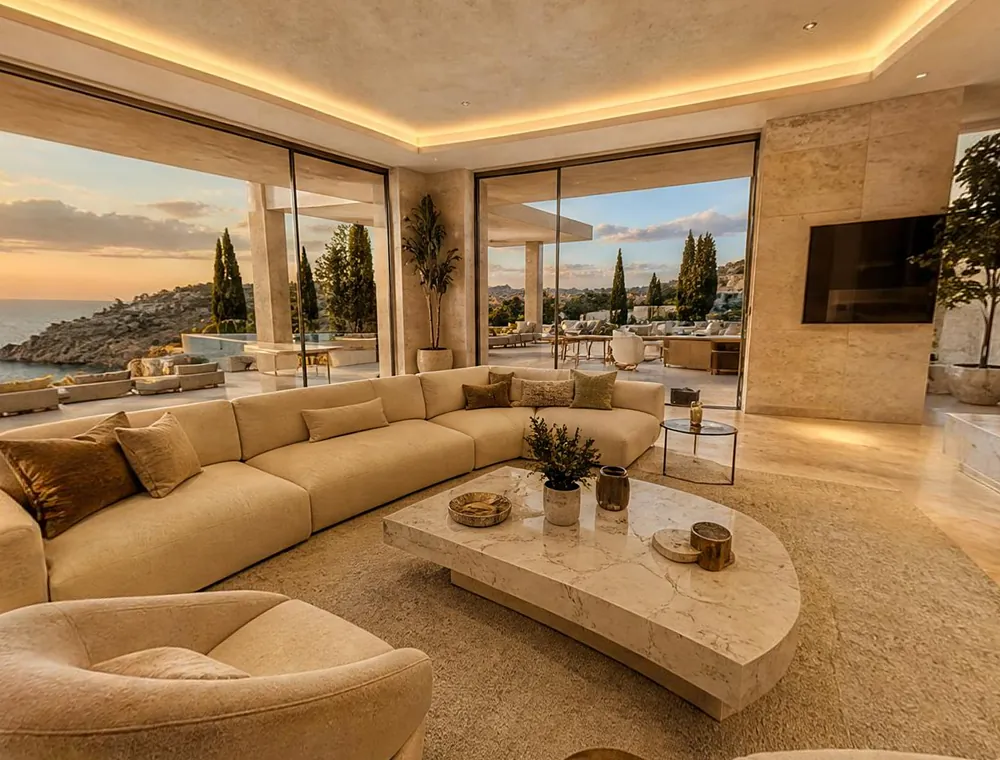
Shoot one 360° photo per display area with any 360° camera, or take regular phone photos and let AI extend each one into a full 360° scene.
Drop info and link hotspots on the products that matter, set the starting view of each scene and switch on the inquiry form.
Publish to get a short link and an embed code. Put it on your homepage, a collection page, your Google Business listing or in an email.
Furniture is bought in context: how a sofa sits next to a rug, how an oak table looks in daylight. A 360° showroom keeps that context. Capture each room set as one scene, then pin an info hotspot on every piece you sell — name, materials, dimensions, available finishes — with a link to the product page.
A dealership tour can do three jobs: show the showroom and service area so the visit feels familiar, show individual vehicles, and book the test drive. Put a 360° camera on a short stand in the middle of the cabin and you get an interior scene people can look around — dashboard, seats, boot. Pin hotspots on the features you want to sell and link each car to its listing page on your website.
Display kitchens and bathrooms are expensive to build and only a fraction of your customers ever see them in person. A 360° tour lets every prospect stand in the room, open an info panel on the worktop to see the material and finish options, and follow a link to your brochure or a design-consultation booking page.
You don't need a 360° camera to get started. With a paid plan, AI can:
AI-generated scenes are illustrations, so present them as such — perfect for concepts and pre-launch previews, while your real products are best shown in photos of the real space. AI features use credits, included from the Solo plan ($19/month).
Every published tour records views, unique visitors, average time spent, devices, countries and referrers, plus views per scene, so you can see which room sets or display areas hold attention. Professional and Business unlock full analytics, and Business adds GA4, Google Tag Manager and your own scripts on every published tour — so showroom visits can sit next to the rest of your e-commerce data.
| Plan | Price | Best for |
|---|---|---|
| Free | $0 | Trying it out: 3 tours, 10 scenes each, hotspots and embedding, with a small VirtualTourEasy watermark |
| Solo | $19/month ($16 billed yearly) | One showroom: no watermark, your logo and colors, inquiry forms and 100 AI credits a month |
| Professional | $59/month ($48 billed yearly) | Several locations or a vehicle line-up: 50 tours with unlimited scenes, full analytics, 5 team members, API, AI video |
| Business | $199/month ($160 billed yearly) | Retail groups: unlimited tours, your own domain, GA4/GTM and dedicated support |
Every plan includes unlimited visits — there's no charge per view. Compare everything on the pricing page.
The penthouse and the Foundry use info points to describe furniture, materials and fittings — the same mechanism you would use for products. Click to explore.
Build it free today — upgrade when you want your brand, inquiry forms and AI.