Skip to content
For wedding, event & conference venues

Let couples walk your venue before they visit.

Couples shortlist venues on their phones, late at night, often from another city. A 360° tour lets them stand in your ceremony space, picture the reception and check the bridal suite — then send you an inquiry from inside the tour, while they are still excited.
Free plan foreverNo credit cardInquiry form built in
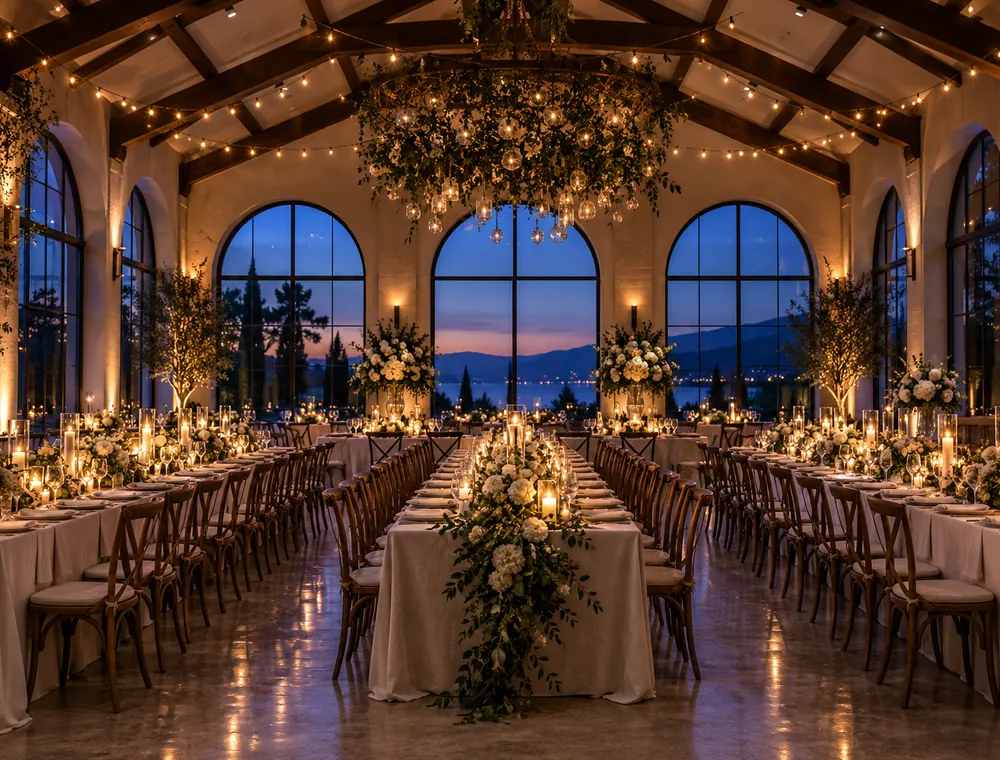
Candle-lit wedding reception hall with long tables under a vaulted wooden ceiling
Built for venue sales

Answer the planner’s questions inside the tour.

The same five questions come up on every first call. Put the answers where couples and planners are already looking.

Capacity on every space

Pin an info hotspot in each room with the numbers that matter — seated dinner, standing reception, ceremony rows — written in your own words.

An interactive floor plan

Upload your floor plan, pin each scene on it, and visitors always see where they are as they move between spaces. Multiple floors are supported.

The guest journey, in order

Link scenes with navigation hotspots so the tour flows like the day itself: arrival, ceremony, drinks, dinner, dancing, the suite.

Inquiry form in the tour

A “Get in touch” button collects name, email, phone and a message. You get an email and the lead in your dashboard (Solo plan and up).

Links that close the loop

Send people from the tour to your availability calendar, brochure PDF, menus or a viewing-booking page with link hotspots.

Reels from the same tour

Turn the tour into a cinematic or vertical AI video for Instagram, TikTok and YouTube (Professional and Business plans).

Estates, barns, hotels, rooftops

Show the setting, not just the room.

Outdoor ceremony lawns, terraces and gardens are often a venue’s biggest selling point — and where flat photos fall shortest. A 360° scene shows the view in every direction, the distance to the reception and the golden-hour light.

  • Shoot each space with a 360° camera — or upload regular photos and let AI extend them into 360° scenes (paid plans).
  • Set the starting view of every scene so couples land facing the aisle, the head table or the view.
  • Visitors can open it on any phone without installing anything, and the viewer interface is multilingual for destination weddings.
Venue tour playbook

How to build a venue tour that books viewings

What to include in a wedding venue virtual tour

Plan the tour in the order a guest experiences the day. Eight to twelve scenes is usually enough to cover a venue without losing people halfway through.

  1. Arrival — the drive, the entrance or the courtyard. First impressions count twice: it's also the preview image people see when you share the link.
  2. Ceremony space — indoor and outdoor, plus the wet-weather alternative. Couples always ask.
  3. Drinks reception — terrace, garden or bar area.
  4. Reception room set for dinner — shoot it dressed, not empty, so people can picture their own tables.
  5. Dance floor and band or DJ area.
  6. Getting-ready rooms — the bridal suite and the groom's room.
  7. Accommodation if you have it, plus the best photo spots on the grounds.

Capacity and floor plan hotspots

Capacity is the first filter planners apply, so don't hide it in a PDF. Add an info hotspot in each space with your real figures — for example “Seated dinner · Standing reception · Ceremony” followed by your numbers — and the dimensions if you know them. Then upload your floor plan: each scene is pinned to its spot on the plan, and the plan works as a mini-map while people move through the tour. If you only have a hand-drawn sketch, AI can redraw it as a clean plan (AI credits, paid plans).

Tip: keep the wording consistent across scenes (same order, same units). Planners comparing five venues will thank you — and remember you.

Turn tour views into booked viewings

A tour that ends in a dead end wastes the moment. Give every visitor an obvious next step:

  • Switch on the inquiry form so couples can ask about a date without leaving the tour. Each lead arrives by email and in your dashboard inbox.
  • Add a link hotspot in the last scene to your availability calendar or a “book a viewing” page.
  • Reply to inquiries with the tour link — couples share it with parents and friends, and every view is another person picturing the day at your venue.

Where to put your venue tour

  • Your website — embed it on the homepage and the weddings page with one line of iframe code (WordPress, Wix, Squarespace, Webflow and others).
  • Venue listing and directory sites — where a listing accepts a virtual tour link or embed code, paste yours; elsewhere, add the short link to your description.
  • Google Maps — publish 360° photos of your venue to Google Street View so they appear on the map (Professional and Business plans). See how publishing to Google works.
  • Instagram, TikTok and email — share the link, or a vertical AI video made from the tour.

Event venues, conference centers and corporate spaces

Event planners book on logistics. For conference and corporate venues, add a scene for each meeting room and breakout space, and use info hotspots for what planners filter on: capacity by layout (theatre, classroom, banquet, boardroom), natural light, AV and accessibility. Link to your rate card or a request-for-proposal form, and use your own branding so the tour looks like part of your sales deck.

What a venue virtual tour costs

If you already have 360° photos, you can build and publish a full venue tour on the Free plan — 3 tours with up to 10 scenes each, hotspots and website embedding, with a small VirtualTourEasy watermark. Move to Solo ($19/month, or $16 billed yearly) when you want the inquiry form, no watermark, your own logo and colors, and AI credits to turn phone photos into 360° scenes. Multi-venue groups will want Professional for team seats, AI video, full analytics and Google Street View publishing. See every plan on the pricing page.

Examples

Tours that feel like being there

An estate, a boutique hotel and a converted industrial building — three very different settings, each with its own route through the spaces. Click to explore.

FAQ

Venue virtual tour questions

Shoot one 360° photo of each space (or take regular photos and let AI extend them into 360° on a paid plan), upload them to VirtualTourEasy, link the scenes in the order guests experience the day, add capacity hotspots and the inquiry form, then publish and embed the tour on your website.
With your own 360° photos it can cost nothing: the Free plan includes 3 tours of up to 10 scenes. Paid plans start at $19/month and add the inquiry form, your branding without our watermark, and AI credits. There is no charge per view.
Yes. Turn on the lead form and a “Get in touch” button appears in the tour. Couples send their name, email, optional phone and a message; you receive an email and the lead is stored in your dashboard. Lead forms are included from the Solo plan.
Yes. Add info hotspots with your capacity figures in each space, and upload a floor plan on which every scene is pinned, so visitors can see where they are and jump between spaces.
Wherever a listing site accepts a virtual tour link or an embed code, you can use your VirtualTourEasy short link or iframe. Policies vary by site, so check each directory’s listing options.
No. A consumer 360° camera on a tripod gives good results, and you can also start from regular photos taken on a phone and let AI turn them into 360° scenes. Some venues hire a photographer for the hero shots and shoot the tour themselves.

Your venue, open for viewings 24/7.

Build your venue tour free — no credit card, no app for your visitors to install.

Create your free tourFree plan · No credit card
Start free