A property page can show strong tour engagement while the CRM receives almost no attributable leads. Buyers open a virtual tour, move between scenes, click a floor-plan hotspot, and submit a form inside an embedded experience. The analytics report records views, but the conversion column remains suspiciously empty.
That pattern usually isn't caused by a missing tracking pixel alone. The failure sits in the data plumbing between the parent website, the VirtualTourEasy embed, the consent banner, Google Tag Manager, GA4, advertising platforms, and the CRM. A reliable conversion tracking setup must preserve identity, event names, parameters, consent state, and deduplication across every handoff.
Table of Contents
- Why Most Virtual Tour Tracking Stops Counting Real Leads
- Events to Track Inside a VirtualTourEasy Tour
- Setting Up GA4 Conversion Tracking for Your Tours
- Building a GTM Container as the Single Source of Truth
- Real Estate and Hospitality Tracking Scenarios
- Testing, Debugging, and Fixing Common Tracking Errors
- Privacy, Consent Mode, and Server-Side Considerations
Why Most Virtual Tour Tracking Stops Counting Real Leads
Virtual tour reporting commonly breaks in four places.
First, a tour may load from a CDN or embedded subdomain while the listing page lives elsewhere. Without cross-domain linker configuration, the visitor's campaign context can be lost when the tour opens or when its form hands the visitor to another booking or contact domain. The tour still records scene_view activity, but the eventual lead can appear as a new session or unattributed conversion. Teams responsible for campaign analysis should also preserve UTM parameters, referrers, landing-page URLs, and click identifiers through the lead flow, as described in this lead source tracking guidance.
Second, event names drift. One deployment sends tour_complete, another sends Tour_Complete, and a third uses tour_finished. GA4 treats those as separate events, so reports fragment the same business action across multiple rows. A similar problem occurs when developers create one event for the parent page and another for the iframe, then mark both as key events.
The four plumbing failures
- Missing linker configuration: The embedded tour starts a handoff without preserving the advertising click or session context.
- Duplicate event names and firing paths: A hardcoded tag and a GTM tag respond to the same action, or several event names represent one outcome.
- Consent gating at the wrong moment: The consent management platform blocks
gtagor advertising tags, while the tour fires its conversion event before the consent state is available. - Hardcoded pixels ignoring the data layer: A pixel listens for a button click in the parent document but never receives the confirmed submission pushed by the tour iframe.
The result is misleading. Engagement counts rise because views and clicks are easy to fire. Lead totals fall because the confirmed event never reaches the destination, loses its parameters, or fires more than once and is later filtered out.
Practical rule: Treat the tour, website, advertising tags, and CRM handoff as one measurement system, not as separate scripts.
A stronger architecture uses one GTM container, one canonical event schema, explicit linker settings, and consent-aware triggers. GA4 should receive the business events, while Meta, LinkedIn, TikTok, and Google Ads tags reuse those same triggers rather than inventing parallel logic. Consent Mode can preserve limited cookieless signals for eligible modeling, but it cannot repair duplicate events or a broken iframe contract.
Events to Track Inside a VirtualTourEasy Tour
The event taxonomy should describe what happened, not which platform received the signal. A tour view is useful context, while a confirmed lead or booking request can qualify as a business conversion. The same event should carry consistent parameters such as tour_id, listing_id, scene_name, vertical, and, where a genuine business value exists, value and currency.
Use tour_start when the tour becomes active, not when the page merely loads. scene_view records navigation, while hotspot_click identifies interaction with a meaningful feature such as a floor plan, amenity, or contact panel. fullscreen_enter is generally a micro-engagement because it shows intent without proving that a lead was created.
lead_form_open is another micro-engagement. It tells marketing teams that the visitor reached the capture step, but it shouldn't become the primary optimization event unless the business has no stronger signal. lead_form_submit should fire only after the form submission is confirmed. agent_call_click can qualify as a conversion for a brokerage that treats phone calls as leads, while booking_request usually represents the strongest hospitality action before the booking engine confirms a reservation.
The event schema below keeps platform names aligned without forcing each platform to become the source of truth.
VirtualTourEasy event mapping across GA4, GTM, and pixels
| Tour Interaction | GA4 Event | GTM Trigger Type | Meta Pixel | LinkedIn Pixel | Counts as Conversion |
|---|---|---|---|---|---|
| Tour opens | tour_start |
Custom event | ViewContent |
Custom conversion event | Usually no |
| Scene changes | scene_view |
Custom event | Custom event | Custom event | No |
| Hotspot interaction | hotspot_click |
Custom event | Custom event | Custom event | No |
| Fullscreen enabled | fullscreen_enter |
Custom event | Custom event | Custom event | No |
| Lead form displayed | lead_form_open |
Custom event | InitiateCheckout or custom event |
Custom conversion event | Usually no |
| Lead confirmed | lead_form_submit |
Custom event | Lead |
Lead conversion | Yes |
| Agent phone link selected | agent_call_click |
Link click or custom event | Contact |
Contact conversion | Often yes |
| Booking inquiry submitted | booking_request |
Custom event | Lead or custom event |
Lead conversion | Yes |
The event names in the table are a publishing contract. They should be documented beside their required parameters and ownership. Teams can find broader measurement ideas in this guide to data collection strategies for virtual tours, but the implementation should still keep one canonical schema.
Setting Up GA4 Conversion Tracking for Your Tours
GA4 uses an event-first model. A team must create or detect the event, verify that it arrives correctly, and then mark the relevant event as a key event. GA4 won't infer that a scene view, form submission, or booking request represents a business outcome.
Create the property and install the Google tag
In GA4, open Admin, create or select the property, and add the website data stream. Copy the Measurement ID, then install the Google tag through either gtag.js or Google Tag Manager. Google documents both implementation paths and recommends creating a Google Ads conversion from an Analytics key event when that event matters for campaign optimization in its conversion tracking documentation.
For a production tour, the preferred operational pattern is usually GTM. It gives the analytics owner a controlled publication workflow and lets the same event trigger feed GA4 and advertising tags. A staging property should receive test traffic separately, so preview submissions and developer refreshes don't contaminate production reports.
Open the site with GTM Preview enabled, launch a tour, and submit a test form. In GA4, use DebugView to confirm the Measurement ID receives the event and that parameters such as tour_id and listing_id aren't missing.

Register the events and choose the business signals
Go to Admin > Data display > Events and confirm tour_start, lead_form_submit, and booking_request. If the events exist but aren't yet key events, use Admin > Data display > Key events, or the relevant Mark as key event control in the Events interface. Mark lead and booking actions as key events. Keep tour starts and navigation events available for analysis without allowing them to compete with the primary conversion signal.
Enhanced measurement can remain enabled for appropriate automatic interactions, but it doesn't replace the custom tour schema. Exclude internal traffic through the relevant data filters, and test those filters in staging before applying them to production.
One frequent implementation error is loading the Google tag twice, once in the page source and once through GTM. In Preview mode, inspect the page initialization and confirm that only one Google tag instance fires. Tag Assistant and the browser network panel can provide a second check. Teams maintaining older measurement implementations may also benefit from this practical reference on setting up UA and GA4 goals, particularly when translating older goal logic into GA4 key events.
Building a GTM Container as the Single Source of Truth
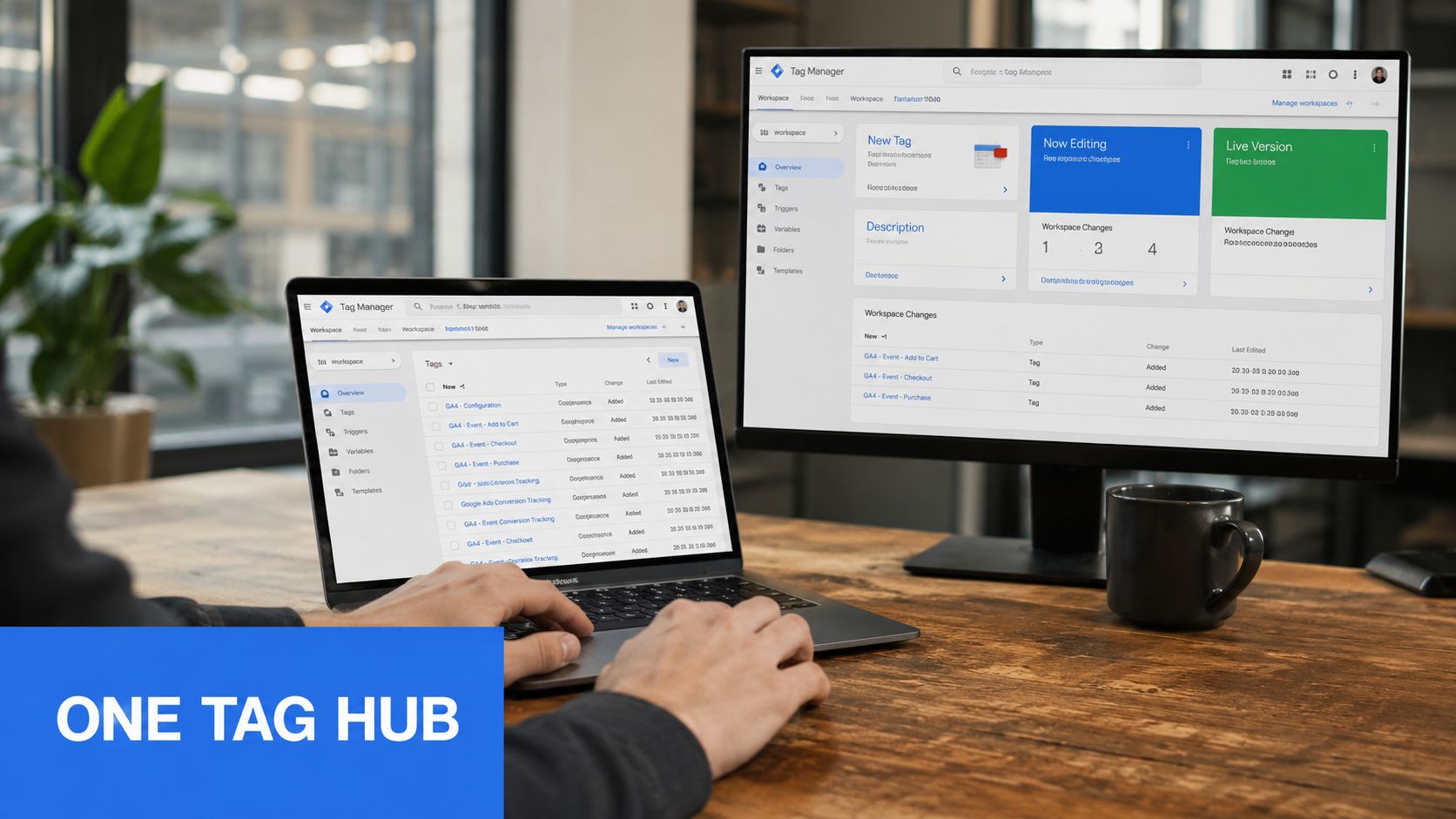
A dedicated GTM container should own the VirtualTourEasy measurement contract. Start with a clear workspace name, such as Virtual tour production, and enable the built-in variables for click elements, click URLs, forms, and video interactions. Those variables support fallback triggers, but confirmed tour actions should arrive through a structured data layer event whenever possible.
The tour and parent page need a defined communication method. For an embedded iframe, the implementation should pass approved events through the agreed postMessage contract or a controlled data layer bridge. The receiving page should normalize the message into one schema, rather than allowing each advertising pixel to interpret iframe behavior independently.
A normalized push can include an event name and the relevant business context:
- Interaction identity:
event,tour_id,listing_id, andscene_name. - Business context:
vertical,value, andcurrencywhen those values are real and meaningful. - Deduplication fields:
transaction_idor a unique lead identifier where the downstream platform supports it. - Source continuity: campaign and click identifiers carried through the parent page and cross-domain handoff.
Build triggers and tags
Create custom-event triggers for tour_start, tour_scene_change, tour_complete, and lead_submit, then map the final names to the canonical GA4 events. If the source system uses scene_view and lead_form_submit, normalize them before the platform tags fire. This avoids having one team optimize for lead_submit while another reports lead_form_submit.
Build one GA4 event tag per meaningful event, then attach Meta, LinkedIn, and TikTok tags to the same trigger where those platforms are required. A single trigger can publish several destinations, but each destination should have its own consent requirement and parameter mapping.
Hardcoded pixels can be faster for a small launch, and they may be appropriate when engineering owns every release. The trade-off is version drift. A developer can update the tour's event payload while the page still contains an older pixel listener. GTM adds an operational hop, but it gives the marketing and analytics teams version history, preview mode, trigger inspection, and a central place to update mappings.
For teams that need a more detailed implementation walkthrough, this Google Tag Manager setup guide provides useful context. The container should also document the transport URL and linker settings for every domain involved in the tour journey.
Real Estate and Hospitality Tracking Scenarios
A residential brokerage may publish the same VirtualTourEasy listing on its own site, an IDX experience, and an MLS partner page. The visitor can arrive from a paid search ad, open the tour on the partner page, and submit a contact form inside an embedded experience. Without linker continuity, the form submission may be attributed to a direct visit even though the original campaign drove the session.
The brokerage should treat tour_complete as a strong engagement signal, not automatically as a qualified lead. scene_view can reveal which rooms attract attention, while agent_call_click and lead_form_submit represent more direct outcomes. A CRM import or offline qualification process can then distinguish an inquiry from a sales-ready prospect.
A boutique hotel has a different definition of intent. A guest may open a room tour to compare layouts, inspect an amenity hotspot, and then move to the booking engine. The hotel can use tour_complete and a meaningful dwell event on a spa or room scene to build an audience, while reserving booking_request or a confirmed booking event for conversion reporting.
Engagement describes interest. A conversion schema should describe the next business action.
The same event names can serve both verticals, but the conversion eligibility changes with the sales process.
Event-to-Outcome Mapping by Vertical
| Event | Real Estate Action | Hospitality Action |
|---|---|---|
tour_start |
Analyze listing reach | Analyze room-tour entry |
scene_view |
Identify room and amenity interest | Identify room and facility interest |
hotspot_click |
Measure floor plan or agent-panel interaction | Measure amenity and service interaction |
tour_complete |
Add context to lead qualification | Add context to remarketing audiences |
agent_call_click |
Count as a phone lead | Use only if the hotel accepts direct calls |
lead_form_submit |
Count as a brokerage inquiry | Count as a group, event, or guest inquiry |
booking_request |
Use for showing or appointment requests | Count as a booking-engine lead |
This structure prevents a common reporting mistake: treating every high-intent interaction as equivalent. A completed tour can guide audience building and CRM prioritization, but it shouldn't replace the confirmed action that the business values.
Testing, Debugging, and Fixing Common Tracking Errors
Testing should begin before any conversion report is interpreted. GA4 DebugView is the first stop because it exposes incoming event names and parameters quickly. GA4 Realtime then confirms that the test user appears in the property, while GTM Preview shows which triggers evaluated as true and which tags fired.
Tag Assistant adds another verification layer across Google tags. For Meta and LinkedIn, the corresponding browser or event diagnostic tools should confirm that the intended event reached the platform and that consent conditions were respected.
A practical debugging sequence
- Start with the data layer: Launch the tour and inspect the exact payload for
tour_completeorlead_form_submit. - Inspect GTM Preview: Confirm that the custom event trigger fired once and that the expected variables resolved.
- Check GA4 DebugView: Verify the event name, Measurement ID, and parameters.
- Check Realtime: Confirm that the test user and page activity appear in the correct property.
- Verify attribution: Test the journey across the embedded and destination domains, then inspect whether campaign context survives.
- Compare the CRM: Match the test submission to the received lead without using a duplicate thank-you page view.
The most damaging errors are repetitive. A Google tag installed in both the source code and GTM can send duplicate page and event signals. A missing linker configuration can break the session at the iframe boundary. Inconsistent casing, such as Lead_Form_Submit in one release and lead_form_submit in another, fragments reporting.
Consent defaults also deserve a direct test. If a European visitor receives a denied consent state but the container defaults to granted, advertising tags can fire before the CMP updates them. Conversely, a banner can block the tour event entirely if the implementation never sends a consent-compatible signal.
For teams auditing a broader measurement stack, this resource on 2026 conversion tracking for high-risk can help frame the operational risk. The source of truth remains the live implementation, so every release needs a real form submission, not only a browser preview.
A lightweight console check can expose whether the tour pushes the expected event:
window.dataLayer = window.dataLayer || [];
window.dataLayer.push = new Proxy(window.dataLayer.push, {
  apply(target, thisArg, args) {
    console.log('dataLayer push:', args);
    return Reflect.apply(target, thisArg, args);
  }
});
Run the listener before launching the tour, then complete the action and inspect the tour_complete payload. The check doesn't prove that GA4 or an advertising platform received the event, but it quickly separates a missing source event from a downstream tag problem.
Privacy, Consent Mode, and Server-Side Considerations
Consent belongs in the architecture, not at the end of implementation. A consent management platform such as Cookiebot, OneTrust, or a compliant native banner should establish the default state for analytics_storage and ad_storage before GA4 or advertising tags load. GTM should read those signals through its consent state and evaluate each tag against the applicable requirement.
When a visitor denies a storage category, the implementation should suppress tags that require that consent. Google can still receive limited cookieless pings in supported configurations, allowing modeled conversion reporting where eligibility requirements are met. That modeling isn't a substitute for permission, and it can't reconstruct every denied action. One recent consent-compliant server-side tracking source claims modeled recovery can reach 60–70% of consent-lost conversions only after a threshold of roughly 1,000 or more daily non-consenting events for 7 consecutive days, so smaller sites may see little benefit from the investment. Those figures come from the source's claim and should be treated as an implementation expectation to validate, not a guaranteed result. Consent-compliant server-side tracking guidance
Consent Mode v2 signal mapping
| Consent Signal | GTM Consent State | GA4 Behavior | Meta Pixel Behavior | Google Ads Behavior |
|---|---|---|---|---|
analytics_storage granted |
analytics_storage: granted |
Analytics tags may use permitted storage | Depends on Meta consent mapping | Analytics-linked measurement can operate under configured policy |
analytics_storage denied |
analytics_storage: denied |
Storage-dependent analytics is restricted, with eligible cookieless measurement | Do not fire storage-dependent tags unless permitted | Modeled measurement may use eligible signals |
ad_storage granted |
ad_storage: granted |
No change to core analytics storage state | Advertising tag may fire under the CMP policy | Advertising tags may use permitted ad storage |
ad_storage denied |
ad_storage: denied |
Analytics behavior follows its own consent state | Suppress the advertising pixel or use an approved restricted mode | Suppress storage-dependent ad behavior and preserve only allowed signals |
| CMP state unavailable | Default denied where required | Hold or restrict dependent tags | Hold the pixel | Hold the advertising conversion tag |
Where server-side tagging fits
A server-side GTM container can sit between the browser and destinations such as GA4 or Meta. It can reduce the amount of browser-side logic, apply consistent transformations, and support privacy controls such as removing unnecessary client details or hashing permitted lead identifiers on the server. It doesn't make an unlawful collection lawful, and it doesn't restore data that the visitor declined to share.
The highest-risk design mistake is firing a pixel after consent denial because a generic page-view trigger ignores the CMP state. Every tag must use consent-aware trigger conditions. The event also needs deduplication, especially when the browser and server both forward the same lead.
Go-live and maintenance checklist
- Confirm the taxonomy: Verify the approved event names and parameters. Artifact: a versioned schema document and a DebugView event.
- Deploy GTM: Publish the container only after Preview mode shows one firing path. Artifact: a GTM Preview session.
- Publish destination tags: Map GA4, Meta, LinkedIn, TikTok, and Google Ads tags to canonical triggers. Artifact: a captured platform hit.
- Validate domain continuity: Test the listing, embed, form, and destination journey. Artifact: preserved campaign context across the handoff.
- Enable consent defaults: Confirm CMP signals arrive before dependent tags evaluate. Artifact: GTM consent state under both granted and denied tests.
- Test the outcome: Submit a live test lead and match it to the CRM. Artifact: one lead record with the expected event and source.
A quarterly maintenance cadence should re-audit triggers after VirtualTourEasy interface updates, reconcile GA4 conversions with CRM lead counts, refresh the data layer documentation, and retest consent flows after CMP vendor changes. The most common regression is a new GTM version published without testing the tour iframe's postMessage contract, which can stop event capture.
Every tag change must pass DebugView, Realtime, and a live lead-submission test before promotion to production.
Virtual Tour Easy provides immersive tour creation, website embeds, lead capture forms, analytics, GA4 and GTM integrations, and tracking-pixel support for teams measuring property and hospitality journeys. Visit Virtual Tour Easy to build a tour experience around a documented event schema and connect engagement data to the leads that matter.