Digital twins have moved from niche engineering tools to mainstream enterprise systems. Industry estimates put the global market at about €16.55 billion in 2025 and €242.11 billion by 2032, with a 39.8% CAGR, while another source places the market at $5.81 billion in 2022 and $27.7 billion by 2030, which signals broad adoption across operations, manufacturing, and infrastructure (Hexagon digital twin statistics). That scale matters because the strongest digital twins examples are no longer visual demos, they're decision tools that help teams test layouts, reduce downtime, and improve customer confidence before money gets locked into the physical world.
The best examples all share the same pattern. A live asset, a useful model, and enough operational data to make the model worth trusting. Without those pieces, a “twin” is usually just a polished 3D view. With them, it becomes a practical planning system that can support sales, service, maintenance, and simulation.
This list skips the theory and gets straight to the applications businesses can use. It also shows where digital twins work best, where they struggle, and what kind of visualization tends to make the use case easier to sell internally. For teams looking for a starting point, find your startup's next office is one way to benchmark how immersive space visualization is changing buying behavior.
Table of Contents
- 1. Real Estate Property Showcasing and Virtual Home Tours
- 2. Hotel and Hospitality Venue Tours for Booking Optimization
- 3. Restaurant and Event Venue Space Planning and Visualization
- 4. Educational Institution Campus and Facility Tours for Recruitment
- 5. Architecture and Interior Design Portfolio Visualization
- 6. Retail Store Layout and Merchandise Visualization
- 7. Automotive Showroom and Vehicle Interior Showcase
- 8. Medical Facility and Healthcare Practice Tours for Patient Confidence
- 9. Fitness Center and Wellness Facility Equipment Showcase
- 10. Office Space and Coworking Environment Tours for Workplace Decisions
- Digital Twin Examples, 10 Use-Case Comparison
- Your Blueprint for Building a Digital Twin
1. Real Estate Property Showcasing and Virtual Home Tours
Real estate is one of the clearest digital twins examples because the buying decision starts with space. A well-built property twin lets a buyer move through rooms, inspect finishes, and judge flow before they book a physical visit. That matters for local buyers, and it matters even more for out-of-town prospects, investors, and international clients who do not want to spend time on homes that fail basic fit checks.
The implementation should focus on qualification, not just presentation. A strong tour needs multiple viewpoints, clear room labels, hotspots on high-value features, and context around outdoor areas, access points, and nearby surroundings. It also needs a site-fit review for your lot so the virtual model reflects how the home sits on the property, not only how the interior photographs. The strongest brokers pair the tour with info panels for square footage, renovation notes, and agent contact details, so the asset does more than look polished, it helps move serious buyers closer to inquiry.
What works in practice
Use consistent branding across every listing so buyers know they are still in the same agency experience. Capture the same space at different times of day when lighting changes the feel of the property. Update the twin when renovations, staging, or upgrades change what a buyer will see on site. The internal workflow matters too, because agents should be able to publish and revise the twin without calling in a specialist team each time.
That is where real estate virtual tours fit into the process, since they give brokers a practical way to package rooms, features, and context into a buyer-ready walkthrough. VirtualTourEasy's real estate workflow is designed around that kind of speed, from scene generation to tour assembly, and its practical guide to virtual tours for hotels shows how the same visual approach can be adapted when a property listing needs room-type comparison or broader destination marketing support.
A good ROI check is simple. If the tour reduces wasted showings, shortens the time between inquiry and viewing, or increases the share of buyers who request a second look, it is doing its job. For higher-end listings, the twin should also support faster pre-qualification by giving buyers enough detail to self-select before they ask for an in-person appointment.
Practical rule: If a property has one standout feature, such as a terrace, kitchen, or view, make that feature the first strong visual anchor in the tour. Buyers remember the first place that feels different.
2. Hotel and Hospitality Venue Tours for Booking Optimization
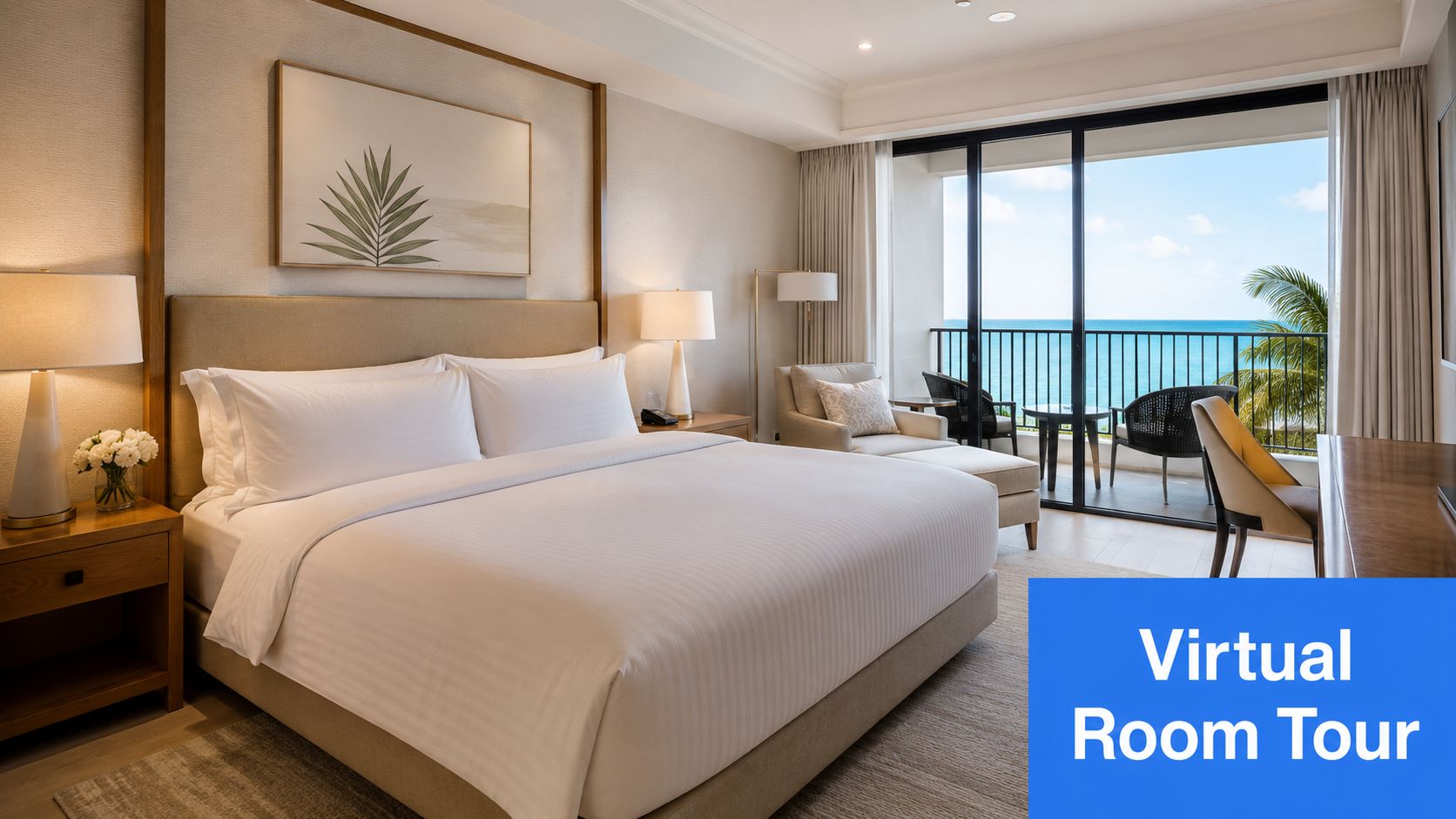
Hotels sell an experience before they sell a room, so a digital twin has to show atmosphere, flow, and service cues, not just square footage. Guests want to know how the suite feels, whether the view matches the promise, and whether the conference room or spa fits the occasion. That means hospitality twins work best when they cover guest rooms, dining areas, common spaces, and event facilities in one consistent visual language.
The strongest use cases are destination properties and premium stays, where room category influences the booking decision as much as the brand. Separate tours for standard rooms, suites, premium views, and event spaces help guests self-select earlier, which reduces booking friction and gives marketing teams a cleaner path from interest to reservation. It also helps revenue teams segment demand more accurately, because the tour can show what each room class delivers.
The visuals should be mobile-friendly, since many travelers browse on phones rather than desktops. Add simple navigation, keep the color balance close to real life, and avoid over-editing the photography. Guests do not need a fantasy version of the property, they need enough confidence to book without second-guessing. A practical hospitality twin should also support cross-sell points that affect conversion, such as breakfast options, lounge access, or transport links to nearby attractions.
Operational fit matters as much as presentation. A hotel can use the same core experience to support booking pages, sales outreach, and pre-arrival communication, then update specific spaces as renovations or seasonal setups change. That workflow is easier when the content team can revise scenes without rebuilding the entire asset. The same thinking also applies to public areas and back-of-house planning, where restaurant kitchen design tips can help explain why certain service routes, prep zones, and guest-facing spaces need to be mapped with more care.
The best setups also surface amenities that drive choice, such as balconies, dining options, spa access, and meeting facilities. VirtualTourEasy's virtual tours for hotels page fits that approach, because hospitality teams usually need a fast way to show multiple room types without rebuilding the content every season.
How to make it operationally useful
Hospitality teams should track which room categories and amenities attract the most engagement, then use that insight to guide rate strategy and package design. I usually look for a few practical signals, such as which scenes get the longest dwell time, which room types drive inquiries, and where viewers drop off before booking. Those patterns tell you whether the twin is helping people compare options or just browse.
Seasonal décor changes matter too, because the twin should keep pace with the property's current look. A stale walkthrough can damage trust faster than no walkthrough at all, especially if the guest sees one thing online and another thing at check-in. To keep the content usable, set a simple update process and assign ownership for each space so the tour stays aligned with the guest experience.
3. Restaurant and Event Venue Space Planning and Visualization
Restaurants and event venues need a digital twin for a different reason. Guests aren't only buying a meal or a room, they're buying a layout that will work for a wedding, corporate dinner, launch event, or private celebration. That means the twin has to answer practical questions about capacity, seating arrangement, acoustics, accessibility, and flow.
A strong venue twin should show multiple configurations. One version can emphasize intimate dining, another can show a banquet setup, and a third can show outdoor use or seasonal styling. That helps the sales team handle a wider range of inquiries without starting each conversation from scratch.
For event booking, the twin should reduce the need for repeated site visits. Clients can inspect the room, understand how guests move through the space, and see whether the venue supports their logistics. That's especially useful for planners juggling timelines and external vendors.
The venues that win usually sell certainty, not just aesthetics. A client who can see the entrance path, parking flow, and table spacing is much easier to close than a client who only gets a brochure.
A practical tour should also include weather considerations, signage placement, and nearby amenities when those details affect the event experience. Add notes on load-in access, restrooms, and accessibility. Those details are often the difference between a pretty venue and a usable one.
4. Educational Institution Campus and Facility Tours for Recruitment
Schools and universities use digital twins because admissions is partly a trust exercise. Families want to know whether the campus feels welcoming, whether academic spaces are modern, and whether student life is active enough to justify the move. For international students and distance learners, a virtual campus can function as the first real visit.
The most effective campus twins break the experience into themed paths. Academic spaces should show classrooms, labs, and libraries. Residential life should show dorms, common areas, and support services. Student activity paths should capture sports, clubs, green spaces, and social areas where campus culture is visible.
That structure helps admissions teams tell a more complete story. A single generic tour can feel flat, especially if the campus is large or diverse. Separate sections give prospective students a better sense of what daily life looks like, and they let institutions highlight their strongest differentiators.
What tends to improve recruitment value
Capture the campus when it looks lived in, not empty. Student movement, casual gathering areas, and recent renovations usually matter more than polished hallways. Add testimonials, accessibility details, and student support information where it helps the visitor understand the environment.
A useful twin doesn't just show the campus, it reduces uncertainty. That matters for families making a costly decision and for recruitment teams trying to improve application quality without increasing travel costs.
5. Architecture and Interior Design Portfolio Visualization
Architecture and interior design teams use digital twins to shorten the gap between a concept and client approval. Instead of asking a client to interpret drawings, they can walk through a proposed space and react to proportion, material choice, and lighting in context. That makes feedback more specific and revisions less vague.
The best design twins are built around choices. Show the same space with alternate finishes, different lighting conditions, or before-and-after renovation states. That gives clients something concrete to compare, which is often more persuasive than a static rendering. It also helps architects and designers defend decisions when budget or scope pressure starts to distort the original vision.
A good portfolio twin should include design notes, not just visuals. Clients need to understand why a layout opens circulation, where storage is hidden, and how the material palette supports the function of the room. Those details turn a pretty presentation into a useful approval tool.
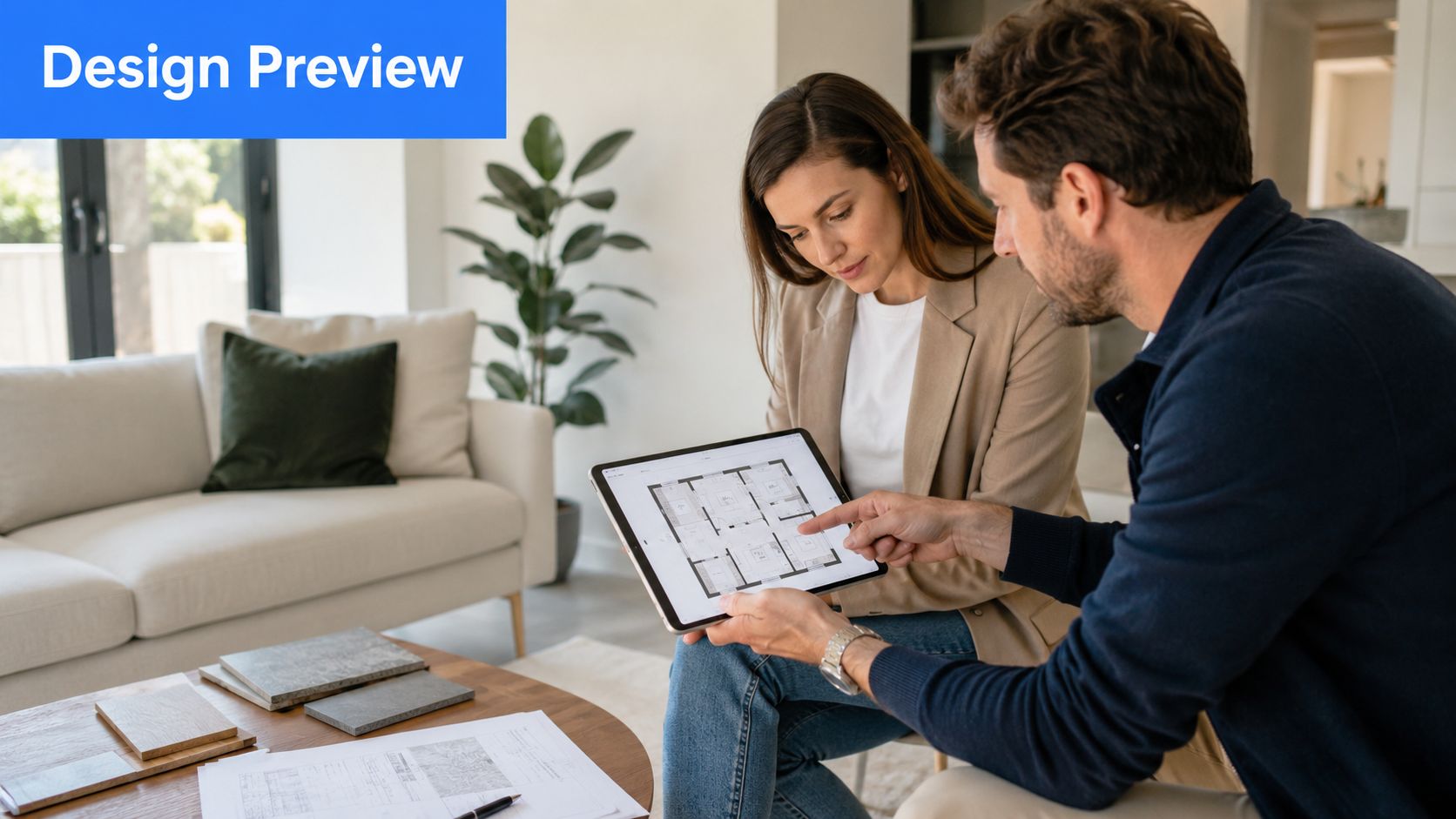
Implementation insight: The twin should reflect the decisions that are hard to explain in a meeting, such as sightlines, circulation, and how furniture placement affects a room's use. That's where it earns its keep.
For renovation work, before-and-after tours are especially effective. They make scope visible and help clients understand why certain changes cost more than others. In practice, that can reduce revision churn and speed up sign-off.
6. Retail Store Layout and Merchandise Visualization
Retailers use digital twins when the challenge isn't the product, it's the environment around the product. Store layout shapes how shoppers move, what they notice, and how long they stay. A retail twin lets teams test shelving, fixtures, display density, and customer flow before committing to a physical rollout.
That's useful for flagship spaces and franchise networks alike. Brands can compare multiple store concepts, train franchisees on standard layouts, and test how seasonal merchandising will fit without closing a location or building expensive mockups. For chains, consistency matters, but so does local adaptation. A digital twin gives teams a way to balance both.
The most useful retail twins visualize the journey from entrance to checkout. They should show product zones, fitting rooms, service points, and high-traffic pathways. If a brand sells premium goods, the twin should also show how the environment supports that positioning through spacing, lighting, and display structure.
What to prioritize first
- Layout alternatives: Compare concepts side by side before choosing one store model.
- Merchandising logic: Show why certain products sit together and how that affects cross-sell.
- Customer flow: Identify where people slow down, turn, or abandon the aisle.
- Training value: Use the twin to teach franchisees how the store should operate day to day.
Retail teams often underestimate how much clarity a spatial model can create. Once store staff can see the intended layout, implementation becomes easier to standardize. That makes the twin useful for both operations and brand control.
7. Automotive Showroom and Vehicle Interior Showcase
Automotive digital twins work because car buyers care about configuration. They want to see the exterior color, the cabin layout, storage, screen placement, and how the vehicle feels across trim levels before they visit a showroom. A digital twin gives them that context without forcing a salesperson to repeat the same walkthrough for every lead.
The strongest automotive examples show more than the car itself. They show the showroom experience, the vehicle interior, and the configuration path in one flow. That means a buyer can move from exploring trim differences to checking cargo space to comparing technology features without starting over in a separate tool.
This is particularly useful for electric vehicles and premium models, where technical differences are part of the buying story. A twin can make a feature set easier to understand by placing it in the physical context of the cabin. That helps customers decide whether the vehicle fits family use, commuting, or long-distance travel.
The visualization should be detailed enough to answer practical questions. Can a child seat fit? How intuitive is the dashboard layout? Does the cargo area match the buyer's lifestyle? When those answers are visible, the sales conversation gets more efficient.
If a dealer or manufacturer is using the twin for lead generation, the tour should stay current with model-year updates and trim changes. Outdated visuals erode trust fast in a category where buyers compare multiple options carefully.
8. Medical Facility and Healthcare Practice Tours for Patient Confidence
Healthcare is one of the most sensitive digital twins examples because anxiety affects decision-making. Patients often want to know where they'll check in, what the treatment room looks like, and how private the environment feels before they walk through the door. A digital twin can lower that stress by making the facility familiar in advance.
The best medical twins are calm, clean, and transparent. They should show waiting areas, consultation rooms, treatment spaces, and accessibility features without overcrowding the view. For dental, orthopedic, fertility, cosmetic, or mental health practices, the tone matters as much as the layout. The visitor should feel informed, not overwhelmed.
Staff introductions can help, but only when they're handled carefully. The point is to build trust through clarity, not to flood the experience with marketing language. Patients want to see cleanliness standards, modern equipment, and the flow of care from arrival to exit.
A healthcare twin should answer the unspoken question first, “What will this feel like when I arrive?” If it does that well, the rest of the practice story becomes easier to believe.
Privacy is essential. No identifying patient information should appear in the visuals, and the tour should avoid anything that makes the space look staged in a way patients won't recognize later. A trustworthy twin is one that feels honest when the patient finally walks through the door.
9. Fitness Center and Wellness Facility Equipment Showcase
Fitness facilities sell consistency, atmosphere, and convenience. A digital twin helps prospects see the equipment mix, studio setup, locker areas, recovery spaces, and general energy before they commit to a membership. That matters because the decision to join a gym is often delayed by uncertainty, not price alone.
A good wellness twin should show how the space supports different member types. Some people care about strength training, others want classes, and others are looking for recovery, spa, or mobility services. The twin should make those paths visible so prospects can self-select the environment that fits their routine.
The most effective tours include movement and community cues. A well-lit studio, a clean locker room, and a visible recovery area tell a stronger story than a static row of machines. For boutique fitness brands, that atmosphere is often the key differentiator.
What to emphasize
- Equipment variety: Show the range and condition of machines, free weights, and specialty gear.
- Class environments: Make studio size and energy feel real before the first visit.
- Member comfort: Include changing areas, showers, storage, and lounge space.
- Cleanliness standards: Show the facility in a way that supports trust and repeat visits.
Operationally, the twin should be updated when new equipment arrives or space is reconfigured. Stale visuals create false expectations, and that's a poor start for a membership model built on retention.
10. Office Space and Coworking Environment Tours for Workplace Decisions
Office and coworking twins help companies make leasing decisions with fewer site visits. Instead of relying on static floor plans, tenants can evaluate collaboration zones, private offices, meeting rooms, amenities, and light quality in a single experience. That's especially valuable when a business is deciding between multiple properties or comparing workspace options for hybrid teams.
The twin should make workplace function visible. Show how teams move between concentration areas and collaboration areas. Include breakout spaces, wellness rooms, dining, outdoor access, and building entry points. A lease decision often turns on the details that a brochure never explains well.
This is also where internal branding matters. A good office tour doesn't just show square footage, it shows whether the space supports a company's culture and operating style. That makes the twin useful for landlords trying to attract tenants and for employers trying to improve the employee experience.
VirtualTourEasy's guide to space planning for offices fits this use case because workspace decisions are usually tied to layout, access, and fit, not just the address.
If a workspace tour can make a leasing manager, a facilities lead, and an employee feel like they're looking at the same decision, it's doing the job correctly.
The highest-value office twins also highlight parking, accessibility, and technology infrastructure. Those details can be decisive in tenant conversations, especially when organizations are balancing cost, flexibility, and commute patterns.
Digital Twin Examples, 10 Use-Case Comparison
| Use case | Implementation complexity 🔄 | Resource requirements ⚡ | Expected outcomes 📊 | Effectiveness ⭐ | Ideal use cases & tips 💡 |
|---|---|---|---|---|---|
| Real Estate Property Showcasing & Virtual Home Tours | Medium, imaging/AI generation + MLS/web integration 🔄 | Moderate, quality photos or AI scenes, platform, mobile optimization ⚡ | Higher engagement and qualified leads; faster listings (66% of buyers view tours) 📊 | ⭐⭐⭐⭐ | Residential & commercial listings; remote/international buyers; highlight unique features 💡 |
| Hotel & Hospitality Venue Tours | Medium–High, multi-room mapping, PMS/booking integration 🔄 | Moderate–High, venue captures, booking links, multi-language support ⚡ | ↑Direct bookings (30–40%), higher CTR to booking pages, fewer cancellations 📊 | ⭐⭐⭐⭐ | Destination, luxury, and event venues; show room categories and amenities 💡 |
| Restaurant & Event Venue Space Planning | Medium, multiple layout configs and capacity visualization 🔄 | Moderate, layout models, seasonal/decoration variants ⚡ | Increased large-party bookings (~25%); faster event decisions 📊 | ⭐⭐⭐⭐ | Weddings, banquets, corporate events; provide multiple setup options and logistics info 💡 |
| Educational Campus & Facility Tours | High, multi-building capture, themed tours, frequent updates 🔄 | High, wide-area captures, multimedia testimonials, seasonal updates ⚡ | ↑Applications and completions (≈18%); 42% of prospects use tours 📊 | ⭐⭐⭐⭐ | University recruitment, international students, virtual open days; include student life and accessibility info 💡 |
| Architecture & Interior Design Visualization | High, pre-construction render fidelity and iteration workflows 🔄 | High, design software, skilled renderers, material libraries ⚡ | Faster approvals (≈40%); fewer revision requests (≈35%) 📊 | ⭐⭐⭐⭐ | Client approvals, pre-construction sign-off, before/after presentations; show material and lighting options 💡 |
| Retail Store Layout & Merchandise Visualization | Medium–High, multiple concept variants and flow analysis 🔄 | Moderate–High, planograms, traffic simulation, merchandising assets ⚡ | Faster rollouts (~30% implementation time reduction); conversion +8–15% 📊 | ⭐⭐⭐⭐ | New-store rollouts, franchise training, merchandising tests; include peak/off-peak scenarios 💡 |
| Automotive Showroom & Vehicle Interior Showcase | Medium, detailed interior/exterior captures and trim variants 🔄 | Moderate, vehicle scanning or 3D models, color/option presets ⚡ | ↑Online inquiries (~22%); better pre-visit filtering 📊 | ⭐⭐⭐⭐ | Remote shoppers, luxury/customization buyers; show interior tech and trim comparisons 💡 |
| Medical Facility & Healthcare Practice Tours | Medium, privacy/HIPAA checks + frequent updates 🔄 | Moderate, facility scans, staff intros, sanitation displays ⚡ | Reduced no-shows (~30%); improved patient confidence and retention 📊 | ⭐⭐⭐⭐ | Patient onboarding, pediatric prep, anxious patients; emphasize cleanliness and staff qualifications 💡 |
| Fitness Center & Wellness Facility Showcase | Low–Medium, equipment and class-studio captures 🔄 | Moderate, equipment inventory, schedule integration ⚡ | ↑Membership conversion (~28%); clearer expectations for members 📊 | ⭐⭐⭐⭐ | Boutique studios & multi-location gyms; highlight class types and recovery amenities 💡 |
| Office Space & Coworking Environment Tours | Medium, multi-floor mapping, tech/connectivity details 🔄 | Moderate, floor plans, amenity captures, accessibility info ⚡ | Faster leasing timelines (~35%); fewer site visits (≈60% reduction) 📊 | ⭐⭐⭐⭐ | Tenant acquisition, relocation planning, hybrid workspace evaluation; show multiple configuration options 💡 |
Your Blueprint for Building a Digital Twin
These digital twins examples point to one consistent pattern. Strong implementations begin with a business problem that needs a spatial answer, then use the model to support a specific decision. In real estate, that decision is buyer qualification. In hospitality, it is booking confidence. In manufacturing, teams care more about throughput, downtime, and process quality than about the novelty of the model itself.
The historical evidence supports the move from novelty to utility. McKinsey cites Emirates Team New Zealand using a digital twin of sailing environments, boats, and crew members to test thousands of hydrofoil designs instead of only hundreds, SpaceX's Dragon capsule twin for monitoring trajectories and propulsion, and SoFi Stadium's twin for operational improvement (McKinsey digital twin explainers). The same source reports that a 2024 Hexagon survey found 96% of business leaders saw value in digital twins, 62% saw immense value, and deployed organizations reported average gains of 19% cost savings, 18% revenue growth, 15% carbon-emissions reduction, and 22% ROI. Those figures matter because they show why these projects are moving from experimentation into core operations.
The practical lesson is straightforward. Start with one space, one asset, or one customer journey. Then define the outcome that matters most, whether that is better conversion, faster approvals, lower search time, fewer false alerts, or stronger operational planning. Some teams should build a twin for sales. Others should use it for maintenance, staffing, or layout optimization.
A useful rule is to match the visualization to the decision. A 360° walkthrough works well when people need to assess atmosphere and layout. A process twin works better when the question is about flow, performance, or equipment behavior. If the data is not current enough, the model should be treated as a digital model or digital shadow, not described as a full twin.
Implementation discipline matters more than visual polish. The best projects have a clear owner, clean source data, and a specific operating decision attached to the output. Without that structure, the twin looks impressive and gets ignored. With it, the twin becomes part of how the business sells, plans, and improves.
Virtual Tour Easy is one practical option for teams that want to begin with immersive 360° space visualization before moving into more complex operational models. It supports AI-generated scenes, uploads, tour assembly, and sharing, which makes it a useful entry point for organizations that need to move quickly without building everything from scratch.
If your team is planning a property tour, campus walkthrough, venue showcase, or office visualization, visit Virtual Tour Easy and test how fast a live virtual twin can be built from your own space. The platform is designed to help teams create and share immersive tours without specialized cameras or complex software, which makes it a practical place to start when the goal is better lead qualification and clearer spatial decisions.