More than 65% of property buyers review digital walkthroughs before requesting a physical visit, and those walkthroughs can reduce in-person showings by nearly 38%, according to independent market analysis of real estate virtual tour software. That changes the job completely. A real estate video walkthrough isn't just a polished listing extra. It's an early qualification tool, a mobile-first attention asset, and, when planned properly, the source material for MLS, social, and interactive 360 outputs.
The mistake is treating each format as a separate production. A single carefully planned shoot can yield a cinematic video tour for serious buyers, a fast vertical cut for social discovery, and an interactive 360 experience for prospects who need to understand layout and flow before booking a visit. The production succeeds when every frame serves that wider system.
Table of Contents
- Why Video Walkthroughs Now Drive Real Estate Decisions
- Planning Your Walkthrough Shoot for Maximum Impact
- Shooting Techniques for Phone and 360 Cameras
- Editing Walkthroughs That Hold Attention and Convert
- Distributing Walkthroughs Across MLS and Social Platforms
- Measuring Walkthrough Performance and Lead Quality
- Scaling Production with Interactive 360 Tours
Why Video Walkthroughs Now Drive Real Estate Decisions
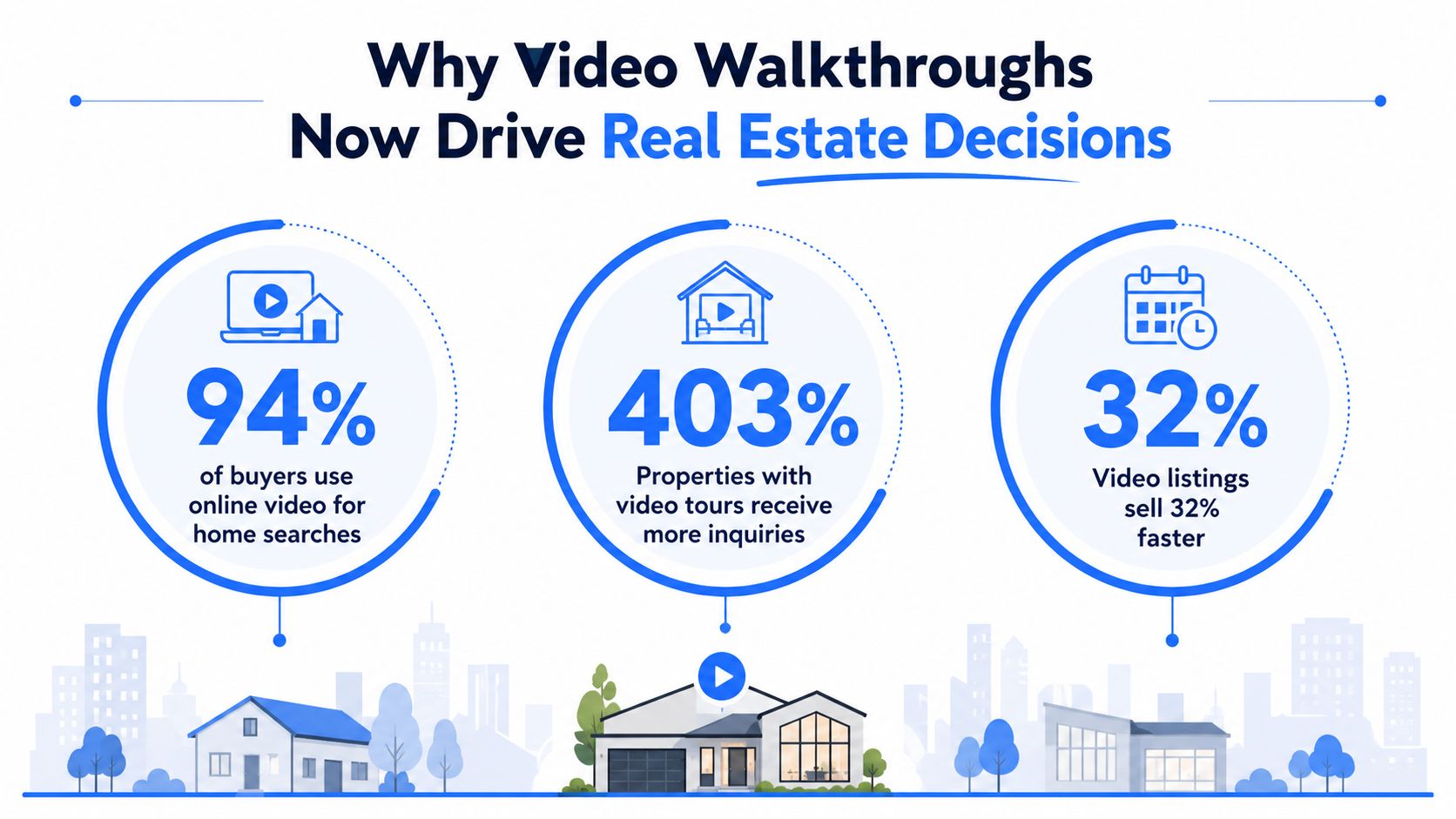
A walkthrough now sits near the beginning of the buyer journey, not at the end. The same market analysis reports that 72% of global real estate listings include at least one virtual or 3D tour feature, while adoption exceeds 68% among U.S. real estate agencies and 82% of U.S. homebuyers use virtual property tours during discovery. Those figures make the walkthrough a filtering mechanism. Buyers use it to reject unsuitable properties before an agent spends time arranging access, travel, and coordination.
The commercial market shows the same shift. A Harvard Business School publication records that 75% of commercial real estate professionals were using virtual tours to improve marketing and prospect viewing experiences. Adoption reached 86% among firms generating $50M to $500M in revenue and 79% among firms above $500M, as documented in the Harvard Business School real estate publication. Larger organizations have practical reasons to standardize the format, including remote screening, repeatable marketing workflows, and faster buyer or tenant qualification.
Why many tours still underperform
Adoption alone doesn't make a video persuasive. Many agent-produced tours move too quickly, wander through rooms without a clear route, or use attractive music to cover weak visual information. A buyer may finish the clip without understanding how the entrance connects to the living area, whether a bedroom sits beside a noisy space, or how the windows orient the room.
Production quality also affects perceived credibility. Poor lighting, window glare, shaky movement, and overstuffed room coverage can make a property feel smaller or less trustworthy. The NBER study on virtual tours and property prices found that adding virtual tours increased sale prices by an average of 1%, while related SSRN research found stronger benefits for larger, more differentiated homes and for 3D walkthroughs compared with video.
Practical rule: A walkthrough should answer the buyer's next question, not simply display another attractive angle.
The commercial and residential evidence points to the same conclusion. A real estate video walkthrough has become part of baseline listing competitiveness, especially where buyers expect to narrow options remotely. Agents who treat it as a checkbox usually produce content that exists, but doesn't help enough with qualification, trust, or decision-making.
Planning Your Walkthrough Shoot for Maximum Impact
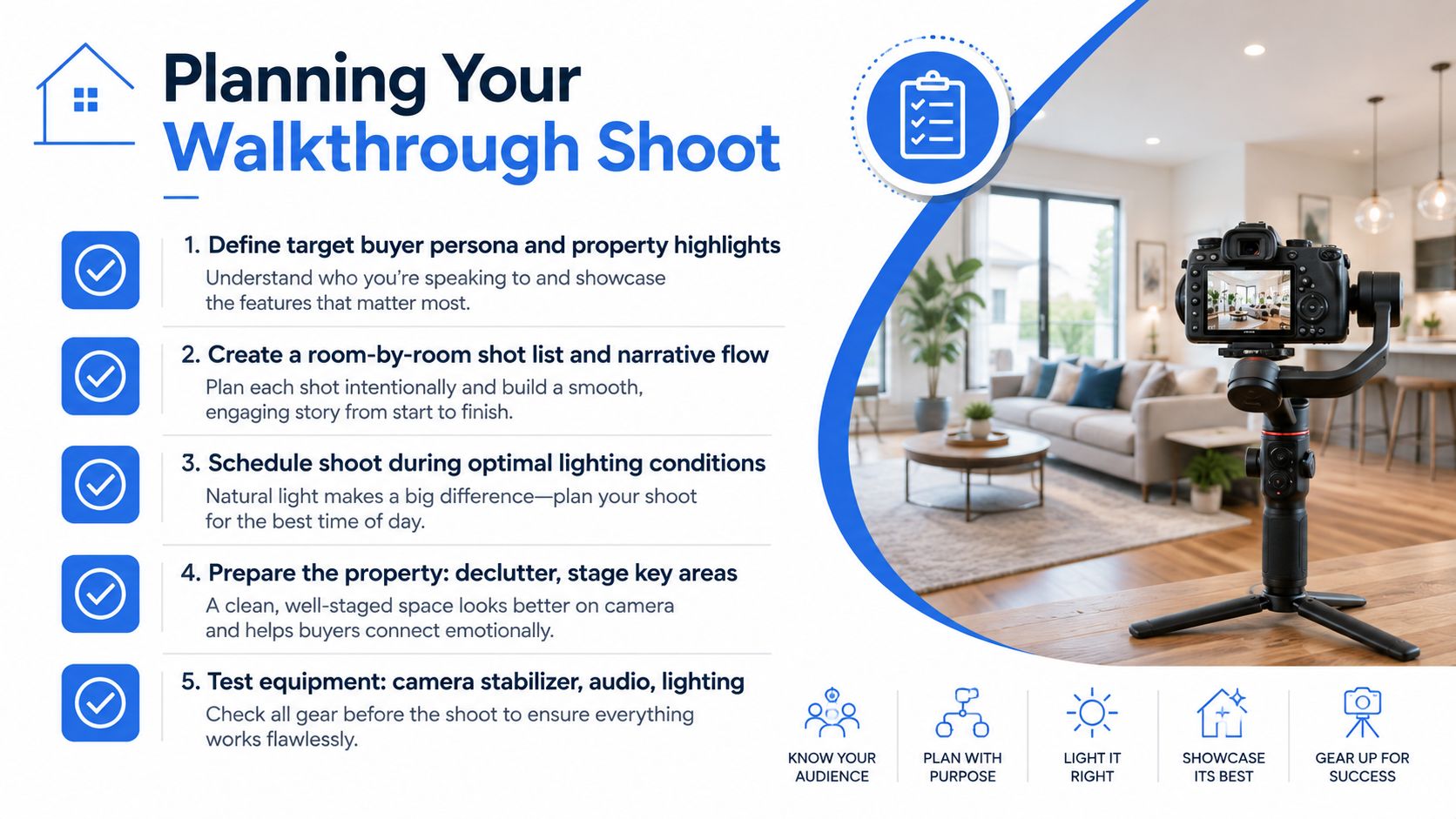
The strongest walkthroughs are designed before the camera comes out. The route should follow the buyer's natural path through the home, usually beginning outside or at the entrance and moving through the main living spaces before reaching bedrooms, bathrooms, outdoor areas, and the closing feature. A fixed route prevents the disorienting effect of jumping from a kitchen to an upstairs bedroom and then back to the garden.
Build the route around decisions
Start with the target buyer, then identify the property features that could change a viewing decision. A family may need to understand bedroom separation and garden access. A city buyer may care more about the kitchen connection to entertaining space, storage, and the view. A commercial prospect may need clear circulation, access points, amenities, and usable zones.
A practical pre-shoot sequence looks like this:
- Define the lead story. Choose the property's strongest differentiator, such as a flexible floor plan, architectural detail, outdoor connection, or unusual view.
- Map the buyer path. Walk the home physically and note where a person naturally turns, pauses, and forms an impression.
- Create a room list. Give every important room an establishing view, then reserve detail shots for features that need proof.
- Schedule around light. Check how sunlight changes across the property, especially in rooms with bright windows or reflective surfaces.
- Prepare the visual field. Remove cables, bins, personal photographs, excess furniture, and small objects that create noise on camera.
The Busylike marketing video strategies provide useful broader context for treating video as a planned marketing asset rather than an isolated recording task.
Stage for the lens, not just the showing
Video exposes clutter that visitors may overlook in person. Open blinds where the exterior view helps, turn on practical lights when they add warmth, and remove anything that blocks the intended route. Furniture should establish scale and function, but too much furniture compresses the frame and makes camera movement difficult.
A shot list should also mark the hero moments. The best feature deserves more than a passing glance, but it shouldn't be inflated with repetitive coverage. A consistent route, deliberate pauses, and a clear ending give the editor usable options for horizontal, vertical, and 360 packaging from the same visit.
Shooting Techniques for Phone and 360 Cameras
A phone can produce a credible walkthrough when it's stabilized, level, and operated with restraint. The recommended baseline is capture in 4K at 30fps, using the standard 1x lens, chest-height framing, and a final tour of roughly 2 to 5 minutes, depending on listing size, as outlined in this practical real estate walkthrough guide. The standard lens usually creates a more believable sense of space than an aggressive ultra-wide setting.
Keep the phone on a gimbal or another reliable stabilizer. Begin each room with a wide establishing shot, hold the frame for 3 to 5 seconds, then move slowly through the doorway or along the intended route. The pause gives viewers time to orient themselves and gives the editor clean points for vertical versions.
Phone movement that preserves scale
A walkthrough camera should travel at a human pace. Fast turns exaggerate distortion, make rooms feel smaller, and leave viewers unsure where the camera has moved. Keep elbows relaxed, avoid sudden elevation changes, and make turns from the body rather than snapping the phone sideways.
Window management requires judgment. If the camera exposes for a bright window, the room can become muddy. If it exposes for the interior, the window may glare or lose detail. The operator should test the angle before the main take, close blinds slightly when necessary, and avoid pointing directly at reflective glass unless the view is the feature.
Narration works best when it identifies what the viewer can't infer from the image. It can explain a hidden storage area, the relationship between rooms, or a practical trade-off. A separate microphone improves intelligibility, but even a clean voice recorded close to the phone is generally more useful than a silent sequence paired with generic music.
Positioning a 360 camera
A 360 camera captures the whole environment, so placement matters more than conventional framing. Set it near the center of the room or at a natural circulation point, keep it level, and avoid placing it too close to walls or large furniture. The camera should reveal relationships between spaces rather than sit in an awkward corner that makes the room feel distorted.
The operator should keep away from the stitching seam and avoid standing too close to the camera during capture. In narrow rooms, a conventional phone shot may communicate depth more clearly. In open-plan homes, unusual layouts, and spaces where buyers need to inspect connections between areas, 360 offers a stronger sense of control.
A useful technical reference for choosing and operating suitable equipment is this guide to 360 cameras for real estate. The choice isn't phone versus 360 in every case. The strongest package often uses phone footage for narrative movement and 360 scenes for independent exploration.
The camera should move only when movement adds information. Otherwise, let the room explain itself.
Editing Walkthroughs That Hold Attention and Convert
A single walkthrough shoot can support three viewer experiences: a cinematic MLS version, a focused vertical social cut, and an interactive 360 tour. Build the edit around each audience's intent. MLS viewers are assessing the property, so the longer version should explain the route, preserve room relationships, and hold on details. Social viewers are deciding whether to keep watching, so the vertical cut needs immediate context, readable text, and a clear reason to continue.
Make the opening do useful work
An edit can begin with the exterior, the entrance, or the feature that defines the listing. For vertical video, lead with the strongest image or clearest statement, then move through only the spaces that support that promise. Coverage of real estate video trends for 2026 recommends longer tours for serious prospects and short-form vertical edits, often under 45 seconds, for social feeds.
Fast pacing is useful only when each cut adds information. Too many rapid transitions hide scale and make the layout difficult to follow. Use fewer scenes, stronger captions, and purposeful reframing in the social version. Keep longer holds in the MLS master so viewers can inspect finishes, room proportions, and sightlines.
Narration beats decoration
Music establishes mood, but it cannot explain a split-level transition, a separate entrance, or a room that doubles as an office. A concise voice track or caption can remove those points of uncertainty. A buyer-focused discussion of real estate video content that converts also recommends explaining features, incentives, floor plans, and availability rather than relying on silent clips.
Write captions for the address, key features, and next action. Keep important text away from busy areas and the edges of vertical frames, where platform controls may cover it. End with one practical instruction, such as requesting the floor plan, booking a private showing, or contacting the listing agent.
Use a clean master timeline as the source for every deliverable. Duplicate it for the cinematic MLS cut, vertical social edit, and 360-tour support assets, then adjust framing, captions, and pacing for each channel. A technical guide to video editing for real estate covers sequencing, sound, captions, and export decisions.
This workflow keeps one shoot efficient without forcing every platform to use the same edit. The MLS version carries the property story, social earns attention, and 360 lets motivated viewers inspect the home independently.
Distributing Walkthroughs Across MLS and Social Platforms
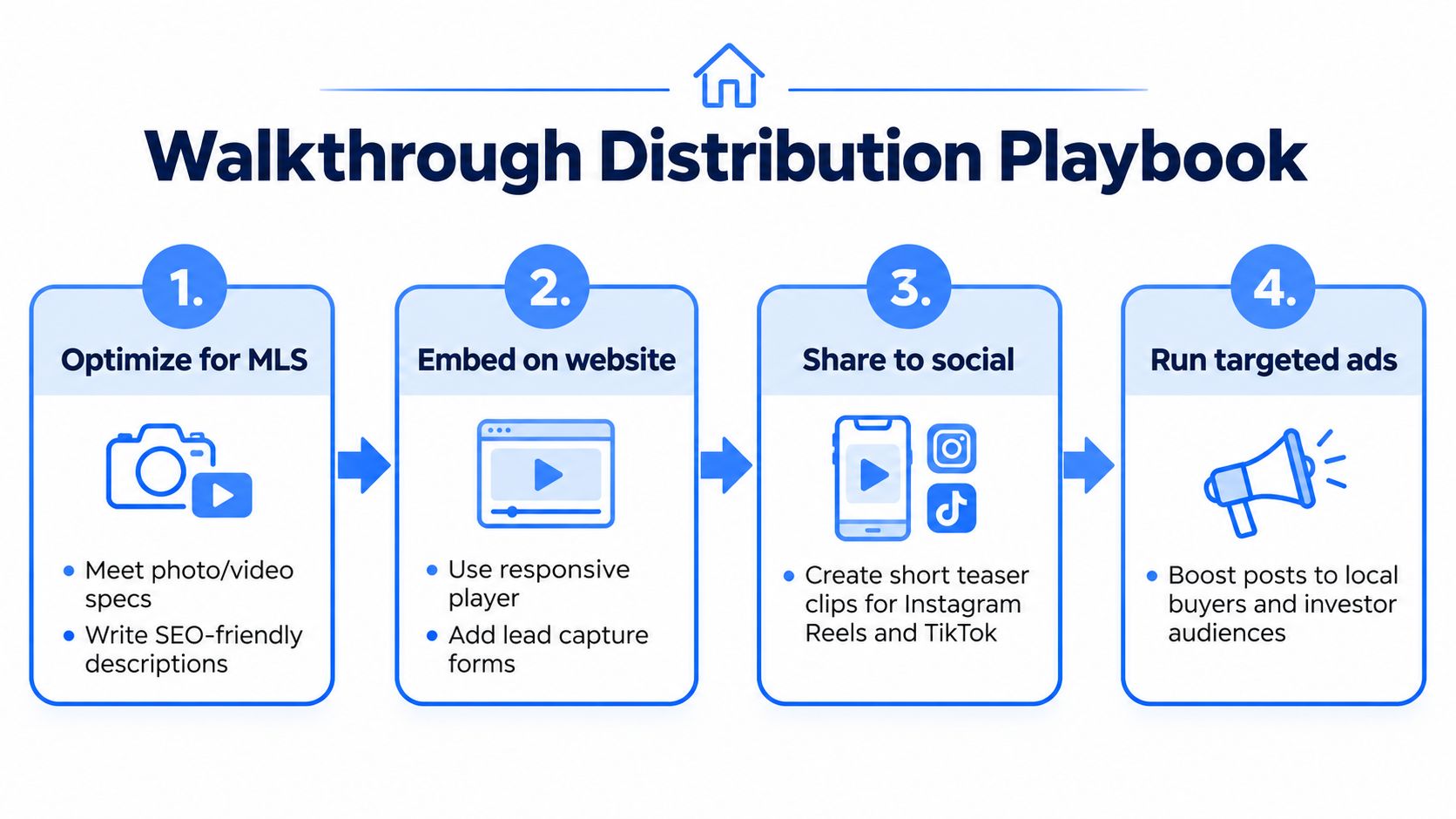
Distribution should be planned before export. The master belongs on the listing page, MLS where permitted, the agency website, email follow-up, and long-form video channels. The vertical edit belongs on Instagram Reels, TikTok, and YouTube Shorts. The 360 tour serves the viewer who wants to inspect the property independently, so it should appear beside the listing description, on the website, and in direct follow-up with serious prospects.
Match the asset to the viewing context
MLS requirements vary by service, so the export should be checked against the relevant portal before upload. The file needs accurate branding, property information, captions where appropriate, and a clean opening frame. A website embed should load responsively on mobile, sit near the property details, and offer a clear contact path rather than forcing a visitor to search for the agent's information.
Social packaging needs a different discipline:
- Instagram Reels: Lead with the strongest visual, add readable captions, and use a concise description that names the location and next action.
- TikTok: Make the first moment conversational or visually distinctive, then use on-screen context so the clip remains understandable without sound.
- YouTube Shorts: Keep the title direct, use a strong thumbnail frame where available, and point interested viewers toward the complete tour.
- Facebook: Use the version where it suits the audience, then test a vertical teaser for mobile discovery.
- Website and email: Place the full walkthrough near the listing facts, with a separate link to the interactive experience when layout inspection matters.
A platform-native caption doesn't need to pretend the video was created exclusively for that channel. It does need to respect how people encounter it there. The real estate social media marketing guide offers additional guidance for adapting listing content across channels.
Use a simple launch sequence
Publish the full listing asset first, then release the vertical cut as a discovery piece. Follow with a feature-specific clip, such as a kitchen, view, garden, or flexible room, rather than reposting the same edit repeatedly. Schedule posts around listing activity and audience availability, but keep the property facts and call-to-action consistent across every version.
UTM-tagged links can separate traffic from social, email, website buttons, and paid promotion. The priority isn't to be everywhere. It's to make the same production work harder in the places where buyers evaluate, share, and request access.
Measuring Walkthrough Performance and Lead Quality
A view count is only a starting signal. A walkthrough earns its production cost when it helps the team identify serious interest, answer questions before a showing, or move a prospect toward a concrete action. Measurement should connect the video to behavior, not treat reach as the outcome.
Track the path after the play
Useful indicators include average watch time, completion behavior, rewatches, clicks to the listing page, floor-plan requests, contact-form submissions, and showing requests. Each metric answers a different question:
| Signal | What it can indicate |
|---|---|
| Early exits | The opening may be slow, confusing, or poorly matched to the audience |
| Strong completion | The route and pacing hold attention |
| Rewatches | A feature, detail, or layout may need closer inspection |
| Clicks without inquiries | The content creates interest, but the next step may be unclear |
| Form submissions after viewing | The walkthrough is helping identify higher-intent prospects |
These signals need context. A luxury property with a small audience may generate fewer views but stronger inquiries. A social cut may attract broad awareness, while the full listing version produces the actions that matter to the agent.
Separate editing problems from property objections
If viewers leave during the same room transition, the edit may be too abrupt or the narration may fail to explain the layout. If viewers watch through the kitchen but stop before an outdoor area, the sequence may be overlong, or the outdoor feature may not be presented at the right time. If prospects repeatedly ask about a feature already shown, the camera angle or caption isn't doing enough explanatory work.
GA4 can record page engagement and conversion events when the website and player support suitable tracking. UTM parameters can identify the source of visits, while platform analytics can show which cut generated the initial interest. A consistent naming system for the property, format, channel, and campaign keeps reporting usable across a brokerage.
The market evidence also gives walkthroughs a transaction-level reason to take seriously. The NBER research cited earlier found an average 1% sale-price increase when virtual tours were added, and the related research indicates that larger, more differentiated homes can benefit more from 3D presentation than standard video. That doesn't guarantee a premium for every listing. It does support testing richer presentation where layout, scale, or differentiation are central to the buying decision.
Scaling Production with Interactive 360 Tours
Interactive 360 tours become useful when a linear video can't answer enough layout questions. A viewer can choose the next room, inspect a connection between spaces, and return to a feature without replaying the entire walkthrough. That makes 360 especially suitable for open-plan properties, unusual floor plans, commercial spaces, and prospects evaluating a property remotely.
Virtual Tour Easy supports a workflow in which regular photos can be transformed into 360 scenes, existing 360 imagery can be uploaded, and scenes can be assembled with drag-and-drop hotspots, information panels, audio, and custom starting views. Its tour assets can also be shared through short links and website embeds, with lead forms and analytics available as part of the platform workflow. The same interactive asset can produce a cinematic video walkthrough, which helps the team create a listing version without treating the 360 production as a separate project.
The operational benefit is consistency. Instead of managing a specialist camera workflow, a separate interactive builder, and another export process, a brokerage can create one navigable property asset and package it for listing pages, websites, and social promotion. Agencies that need a branded digital presence can also review resources on how to build a video production website with AI, then connect that presentation layer to their listing workflow.
360 shouldn't replace every conventional shot. A phone or dedicated camera still gives the editor control over movement, composition, and narrative emphasis. The interactive tour adds buyer autonomy, while the cinematic cut creates momentum. Together, they cover discovery, evaluation, and remote qualification without requiring three unrelated shoots.
Virtual Tour Easy lets real estate teams create interactive 360 tours, add hotspots and lead capture, share embeds and short links, and export cinematic walkthrough videos from the same property asset. Visit Virtual Tour Easy to build a cross-platform walkthrough workflow that gives buyers both a guided story and the freedom to inspect the space on their own.