Immersion can make training feel memorable without making employees better at the task. A spatial overlay is useful only when it helps a learner notice, decide, or do something that transfers to real work. One 2025 study found that augmented reality (AR) helped novice operators with engagement, understanding, and perceived ease of learning, but showed no statistically significant performance advantage over screen-based training (study of operator responses).
For learning and development teams, real estate trainers, hospitality managers, and campus educators, the decision isn't whether AR looks impressive. It's whether spatial guidance solves a learning problem better than a video, manual, or instructor-led session. The practical rule is measure first, deploy second.
Table of Contents
- Why AR Training Is Not the Same as Exciting Training
- What AR for Training Actually Means
- The Real Benefits for Teams and Learners
- Use Cases Across Real Estate, Hospitality, Education, and Venues
- Choosing Between Headsets, Phones, and Web-Based Delivery
- Designing for Real-World Constraints and Accessibility
- Measuring Whether the Training Works
- A Practical First 90 Days for an AR Training Pilot
Why AR Training Is Not the Same as Exciting Training
A lively pilot can generate positive reactions and still leave a performance gap. Learners may enjoy seeing instructions appear over a physical object, but enjoyment doesn't establish that they can complete the procedure accurately once the prompts disappear. A useful training decision starts with the task and the outcome, not the headset or app.
That distinction matters because AR is an instructional layer, not a guarantee of better learning. A workplace-learning review describes how guided procedures can support industrial performance through time savings and greater accuracy, while a medical-training meta-analysis reports positive effects on knowledge and practical skills. The same review cautions that results depend on design quality and the comparison group, so AR shouldn't automatically replace instructors or hands-on practice (workplace-learning review).
A spatial overlay is most promising when a learner needs to connect an instruction with a specific object, location, or action. It's less obviously useful when the learning goal is to understand a general concept that a clear diagram or short explanation can teach. Before building, a manager can ask: What does the learner need to do differently, and what part of that task is hard to learn from existing materials?
Practical rule: If a training proposal measures only satisfaction or engagement, it hasn't yet shown that the training works.
This is why a conventional alternative belongs in the design conversation from the start. A short video, illustrated procedure, or guided practice session may be enough for some tasks. Teams comparing formats can also use this resource on companies that make training videos to consider how a well-produced video might fit alongside, or instead of, an AR experience.
What AR for Training Actually Means
AR for training adds digital information to a view of the actual world. A trainee might look at a room through a phone and see a cue beside an exit route, or point a device at equipment and receive a prompt tied to a particular component. The learner remains in the physical environment while the digital layer supplies context or guidance.
A workshop analogy helps: a paper manual sits apart from the object being repaired, while AR can place a step beside the relevant part. That connection can reduce the need to shift attention between the work and a separate reference. The overlay itself doesn't teach automatically, though. Strong instruction asks the learner to act, make a choice, or confirm a step instead of watching an animation.
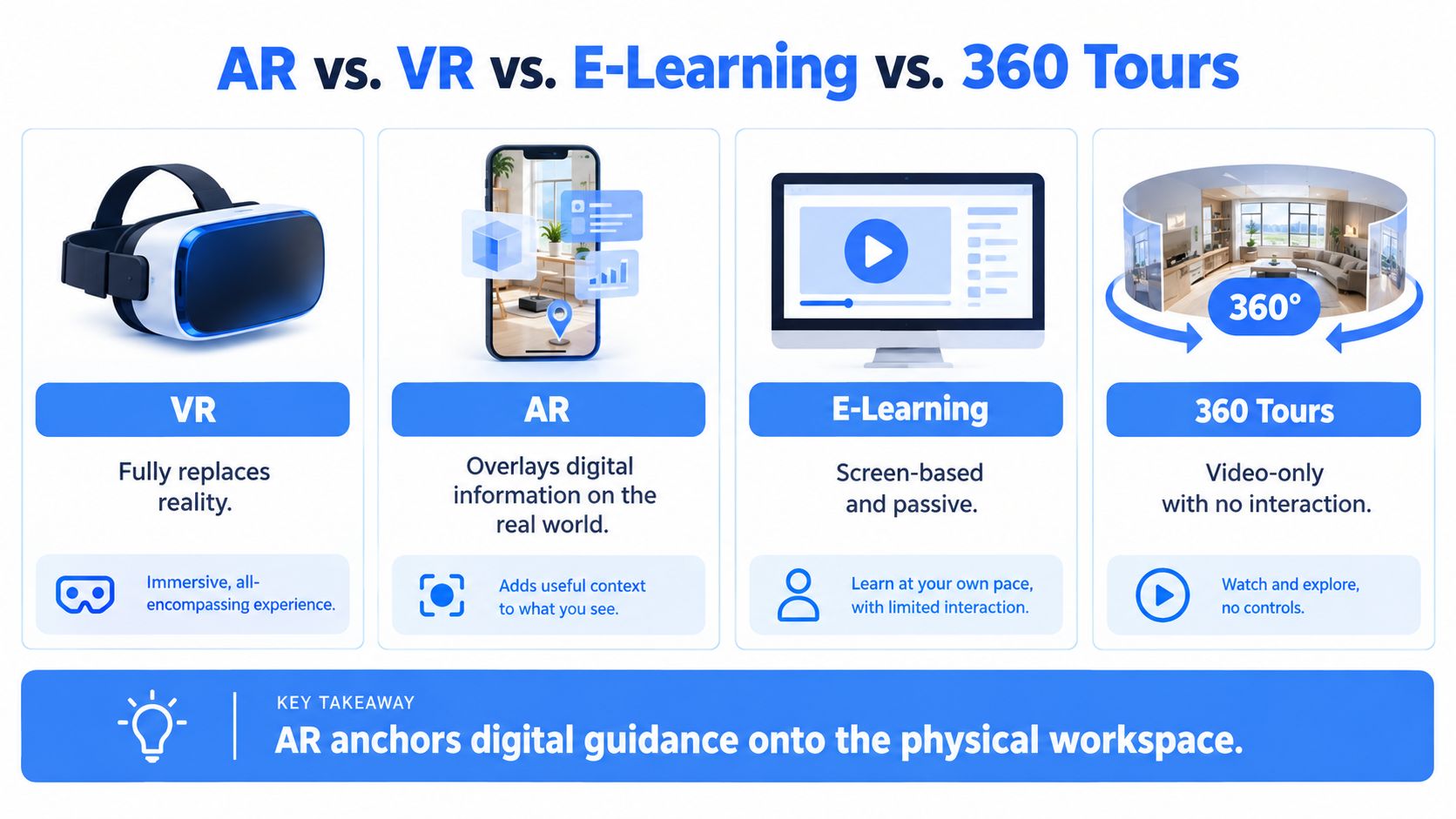
These formats serve different purposes:
| Format | Hardware Needs | Best Fit |
|---|---|---|
| AR | A compatible phone, tablet, or AR headset | Guidance attached to real objects or spaces |
| VR | A VR headset | Practice inside a simulated environment |
| E-learning | A computer, tablet, or phone | Explanations, demonstrations, and knowledge checks |
| 360 tour | A phone, computer, or headset | Exploring a real or represented space |
A 360 tour lets a learner look around a captured or generated environment, often using hotspots or linked information. It isn't the same as spatial AR: the tour can provide useful orientation without placing instructions onto the learner's physical surroundings. A web-based tour may be easy to access, but shouldn't be described as AR unless it overlays digital guidance on the physical view.
The boundary is useful when choosing a build approach. Phone AR suits learners who need to refer to a real place or object; headsets can support hands-free viewing in selected environments; a web tour can help learners explore a space without a dedicated AR setup. Teams evaluating the visual assets behind AR experiences can find AR mesh creation tools. For a fuller explanation of the distinction between virtual and augmented reality, see this guide to augmented reality and virtual reality.
The Real Benefits for Teams and Learners
AR's clearest learning advantage is contextual guidance. When the instruction appears in the same environment as the task, a learner may not need to switch attention between a procedure and the object or space involved. A hotel employee following a room-inspection sequence, for example, could see a cue near the feature being checked rather than searching a separate document for the relevant step.
That can support procedural learning, but the design needs to prompt action. A cue that says what to inspect is more useful when the trainee must identify the condition, decide what to do next, and verify completion. In a property inspection, that might mean finding an issue, selecting the appropriate response, and recording that the check is complete. The training review discussed above links AR benefits to guided procedures, but also makes clear that outcomes vary with the design and the comparison being made.
Where the value may show up
For a novice working with unfamiliar equipment, contextual prompts can help make a sequence easier to follow. For a safety trainer, an overlay can direct attention to features of a procedure before a learner applies it in the workplace. In distributed teams, a shared digital guide can provide consistent cues across locations, though it won't replace local practice when learners need feedback on how they perform.
The limits matter just as much. A learner who needs to memorize a policy may be better served by a concise explanation and retrieval practice than by a spatial overlay. An employee who must develop judgment in a complex interaction may need coached practice rather than a fixed series of prompts. If the overlay supplies every answer, it may help learners complete a guided task without preparing them to act independently.
Raw engagement scores are especially easy to overvalue. A positive reaction tells a manager that learners liked an experience, not that they retained the steps or transferred them to work. Teams should treat engagement as a useful adoption signal, then check the harder question: Can learners perform the task accurately without the guidance?
Use Cases Across Real Estate, Hospitality, Education, and Venues
A new real estate agent can use a guided property walkthrough to practise a repeatable inspection. At each point, a phone-based experience might flag what to notice, ask the learner to identify a feature, and prompt a check before moving on. For pre-listing preparation, the same approach can orient an agent to the property's layout and highlight details to verify with a supervisor. If the goal is to understand the floor plan or preview rooms, a 360 tour may be sufficient.
In hospitality, seasonal staff often need to learn how a particular site operates. An emergency procedure could use location-based cues to direct attention to routes, exits, and relevant equipment, while room-turnover training could guide a learner through a sequence of checks. The key is to include a decision or confirmation at meaningful steps rather than turning the experience into a passive trail of animations. Teams exploring immersive formats for restaurant staff can review this overview of VR training for restaurant-chain employees.
A campus educator might build an orientation around lab entry, equipment locations, or facilities procedures. Learners could explore the room, open short explanations at relevant stations, and answer a question before advancing. Where actual hands-on practice is required, a tour can prepare learners for the space, but an instructor or supervised session should still check that they can carry out the work correctly.
For a venue or event team, a guided walkthrough could help rotating crews learn load-in routes, setup zones, and safety requirements. Hotspots might identify where equipment belongs and ask a crew member to confirm a setup step. A straightforward visual tour can work well for familiarization, while AR becomes more relevant when guidance needs to align with objects or locations in the physical venue.
The deployment shape should follow the task. A browser-accessible tour can support remote orientation before a visit; a phone experience can guide staff who are already on site; and a headset may suit a narrower hands-free activity. In each case, the learning designer should make clear what the learner must notice, do, and demonstrate afterward.
Choosing Between Headsets, Phones, and Web-Based Delivery
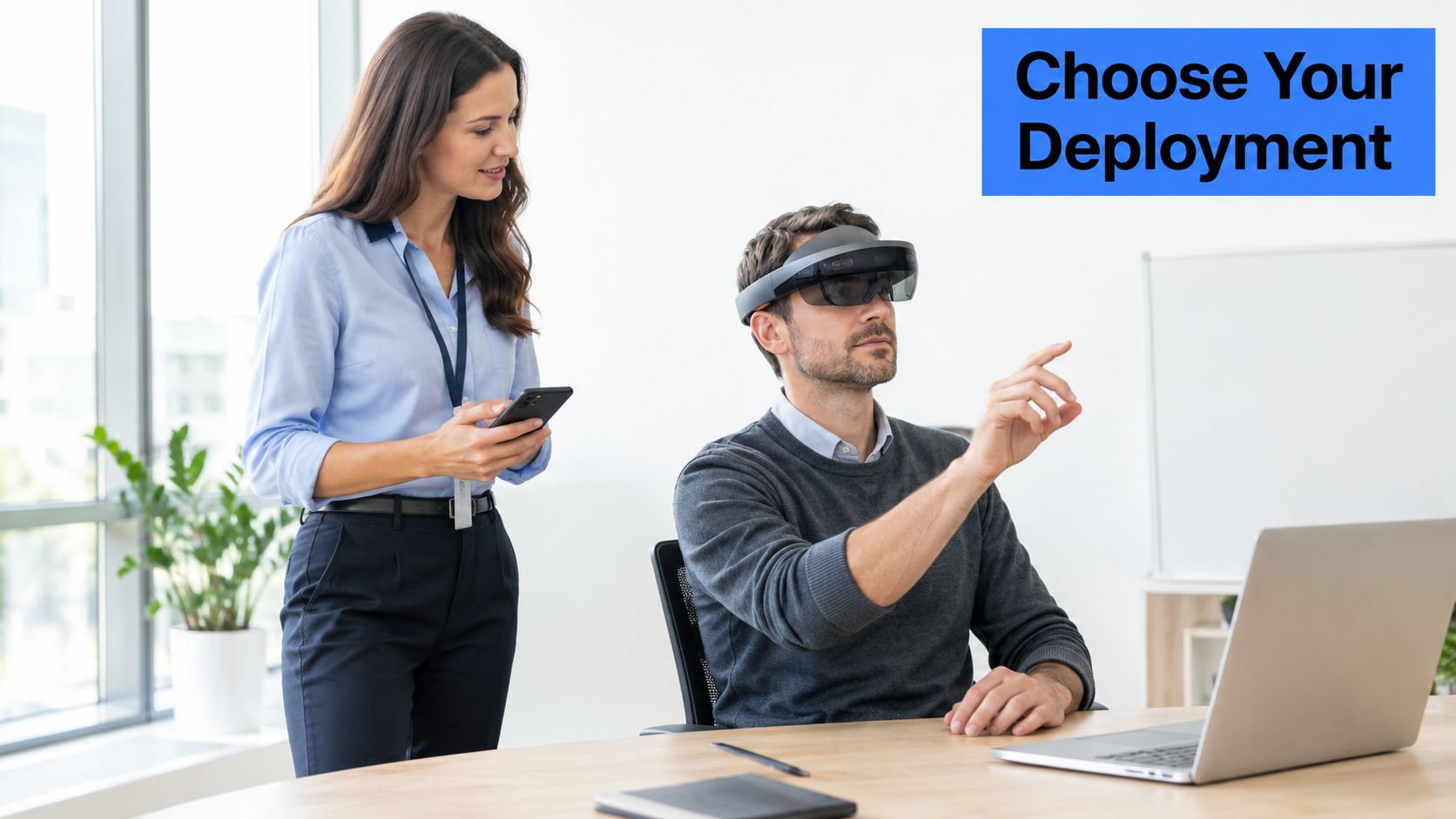
The hardware decision is really a deployment decision. A headset, phone, and browser-based tour differ in how quickly people can access them, where they can use them, and how much support the organization must provide. None is automatically the right choice.
| Delivery path | Rollout considerations | Often suited to |
|---|---|---|
| Dedicated headset | Requires device planning, setup, and support; can keep hands available for some tasks | Activities where hands-free guidance is important |
| Smartphone AR | Uses familiar devices, but performance and tracking can vary across phones and environments | On-site prompts linked to real objects or spaces |
| Web-based immersive tour | Opens through a browser and can work across locations; provides spatial exploration without necessarily overlaying the real world | Remote orientation, familiarization, and walkthroughs |
A headset may be justified when the task depends on hands-free instructions and the training setting can support dedicated devices. Phone AR may be easier to test with staff who already carry compatible phones, but an organization still needs to check device variation, lighting, connectivity, and whether workers can safely use a screen during the task. A web tour is often a simpler route for learners who need to explore a place rather than receive live overlays in it.
Before procurement, a manager can ask vendors: Does the experience work on the devices learners already use? What happens when tracking becomes unreliable? Can learners access an equivalent instruction in text or audio? What data does the system collect, and can completion be tracked without gathering unnecessary personal information? A short pilot with representative learners is more useful than choosing hardware from a demonstration alone.
Decision point: Select the simplest delivery format that supports the task, then add complexity only if testing shows it improves learning or access.
Designing for Real-World Constraints and Accessibility
A training experience can work smoothly in a demonstration and fail in everyday use. Staff may share devices, have inconsistent connectivity, use different languages, or need captions and alternative ways to access instructions. Those are design conditions, not edge cases to address after the content is finished.
A review of 26 education studies describes barriers including limited devices, unstable connectivity, insufficient technical support, complex content, and inadequate educator preparation, particularly in under-resourced settings (education review). That evidence points to a broader lesson: rollout depends on the surrounding support system as much as on the device.
A readiness check before launch
- Connectivity: Test whether core instructions remain available when the network is weak or unavailable.
- Devices: Check the experience on the phones and tablets learners have, not just the newest demonstration device.
- Sharing: Decide how learners will sign in, take turns, and record completion when devices are shared.
- Language and access: Provide clear text and audio options, captions where needed, and a way to use the material without relying on one sensory or interaction mode.
- Facilitation: Prepare staff to guide learners, solve routine issues, and support a fallback activity.
- Privacy: Collect only the data needed to evaluate learning, and clarify how records are stored and used.
Privacy deserves attention when an experience or device may capture sensitive information. Research on higher education identifies privacy and security concerns involving biometric data, alongside capital and operating costs. A training team should therefore review what the system records, who can access it, and whether the same learning goal can be met with less intrusive tracking.
Accessibility also includes comfort and tolerance for immersive experiences. A learner who finds a particular visual format uncomfortable needs another way to complete the training. Teams planning a tour-based experience can review practical advice on preventing motion sickness. A phone or web format may be easier to distribute in some settings, but only testing with the actual audience can show whether it meets their needs.
Measuring Whether the Training Works
A trainee finishes an AR-guided equipment check, rates the experience five stars, and tells the facilitator it felt easy. Two weeks later, on the floor without the headset, she stalls at the third step. Enjoyment and skill are different outcomes, and a sound evaluation measures both. Satisfaction tells you whether people accept the format. It says nothing about whether they can do the job.
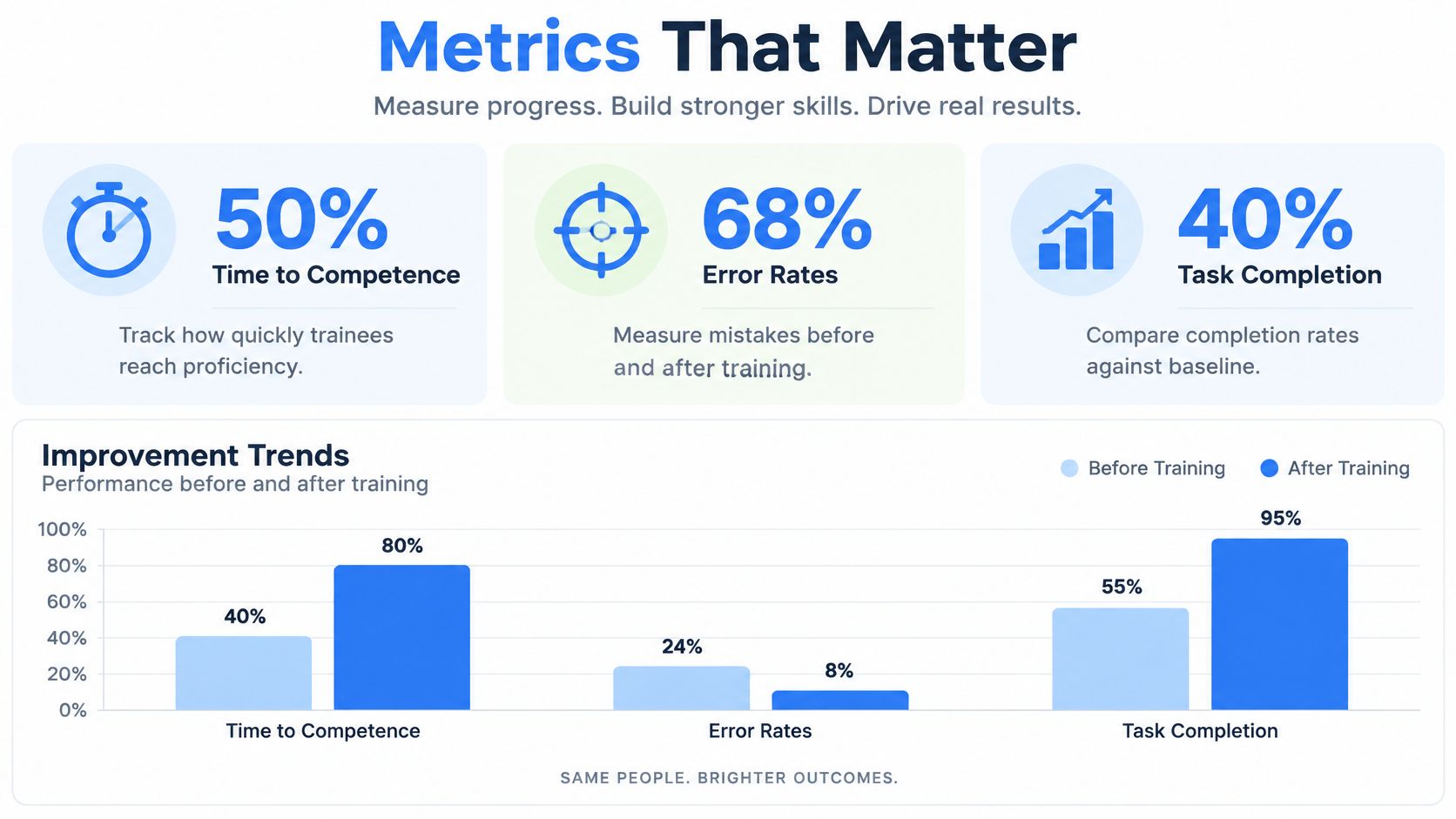
Match the measure to the task. For a procedure, record completion time and error count. For an orientation, check whether learners can find key locations without prompts. For a skill that must endure, test delayed retention and unaided performance. Assistance requests and self-reported confidence add context, though neither substitutes for watched, timed work.
Measurement also settles the format question this guide keeps returning to. If a visual tour produces the same unaided performance as a spatial overlay, the overlay's extra cost earns nothing. Testing both against the same outcome is how you learn which tasks benefit from cues anchored to the physical world.
Compare formats fairly
Run AR against whatever employees receive now: a video, a manual, an instructor-led session. Hold the task, the success criteria, and the assessment conditions constant across groups, then compare performance rather than assuming the newer format wins on novelty.
A manager can track:
- Task time: How long learners take to complete the procedure.
- Errors: Which mistakes occur, and how often they need correction.
- Assistance requests: Where learners hesitate, ask for help, or lose confidence.
- Retention: Whether learners can recall and perform the steps after a delay.
- Transfer: Whether performance holds up on a real task with no on-screen guidance.
Set the decision rule before results arrive. If the AR version feels more engaging but produces the same errors, the team has a clear answer: keep the conventional format, or redesign the overlay and test again. When results are mixed, examine the instructional design, the device, and the task itself before blaming the medium. Teams that need a system for organizing completion records and assessment data can review these HR Management 365 training system insights.
As noted earlier, the 2025 operator-response study found no statistically significant performance advantage over screen-based training, even though novice learners reported stronger engagement, understanding, and perceived ease of learning. Positive feedback without a performance gain is a design signal, not a success story.
A Practical First 90 Days for an AR Training Pilot
A pilot works best when it starts with a contained task, a clear comparison, and an agreed decision about what happens next. A manager doesn't need to transform an entire curriculum to learn whether AR has a role. One well-chosen workflow can reveal whether spatial guidance adds value.
Start by choosing the task. Select a procedure or orientation challenge where learners need to connect instructions with a real object or place. Write down what successful performance looks like before selecting the technology.
Choose the least complex format that fits. If learners need to understand a space, a visual tour may be enough. If they need cues attached to the physical environment, test phone AR or another suitable option. Keep a conventional video, manual, or instructor-led session as the comparison.
Set the measures and decision rule. Choose a small set of outcomes tied to the task, such as errors, completion time, and unaided performance. Decide in advance what would justify revising, scaling, or pausing the pilot.
Test with representative learners. Include the devices, spaces, and support conditions employees will encounter. Ask facilitators to record where participants get stuck, not just whether they liked the experience.
Avoid three common traps: Treating AR as a morale activity, skipping the conventional comparison, and committing to device procurement before the content has been tested.
At the end of the pilot, the manager should be able to explain what the format helped learners do, where it fell short, and whether the benefit justifies further work. That's a stronger basis for a planning decision than a polished demonstration or an enthusiastic reaction survey.
Virtual Tour Easy lets organizations create 360° virtual tours with scenes, hotspots, audio, and instructional links, which can support spatial orientation and guided learning activities. To explore whether a tour-based approach fits a training task, visit Virtual Tour Easy.