A marketer refreshes GA4 after launching a funded LinkedIn campaign and sees (not set) beside session counts, while branded direct traffic appears to have absorbed the paid visits. The landing page loads correctly, the ads are approved, and yet the acquisition report can't answer the basic question: which campaign brought the visitor?
That problem rarely comes from one dramatic failure. More often, an untagged destination URL, inconsistent capitalization, a redirect that strips query strings, or manual UTM values competing with Google Ads auto-tagging damages the record. GA4 UTM tracking works as a system, not as a field added to the end of a URL.
The reliable approach has four layers: link hygiene, GA4 configuration, GTM wiring, and validation. Each layer catches a different class of error. Together, they produce campaign data that a marketing team can explain and defend in a review.
Table of Contents
- Why Your GA4 Reports Look Broken
- The UTM Vocabulary Marketers Actually Need
- Wiring GA4 and GTM to Capture UTM Data
- Auto-Tagging Versus Manual UTMs for Paid Traffic
- Turning Tour Engagement Into Conversion Events
- Troubleshooting Attribution When Numbers Drift
- A Repeatable Reporting Rhythm and Final Checklist
Why Your GA4 Reports Look Broken
The first diagnostic mistake is treating the report as the source of the problem. GA4 is usually reporting what it received. If the campaign URL arrived without parameters, the page view fired before consent allowed analytics to run, or a redirect removed the query string, the acquisition report can't reconstruct the missing information later.
The four failures behind most messy reports
Untagged destination URLs are the most obvious culprit. A campaign can send traffic to the correct landing page while providing GA4 no deliberate source, medium, or campaign label. The platform then relies on referrer information, browser behavior, and its own classification rules, which can leave traffic in direct, referral, unassigned, or (not set) categories.
Case inconsistency creates a quieter form of fragmentation. utm_source=LinkedIn and utm_source=linkedin are different values in reporting. The same campaign can therefore split across multiple rows, forcing analysts to combine values manually and increasing the chance of an incorrect conclusion.
Redirects create another failure point. A short link, tracking service, consent page, or server-side redirect may forward the visitor to the intended destination while dropping utm_* query parameters. The final page looks normal in the browser, but the campaign label has disappeared before GA4 reads it.
Practical rule: Debug the visitor's path, not just the final landing page. A clean final URL doesn't prove that the original campaign parameters survived.
The fourth issue affects Google Ads specifically. When a click carries both a gclid and manual UTM values, GA4 prioritizes auto-tagging for source, medium, and campaign, while retaining manual values in separate manual dimensions. Teams that expect their hand-built campaign names to control the standard acquisition fields may interpret the resulting report as a tracking failure.
The fix is operational discipline. The following layers establish one naming language, configure GA4 to receive it, wire GTM so important values persist, and test the complete journey before budget or email volume makes cleanup expensive.
The UTM Vocabulary Marketers Actually Need
UTMs are labels attached to incoming campaign links. The three required fields are utm_source, utm_medium, and utm_campaign. Two additional standard fields, utm_term and utm_content, add detail, while utm_id can provide a stable identifier for teams stitching campaign records across systems.
- utm_source identifies who sent the visitor, such as
linkedin,google, ornewsletter. - utm_medium identifies the channel type, such as
cpc,social, oremail. - utm_campaign names the promotion or coordinated initiative.
- utm_term identifies a keyword, audience, or targeting group when that detail matters.
- utm_content separates creative, placement, or link variations within the same campaign.
- utm_id provides an optional stable campaign key for cross-channel or cost-data matching.
A clean URL might look like this:
`
A broken version might use mixed case, spaces, vague values, and competing tags:
Social&utm_campaign=Spring Listing&utm_marketingchannel=leadgen
The second URL isn't invalid as a web address, but it creates an unstable reporting language. The invented parameter may not populate a standard GA4 dimension, while spaces can be encoded inconsistently and mixed capitalization splits otherwise identical values.
A naming convention that survives team turnover
Use lowercase values, choose one separator such as a hyphen, and publish a fixed taxonomy for sources and mediums. A campaign naming pattern might combine a product or initiative with a market and intent, provided the team documents the order and permitted terms. Creative details belong in utm_content, not stuffed into a long campaign name.
A URL builder reduces syntax errors, but it doesn't decide whether paid-social, social-paid, or promoted is the approved medium. That decision belongs in a campaign dictionary or shared spreadsheet. The dictionary should list approved sources, mediums, campaign formats, content labels, owners, and destination URLs.
| Scenario | URL | Problem or Fix |
|---|---|---|
| Clean paid social link | ?utm_source=linkedin&utm_medium=paid-social&utm_campaign=spring-listing |
Lowercase, consistent separators, and the three required parameters are present. |
| Mixed capitalization | ?utm_source=LinkedIn&utm_medium=Paid-Social |
Fix by normalizing every value to lowercase before launch. |
| Internal navigation | /pricing?utm_source=newsletter&utm_medium=email |
Remove the UTM values. Internal links overwrite acquisition context. |
| Google Ads collision | ?gclid=...&utm_source=linkedin&utm_medium=paid-social |
Investigate the source. A Google Ads click shouldn't carry another platform's manual labels. |
| Encoded characters | ?utm_campaign=spring%20listing |
Technically readable, but replace spaces with the approved hyphen convention for consistency. |
When a teammate proposes a new parameter such as utm_marketingchannel, ask three questions. Is an existing standard field suitable? Will the value appear in the GA4 report or require custom collection? Does the extra label answer a real reporting question? If the answer is no, keep the taxonomy smaller. A short, enforced vocabulary beats an elaborate scheme nobody follows.
Wiring GA4 and GTM to Capture UTM Data
A technically valid URL still fails if GA4 doesn't receive the page view, GTM fires too late, or the implementation loses campaign values as a visitor moves from a landing page to a tour embed or lead form. Configuration should therefore be checked in order, with a visible test after each step.
Check the GA4 foundation first
Confirm that the correct GA4 web data stream is installed on the landing pages and that the page view can be observed from a live tagged URL. Open the URL in a test browser, keep the query string visible, and use DebugView to verify that the page view arrives. The Real-time report should also show the active user, although DebugView is more useful for inspecting event parameters during implementation.
The practical setup should include the page context GA4 needs, including page_location and page_referrer. Query parameters can be read from the landing URL and passed through GTM variables or a data layer, but teams shouldn't assume that a visible URL automatically means every downstream event will retain those values.
Use GTM as the wiring layer
Install the GTM container on every relevant page, including pages that host the virtual tour and lead form. Configure the GA4 tag to send page_view, keep send_page_view intentional rather than duplicated, and verify that the tag fires once per page load. A double-fired configuration can create confusing session and event behavior even when the UTM syntax is perfect.
For a practical implementation reference, review the Google Tag Manager setup guidance for Virtual Tour Easy and compare its tag structure with the live container.

Preserve values beyond the landing page
A visitor may arrive with campaign parameters, browse several pages, open an embedded tour, and submit a form later. Store the initial UTM values in a first-party cookie or push them into the data layer when the landing page loads. GTM can then read those values for later events, while the implementation keeps the distinction between the original acquisition and the current session.
Register custom dimensions in GA4 only for values that aren't already available through standard dimensions. If custom dimensions are required, create one for each needed UTM value, map the corresponding GTM variable, and confirm that the parameter is present on the event before publishing.
A useful checkpoint sequence is:
- URL test: Open a tagged URL and confirm every parameter survives the first load.
- DebugView test: Inspect the page view and confirm the expected campaign values are available.
- Real-time test: Verify that the active user appears in the correct property and stream.
- Navigation test: Move through the tour and form flow, then check that stored values remain available.
- Publish review: Submit the GTM version only after preview mode shows one intended firing path.
GA4's event-based model became the central replacement path for Universal Analytics after GA4 officially launched on October 14, 2020, and Universal Analytics was fully retired on July 1, 2023. The historical shift is why modern UTM workflows must be designed around GA4 event collection rather than assuming a page-level report will preserve every campaign detail automatically. A history of GA4's launch and its role in modern campaign measurement provides that background.
Auto-Tagging Versus Manual UTMs for Paid Traffic
Google Ads and other paid platforms shouldn't be forced into one tagging method. The correct choice depends on whether the platform provides an auto-tag identifier, how much naming control the reporting team needs, and whether redirects preserve the click data.
When a Google Ads click carries gclid alongside manual UTMs, GA4 uses auto-tagging to populate source, medium, and campaign. Manual values remain available in manual dimensions, but they don't necessarily control the standard session acquisition fields. The safest Google Ads pattern is a direct Google Ads and GA4 link with auto-tagging enabled, without manually overriding the same core fields.
| Dimension | Google Ads Auto-Tagging (gclid) | Manual UTMs |
|---|---|---|
| Source attribution | Uses Google's click identifier and linked account data. | Depends on the values entered in the URL. |
| Cross-channel consistency | Strong inside the Google advertising ecosystem. | Useful for LinkedIn, Meta, Reddit, email, and partner links. |
| Redirect behavior | Can fail if redirects or servers remove the identifier. | Can fail if redirects remove query parameters. |
| Overlap handling | Takes priority for standard GA4 acquisition fields when both systems are present. | Preserved separately when paired with a Google Ads click. |
| Naming control | Follows Google's campaign structure in standard fields. | Gives teams direct control over source, medium, campaign, term, and content. |
Manual UTMs remain appropriate for channels without a comparable auto-tagging workflow. LinkedIn, Meta, and Reddit campaigns can use a controlled source, a documented paid medium, a campaign name, and utm_content for creative-level analysis.
A hybrid pattern can also work for Google Ads when the team needs manual creative labeling. Keep the gclid intact, avoid using manual UTMs to contradict Google's source and medium, and use a manual content value only when the resulting dimensions are understood and tested.
Decision rule: Use Google Ads auto-tagging when Google Ads is the only paid source and Google's naming is acceptable. Add manual UTMs when another paid channel enters the mix or when creative-level reporting requires a controlled label.
Validation must include the final landing URL, every redirect, and the GA4 acquisition dimensions. Expert troubleshooting guidance identifies late configuration tags, missing landing-page tags, altered query strings, ad blockers, and privacy tools as possible reasons UTM data doesn't arrive as expected. This GA4 UTM troubleshooting reference is useful when the URL looks correct but the report doesn't.
Turning Tour Engagement Into Conversion Events
Traffic attribution becomes useful when it remains attached to actions that matter. For a virtual-tour business, two events usually deserve separate treatment: a lead form submission and meaningful tour engagement. A page view says someone arrived. A lead or sustained tour interaction says the visit created a measurable opportunity.
Capture the form success, not the button press
A button click isn't proof that a form was submitted. Validation errors, required fields, network failures, or abandoned forms can all produce clicks without a lead. GTM should therefore listen for a reliable success signal, such as a data layer push from the form's success callback or a visible thank-you element that appears only after submission.
The event can include a clear name such as lead_form_submit, along with useful non-personal parameters such as form location or tour identifier. Mark the event as a key event in GA4 only after DebugView confirms that it represents a completed action rather than an attempted one.
The GA4 button-click tracking guidance can help teams distinguish interaction tracking from completed conversion tracking.

Measure tour engagement without inflating conversions
An embedded tour can fire a start event when the iframe loads, then a deeper engagement event at a defined viewing milestone. A postMessage listener is generally more reliable when the tour player exposes structured messages. A GTM timer or element-visibility trigger can serve as an alternative when the embed doesn't provide a usable event interface.
Keep engagement and lead events distinct. A tour start may be useful for diagnosing content quality, while a lead submission may be the business conversion. If every interaction becomes a key event, acquisition reports become harder to interpret.
For each event, check three things in DebugView:
- Event name: Confirm the spelling and capitalization exactly match the measurement plan.
- Event parameters: Verify the tour, form, or placement context is present and non-personal.
- Campaign context: Confirm session campaign dimensions are populated when the conversion occurs, rather than showing (not set).
UTMs are captured at the session level, while first-user dimensions retain a user's original acquisition source. That distinction matters when someone arrives from a newsletter, returns later through another channel, and converts in a different session. GA4 teams should use Traffic acquisition for session-scoped campaign analysis and User acquisition when the question concerns the user's first recorded source. This explanation of UTM scope in GA4 covers the reporting distinction in practical terms.
Troubleshooting Attribution When Numbers Drift
Attribution drift often starts with a reasonable assumption: if the final page displays the right content, the tracking must be intact. That assumption fails because campaign data can disappear or be overwritten at several points before the conversion event reaches GA4.
Six checks that isolate the failure
Internal links carrying UTMs overwrite the true acquisition context. Remove campaign parameters from links that point from one page of the same site to another. Internal promotions can use dedicated events or content metadata instead of pretending to be a new inbound session.
Redirects dropping query strings are common with shorteners, legacy routes, and server rules. Test the original URL, the first response, and the final destination. The redirect path must preserve the relevant utm_* parameters rather than merely forwarding the page path.
Third-party scheduling tools stripping parameters create a gap between the marketing page and the booking form. Use a destination format that preserves the query string where the tool supports it, then test the booking destination in a preview or controlled browser session.
(not set) rows can indicate that the GA4 tag is missing on a subdomain, consent blocked the initial page view, or the event fired before the campaign values were available. Check consent states separately instead of testing only with unrestricted tracking.
Last-click reports can assign credit to branded search even when display or social activity introduced the visitor earlier. GA4 attribution settings deserve a separate review because data-driven attribution can fall back to last-click behavior when its required conversion conditions aren't met. One analysis specifies a threshold of 400 conversions per conversion event over 30 days across varied path types for data-driven attribution, with the threshold and fallback behavior described in this GA4 attribution model analysis.
Cross-domain journeys lose continuity when the main site, tour host, and form domain aren't configured as one measurement path. Configure the appropriate linker domains in GTM and test the transition in both directions. A separate guide on the risks of last touch attribution helps frame why a single final interaction can provide an incomplete campaign story.
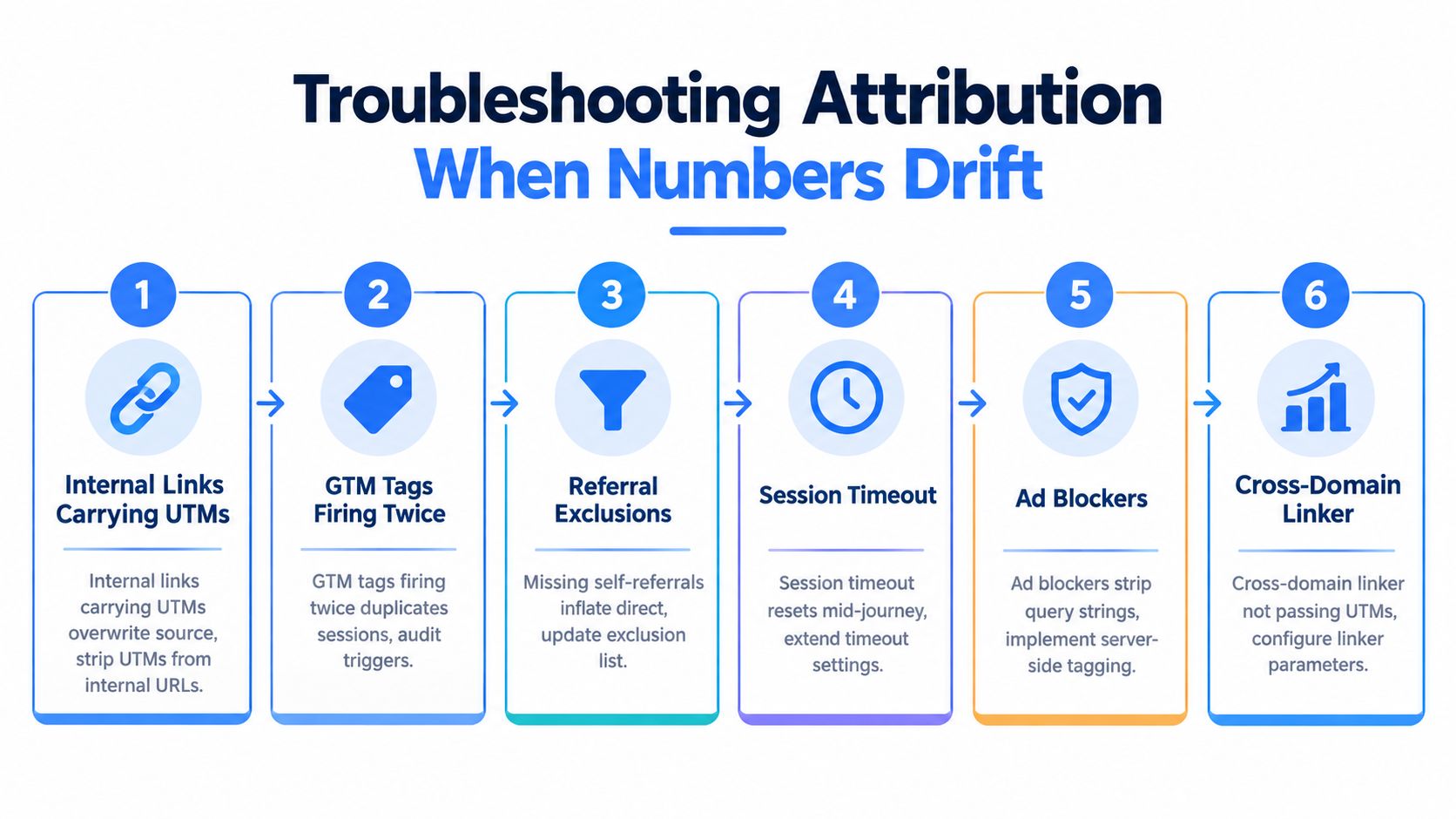
For teams working with embedded tours and lead capture, lead-source tracking for Virtual Tour Easy offers a relevant implementation path. The triage order should stay simple: build the query string, trace the redirect, inspect DebugView, test consent and subdomains, then audit internal links. Starting with dashboards usually wastes time because the dashboard only reflects the data that survived those earlier steps.
A Repeatable Reporting Rhythm and Final Checklist
Clean tracking needs an operating rhythm. A campaign can launch correctly and still drift when someone changes a landing page, edits a redirect, adds a new ad platform, or creates a campaign name outside the approved dictionary.
A reporting cycle that catches drift early
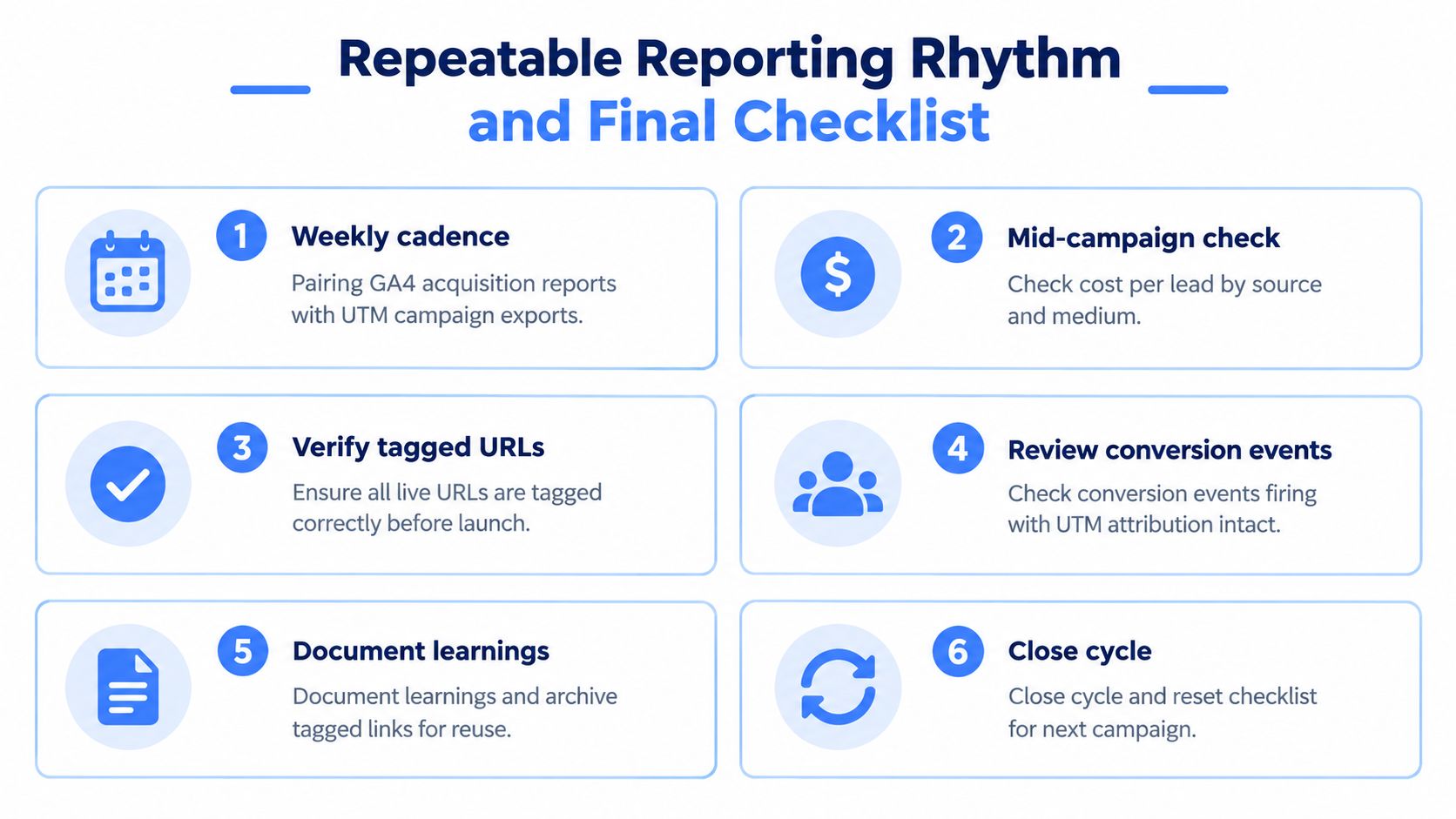
Each week, pair the GA4 Traffic acquisition report with exports from the campaign platforms. Review session source, session medium, session campaign, key events, and landing page together. Mid-campaign, compare lead volume and cost per lead by source and medium, then investigate any sudden shift toward direct, unassigned, or (not set) traffic.
At the end of the cycle, record what changed. The learnings log should note naming exceptions, redirect changes, consent behavior, conversion definitions, and links that required repair. Archive every approved URL in a shared sheet so the next campaign inherits working patterns instead of recreating them from memory.
Pull a landing-page and query-string table during launch review. It should show whether the tagged URL reached the intended page, whether the parameters survived redirects, and whether GA4 received the associated page view. For conversions, filter by session-scoped campaign rather than assuming an event report alone explains acquisition.
The reusable pre-launch check
- Build the URL: Use the approved builder and required source, medium, and campaign fields.
- Normalize the values: Enforce lowercase, approved separators, and the campaign dictionary.
- Choose the paid method: Decide whether Google Ads will rely on gclid or whether manual labels are needed for another channel.
- Test GTM: Use preview mode to confirm the intended page-view and event triggers fire once.
- Trace the journey: Check redirects, subdomains, embeds, forms, and consent states.
- Allow reporting time: Keep a 24-hour data delay buffer before treating early GA4 totals as final.
A repeatable process turns UTM tracking from a launch-day task into a controlled measurement system. It also gives campaign owners a defensible answer when reported numbers change, because the team can identify whether the cause was link construction, configuration, wiring, or attribution logic.
Virtual Tour Easy provides immersive 360° tour creation, website embeds, lead capture forms, and GA4 and GTM integrations that can connect tour engagement with campaign measurement. Visit Virtual Tour Easy to create a tour workflow where tagged traffic, viewing activity, and qualified enquiries can be tested as one conversion path.