An empty living room can lose a buyer before the listing reaches the kitchen. Without scale, purpose, and visual warmth, even a well-photographed property can feel unfinished online. That matters because 51% of buyers found the home they ultimately purchased through the internet, while 83% of internet-using buyers rated listing photographs as “very useful” in the National Association of REALTORS®’ 2025 Generational Trends research (NAR-related research summary).
The right virtual staging software gives that room a believable function without sending furniture to the property. This comparison focuses on the workflow each tool fits, from occasional pay-per-photo use to high-volume subscription output, buyer engagement, and manual placement control. Each entry also flags where pricing, credits, revisions, and output rules need checking on the vendor's site. The best choice depends less on a generic feature list than on how often a team stages rooms, how much control it needs, and whether staged stills are enough.
Table of Contents
- 1. VirtuallyStage
- 2. Vista Staged
- 3. Virtual Staging AI
- 4. Keystaged
- 5. RoomsGPT
- 6. REimagineHome
- 7. Interior AI
- 8. Homestyler AI Stager
- 9. LookStaged
- 10. VisualStager
- Top 10 Virtual Staging Software Comparison
- Matching Your Listing Volume to the Right Tool
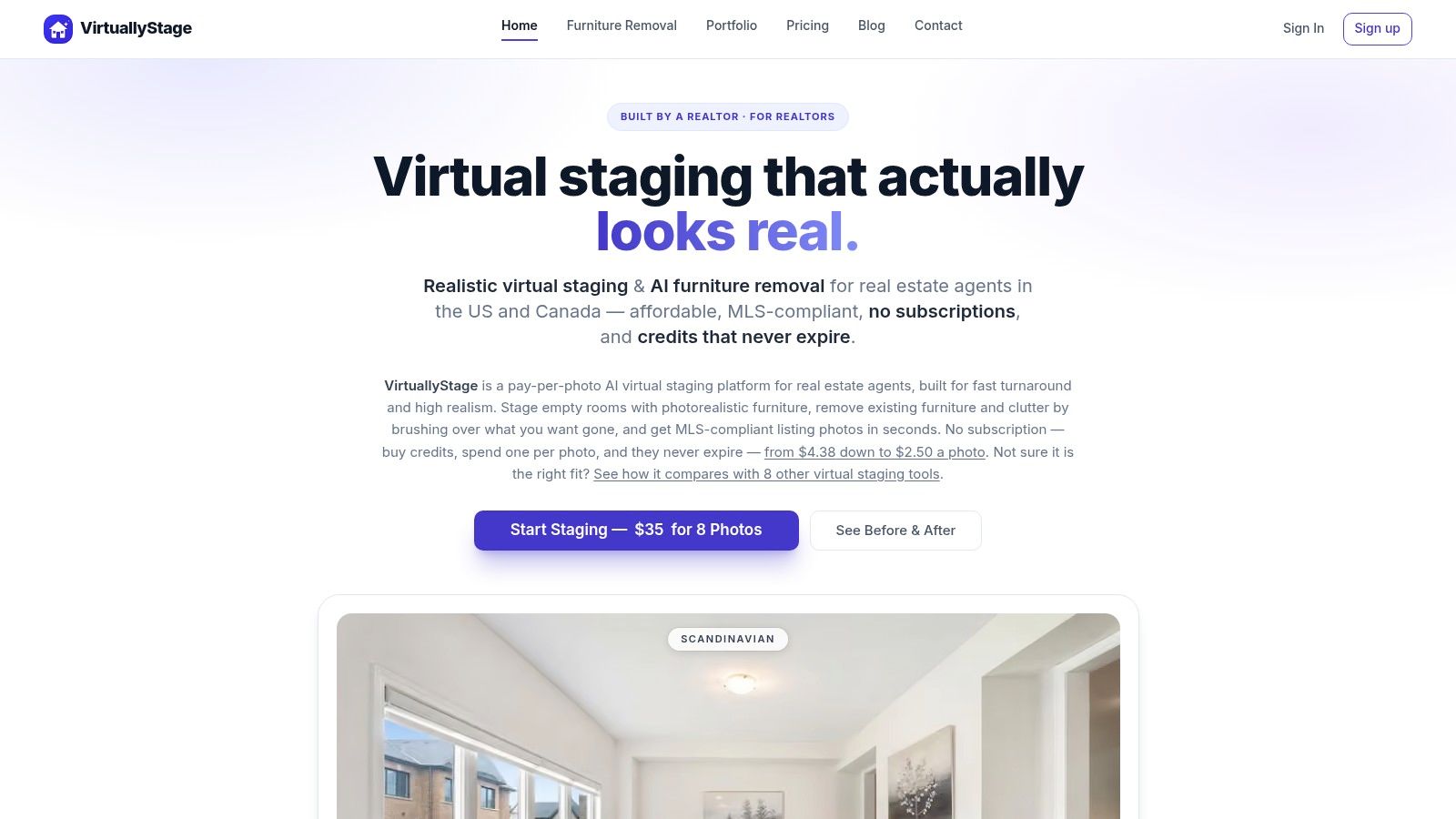
1. VirtuallyStage
VirtuallyStage fits agents and listing photographers who stage occasionally and don't want another monthly bill. Its pay-per-photo credit model keeps the workflow simple. Credits don't expire, so a broker can buy them before a busy season and use them when the next vacant listing arrives.
Each credit combines staging and furniture removal. That matters when a room has dated furniture, clutter, or an awkward layout that needs clearing before a new design is added. The platform also provides 20 AI design variations per photo, giving the agent several styles to review with the seller instead of accepting the first render.

Best fit and limitations
The strongest use case is a small agency, independent photographer, or occasional seller who needs MLS-appropriate stills without maintaining a subscription. Outputs are marketed with disclosure support, which helps teams keep the original image and staged version organized for listing compliance.
The trade-off is volume economics. A subscription platform may suit a team processing rooms every week, especially when unused monthly credits don't matter. VirtuallyStage is built around flexibility rather than enterprise workflow management, so heavy users may find fewer team, automation, or integration features.
Practical rule: Choose pay-once credits when unused monthly capacity would be more expensive than a higher per-image rate.
Pricing packs, current terms, disclosure wording, and export rules should be confirmed on the VirtuallyStage website before purchase.
2. Vista Staged
Vista Staged is designed for the agent who needs a clean staged image for one listing, not a permanent design workspace. The credit-based, pay-as-you-go model avoids subscription lock-in. That makes it practical for occasional vacant rooms, last-minute marketing updates, or a photographer who stages only when a client requests it.
The service emphasizes AI output rather than a human designer queue. That can reduce friction for ordinary listing stills, where the priority is a fast, believable furnishing pass that preserves the room's basic purpose. It also suits teams that don't want to wait for a traditional editing turnaround.
What occasional users should verify
Vista Staged is a sensible starting point when the workflow is “upload, stage, download, publish.” The output is aimed at MLS marketing stills, so it belongs in the same practical category as other tools that prioritize speed and straightforward listing presentation over complex interior design control.
The public plan information leaves some operational questions open. Revision policies, credit-pack details, and the exact limits attached to current offers need to be checked before a team builds the tool into its delivery promise. A platform can look inexpensive until regenerations, high-resolution exports, or corrections use additional credits.
For broader listing preparation, agents may also benefit from guidance on the art of preparing a home for sale, especially when deciding which rooms deserve staging first.
The Vista Staged website should be treated as the current source for pricing and availability. Its main advantage is simplicity. Its main limitation is the smaller amount of publicly documented control and revision detail.
3. Virtual Staging AI
Virtual Staging AI is a focused tool for agents who want one-click staging and very little interface overhead. It offers room-style presets such as Modern, Farmhouse, and Scandinavian, then returns a staged version quickly. Unlimited regenerations let users try different outputs without treating every failed arrangement as a new purchase.
Furniture removal is built into the same workflow. That helps when the source image is occupied but the listing strategy calls for an empty room before restaging. Credits roll over while the subscription remains active, which is more forgiving than a plan that resets unused capacity at the end of each billing period.
Fast output, limited surgical control
This tool works best for steady agents who need a repeatable staging pass across ordinary listing rooms. The workflow is deliberately AI-first. Users regenerate an image when the sofa, table, or decor feels wrong rather than opening a detailed editor and moving individual objects by hand.
That distinction matters in rooms with unusual architecture. Multi-angle consistency is still in early beta, so a staged living room and a staged view from the opposite corner may not maintain identical furniture placement. A single hero image is a safer use than a multi-image campaign that requires every chair and lamp to match.
The practical guidance in virtual staging dos and don'ts is useful before uploading a full set. Clean source photography gives the model fewer distractions and makes it easier to judge whether the result preserves the property accurately.
Pricing tiers, rollover conditions, support channels, and current plan limits belong on the Virtual Staging AI website. It's a strong fit for speed and regeneration, not precision retouching.
4. Keystaged
Keystaged targets independent agents and photographers who want a lightweight staging workflow with low overhead. The interface centers on quick AI generation and preset styles rather than a broad design suite. That makes it easier to process a vacant bedroom or living room without adding a separate editing stage.
The platform's appeal increases when a user buys larger credit packs. The effective per-image cost can become more attractive for repeat work, while the workflow remains closer to occasional purchase than a full subscription commitment. That combination suits an independent operator who has several listings in a busy period but doesn't want to pay for unused capacity afterward.
Where the low-overhead model works
Keystaged emphasizes realism for MLS outputs. In practice, the source photo still controls much of the result. Strong perspective, visible room boundaries, and clear windows give the system a better foundation than a dark image with heavy clutter or an unusual lens angle.
The limitation is offer stability. The site may promote limited-time deals, and the available packs or prices can change. Teams shouldn't quote a fixed staging cost to clients until they've checked the live offer and confirmed whether credits, downloads, and revisions follow the same terms.
Keystaged is a practical choice for an independent professional who values a quick preset workflow and wants to keep the purchase relationship simple. It's less compelling for a brokerage that needs centralized permissions, detailed production tracking, or consistent multi-angle interiors.
The Keystaged website is the right place to confirm current credit packs and promotions. The tool's strength is affordability at suitable volume. Its weakness is that changing offers make long-term budgeting less predictable.
5. RoomsGPT
RoomsGPT suits agents who need more than empty-room staging. Its tools cover redesign, paint changes, object edits, 3D previews, and HD exports. That breadth can keep a small listing workflow in one workspace, especially when an agent also prepares renovation concepts or marketing visuals.
Property Studio adds features aimed at property work. Paid plans remove watermarks, while tiered quotas make usage easier to track than an unlimited plan with unclear commercial boundaries. Daily free credits let users test room types and styles before paying.
A budget tool with generalist trade-offs
RoomsGPT works well for occasional, mixed-purpose jobs. An agent can furnish an empty room, test a paint direction, then create a dated-kitchen concept without changing platforms. That convenience matters for solo operators and small teams with uneven listing volume.
The trade-off is placement control. A generalist AI design platform can vary more across rooms and camera angles than software built only for listing photos. Review every output for geometry, windows, doors, flooring, and fixed architectural features. A polished image still needs to represent the property accurately.
The guidance in AI real-estate photo editing helps teams distinguish cosmetic edits from changes that may misrepresent a room.
Check current subscription tiers, credit quotas, commercial-use limits, and export conditions on the RoomsGPT website. RoomsGPT offers useful breadth for small teams. Its generalist output and quota-based plans make it a weaker fit for high-volume production requiring consistent edits across every listing.
6. REimagineHome
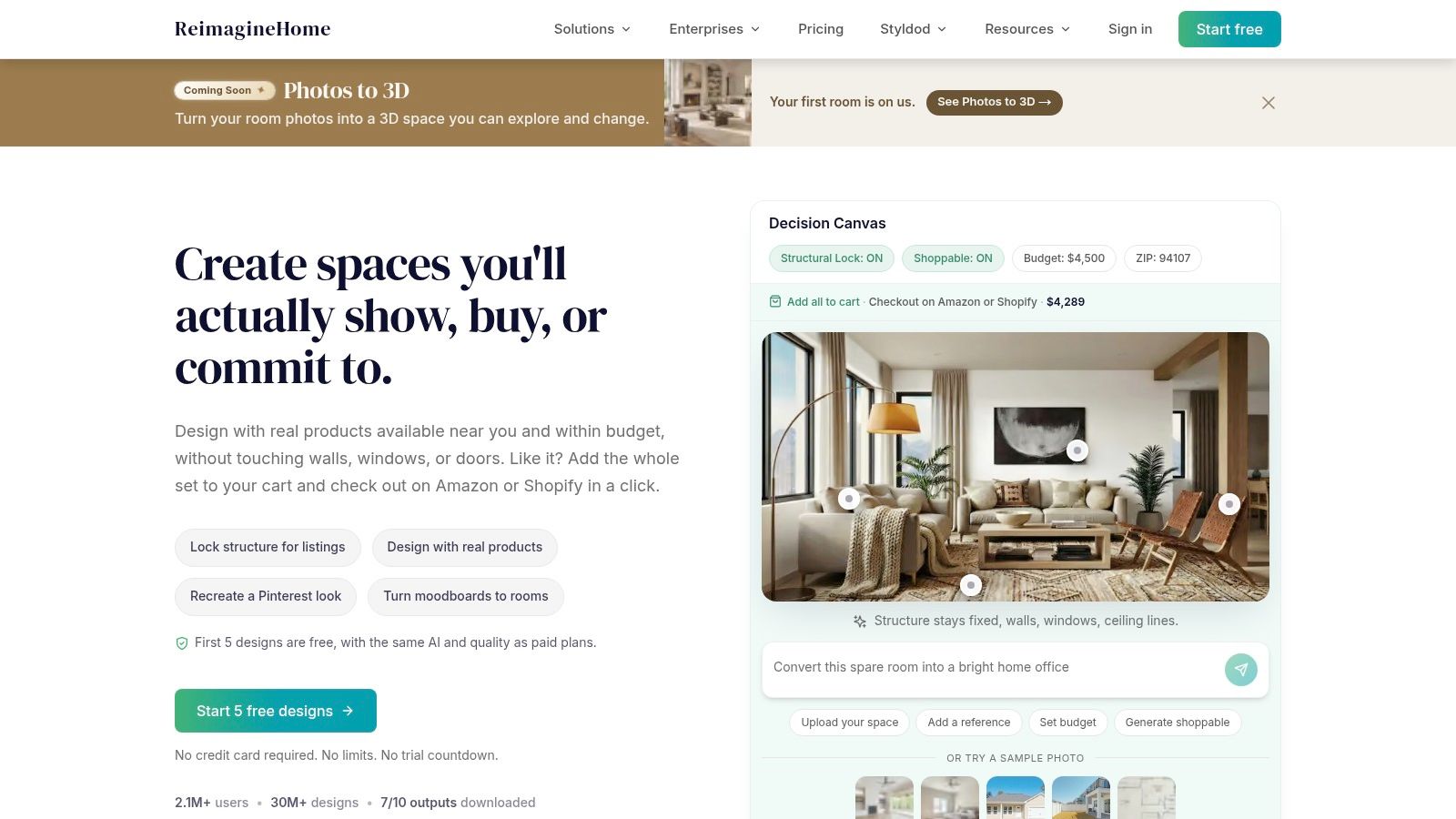
REimagineHome fits listings where staging supports a broader design conversation. It handles interior staging, redesign, clutter removal, exterior landscaping, and surface updates. Agents can create several directions for one space, which helps when a property needs to communicate renovation potential rather than show furnished rooms.
Its retailer connections support a “buy this look” experience. Selected products can lead viewers from visual inspiration to product discovery. That feature may suit developers, hospitality marketers, and sellers presenting improvement ideas. For a standard MLS upload, it can add steps without improving the core image.
Creative range versus manual control
The AI-first workflow keeps concept testing quick. A property marketer can try an exterior treatment, refresh a furnished room, or remove clutter without opening a traditional editor. This makes REimagineHome a practical option for occasional pay-per-project work that includes more than vacant-room staging.
The limitation is precision. Users who need exact object placement, careful masking, or pixel-level corrections may find the controls too broad. AI redesign can also alter architectural relationships, even when the result looks attractive. Keep the original photo for comparison and review every final image for property accuracy.
REimagineHome is less suited to high-volume batches that require identical placement and consistent edits across many listings. Its broader design tools can create useful buyer-facing concepts, but they can also slow a simple staging workflow.
Check the REimagineHome website for current plan structure, credit usage, retailer-link behavior, and export terms. Pricing and usage conditions should be confirmed before committing to regular production. Its strength is creative range. Its weakness is the limited manual control that comes with that range.
7. Interior AI
Interior AI goes beyond ordinary room furnishing. Its virtual staging mode targets empty interiors, while Sketch2Image, SketchUp render enhancement, outdoor design, 3D walkthroughs, and flythrough video tools extend the platform into concept development and presentation.
That makes it relevant to architects, interior designers, developers, and agents handling a property with a larger visual story. A vacant room can receive furniture, while a sketch or 3D model can support a more ambitious design presentation. The platform is better suited to users who need several visual formats than to an agent who only wants a staged JPG before an afternoon listing launch.
Creative range comes with a learning curve
Interior AI can produce detailed staging outputs and gives creative professionals more room to explore than a one-purpose listing tool. It supports visual development from early sketches through rendered concepts, which is useful when the image must communicate a design direction rather than just make an empty room feel occupied.
The trade-off is control style. The interface is opinionated, and it isn't a surgical pixel editor. Users who need to move one lamp, correct one chair leg, or preserve exact placement across several views may need another tool or a manual finishing step.
Pricing tiers, usage limits, output resolution, and current feature availability require checking inside the app. The Interior AI website is the starting point for that review. This platform fits creative and 3D-oriented workflows. It's less efficient for agents who value the shortest possible path from listing photo to MLS export.
8. Homestyler AI Stager
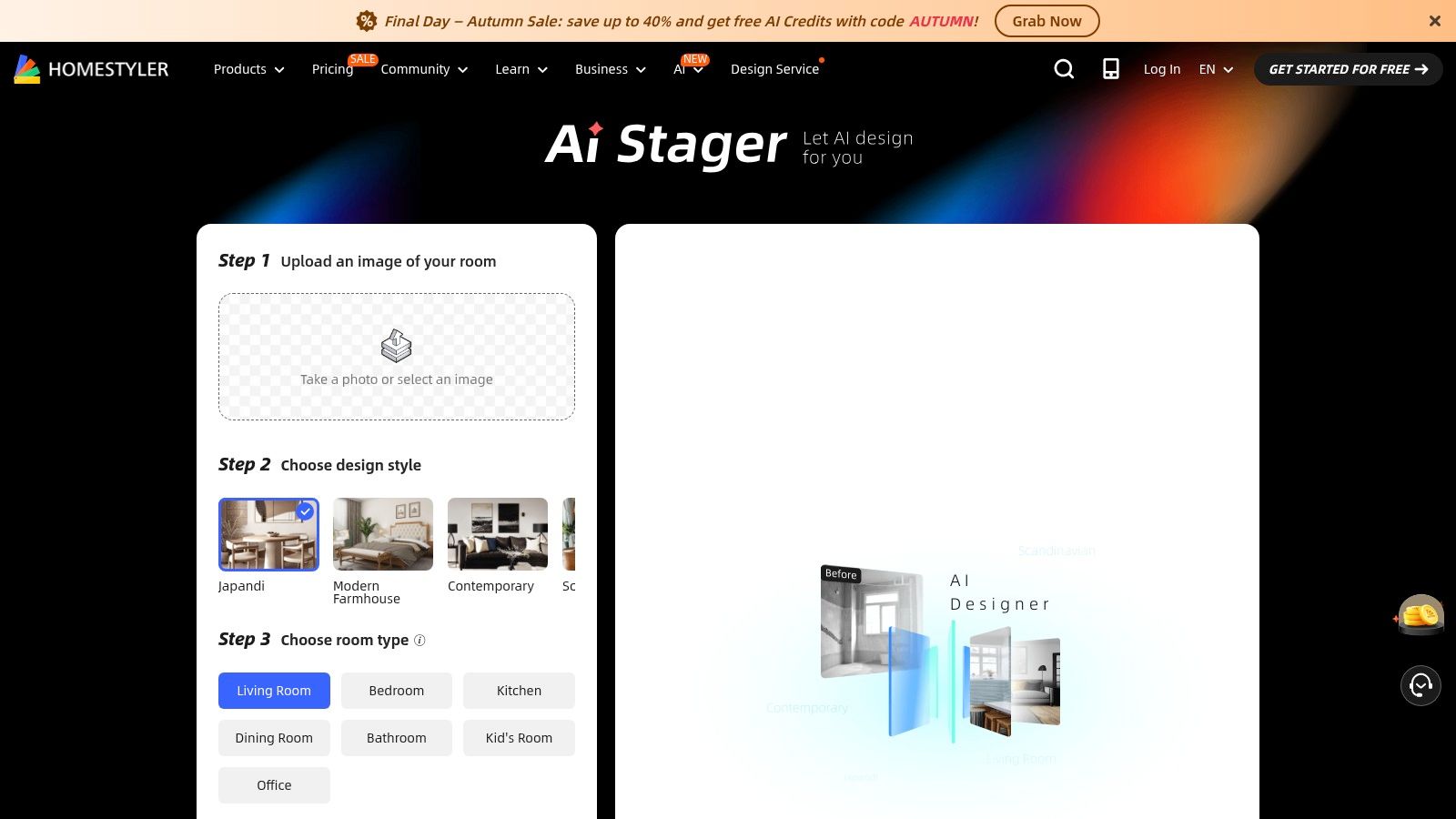
Homestyler AI Stager works for users who want quick photo staging today and a path toward more detailed 3D work later. The AI can stage or redesign a room from a photo, while the broader Homestyler platform supports plans, renders, collaborative tools, and more structured scene development.
That combination creates a useful split workflow. An agent can generate a fast marketing still, while a designer or development team can move into a more controlled 3D environment when the project requires plans, repeatable scenes, or collaboration. The free tier also gives users a practical way to test basic features before evaluating the deeper platform.
A bridge between quick staging and 3D production
The platform's advantage is continuity. Users don't need to abandon the ecosystem when a simple staged photo evolves into a more detailed room concept. AI Studio and team workflows support a broader production process than a single-purpose image generator.
The downside is complexity. Pricing and credits span multiple modules, so a buyer must identify which features consume credits and which plan supports the required exports. The deeper 3D functions also introduce a learning curve that isn't necessary for ordinary listing photography.
Homestyler AI Stager is a better fit for design teams, developers, and marketers who expect their visual needs to expand. A solo agent staging a few vacant rooms may find the wider platform more than needed.
Current free-tier access, module pricing, credit rules, collaboration features, and export terms should be confirmed on the Homestyler AI Stager page. The product offers a clear upgrade path, but that path should be evaluated before the team pays for features it won't use.
9. LookStaged
LookStaged treats staged photography as the beginning of buyer interaction. It provides AI-staged images for listing use, then adds an interactive mobile experience where buyers can restage rooms through QR codes. That creates a different workflow from tools focused only on producing a finished JPG.
The engagement layer is especially relevant to multifamily properties, property managers, and teams marketing rooms to different buyer or renter preferences. A listing can show a furnished baseline while giving viewers a way to explore alternate looks on their phones. Lead capture features connect that interaction to the listing page rather than leaving it as an isolated visual experiment.
Engagement changes the buying question
LookStaged makes sense when the team measures more than image downloads. The relevant workflow includes the staged still, QR placement, mobile experience, lead form, and follow-up process. Without a plan for responding to captured interest, the interactive layer can become a novelty rather than a useful marketing asset.
The product is less transparent for small users because pricing isn't publicly posted and requires contact with sales. That may be acceptable for property managers or enterprise teams, but it creates friction for an independent agent who wants to test a single listing without a sales conversation.
The LookStaged website should be contacted for current pricing, onboarding requirements, lead-capture terms, and any limits on interactive restaging. Its primary advantage is buyer engagement. Its limitation is the sales-assisted purchase path and the extra operational work required after publishing.
10. VisualStager
VisualStager is the clearest choice for users who want to place furniture themselves. Instead of relying entirely on an AI-generated composition, users drag catalog furniture onto a 2D room photo, adjust angles, work with shadows, and control the arrangement manually. The process takes longer, but it gives the operator authority over the final composition.
That control helps in rooms where an automated tool keeps placing furniture badly. A narrow living room, a room with a strong focal wall, or a photograph with a specific camera angle may benefit from deliberate placement. VisualStager also supports bulk and reseller options, which can suit photographers or agencies serving multiple listing clients.
Manual placement is the product
VisualStager's real advantage is not speed. It's the ability to decide where the sofa goes, how the chair faces the room, and how the composition supports the photograph. That can produce a more intentional image when the user understands perspective, scale, shadows, and circulation.
The cost is labor. Manual staging is slower than an automatic generation tool, especially when a listing includes several rooms or multiple alternative styles. The interface can also feel dated compared with newer AI applications, so users seeking a polished modern editor may need time to adjust.
Per-scene credits, bulk bundles, reseller terms, JPG exports, and the availability of interactive Flares should be confirmed on the VisualStager website. This is the right workflow when placement precision matters more than instant output. It's the wrong one for a team trying to process a large queue with minimal hands-on work.
Top 10 Virtual Staging Software Comparison
| Product | Core features | UX / Quality ★ | Price / Value 💰 | Target 👥 | USP ✨/🏆 |
|---|---|---|---|---|---|
| VirtuallyStage | Pay‑per‑photo credits; staging + furniture removal; 20 design variations | ★★★★, simple, MLS‑ready | 💰 One‑off credits; never expire | 👥 Agents & photographers (occasional) | ✨ Credits never expire; bundled staging+removal |
| Vista Staged | On‑demand AI staging; credit packs; fast turnaround | ★★★★, realistic & fast | 💰 Pay‑as‑you‑go credits; no subscription | 👥 Listing agents needing quick stills | ✨ Fast results with no designer queue |
| Virtual Staging AI | One‑click presets; unlimited regenerations; built‑in removal; roll‑over credits | ★★★★★, instant delivery, simple flow | 💰 Subscription with roll‑over credits; watermark‑free | 👥 High‑volume agents & teams | 🏆 Unlimited regenerations; instant outputs |
| Keystaged | Quick presets; MLS realism; large credit pack discounts | ★★★★, affordable & fast | 💰 Low per‑image cost at scale; pack deals | 👥 Indie agents & photographers | ✨ Very affordable per‑image pricing |
| RoomsGPT | Staging, edits, paint/object changes; 3D previews; daily free credits | ★★★, generalist; realism varies | 💰 Budget tiers; free daily credits | 👥 Solo agents & small teams | ✨ Free daily credits + property tools |
| REimagineHome | Interior/exterior staging; declutter; multiple variations; shopping links | ★★★★, balanced speed & quality | 💰 Mid‑range; versatile options | 👥 Agents, designers & consumers | ✨ Shopping flow linking items to retailers |
| Interior AI | High‑detail staging; Sketch2Image & SketchUp enhancement; 3D/flythroughs | ★★★★★, high‑detail creative outputs | 💰 Tiered pricing; feature limits apply | 👥 Creatives, designers, advanced users | 🏆 Broad creative toolkit (sketch → 3D → video) |
| Homestyler AI Stager | Fast AI staging + full 3D design suite; collaboration & plans | ★★★★, quick staging, pro 3D path | 💰 Free tier; credits across modules; complex | 👥 Teams & users needing 3D deliverables | ✨ Bridges rapid staging to detailed 3D workflows |
| LookStaged | MLS‑ready staged photos + QR mobile restaging; lead capture | ★★★★, engaging mobile experience | 💰 Sales‑assisted pricing; contact required | 👥 Property managers, multifamily & agents | 🏆 Interactive mobile restaging + lead capture |
| VisualStager | Manual drag‑and‑drop furniture on 2D photos; adjustable shadows/angles | ★★★, hands‑on precise control | 💰 Per‑scene credits; bulk/reseller bundles | 👥 Agents needing manual precision | ✨ Precise manual placement; reseller options |
Matching Your Listing Volume to the Right Tool
The first decision is operational. Count how many rooms the team stages, how often listings arrive, and whether the output only needs to support an MLS page or also needs to engage buyers after they click.
Occasional sellers and independent photographers usually fit pay-per-photo or pay-as-you-go tools. VirtuallyStage, Vista Staged, Keystaged, and similar credit models avoid a monthly commitment. They work well when a team may have several quiet weeks between listings and doesn't want unused quota to disappear.
Steady agents should examine subscription workflows. Virtual Staging AI offers a focused process with regeneration and removal inside the same app. RoomsGPT suits smaller teams that need staging alongside redesign and property-marketing utilities. Subscription value depends on actual usage, not the advertised cost of a fully used plan.
The best tool is the one that matches the queue, not the one with the longest feature list.
Quality control should remain separate from generation. In the 2025 NAR Profile of Home Staging, 83% of buyers' agents said staging made it easier for buyers to envision a property as their future home (NAR report). That finding concerns staging broadly, not software-generated images, but it reinforces the practical purpose of the workflow. The image must help a buyer understand how the space could function.
Teams should preserve the original photo, review room geometry, and disclose virtual staging where local rules require it. Static photographs remain especially important, since 83% of internet-using buyers rated listing photographs very useful, compared with 41% for virtual tours in the NAR-related 2025 research summary (digital property marketing research). Virtual staging should improve the photograph, not excuse weak photography or replace accurate presentation.
For buyer engagement, LookStaged adds mobile restaging and lead capture. For a broader 3D production workflow, Homestyler AI Stager offers a path from quick AI images into plans, renders, and collaborative scenes. Interior AI also fits creative teams that need sketches, 3D concepts, and video-style presentations.
If the requirement is manual placement, VisualStager remains the more direct choice. If the requirement is speed with minimal input, Virtual Staging AI is easier to operate. If the requirement is design exploration, REimagineHome and RoomsGPT provide more than a standard vacant-room render.
Teams seeking immersive 360° tours, rather than staged stills alone, can evaluate Virtual Tour Easy. The platform creates 360° scenes from text prompts, regular photos, or existing 360° images, then assembles them with scenes, hotspots, information panels, audio, and custom starting views. It also supports embeds, short links, Google Street View publishing, analytics, lead forms, and team workflows.
Before committing, verify current prices, credit expiration, commercial-use terms, image resolution, revision policies, watermark rules, and disclosure requirements on each official site. Several vendors change offers often, and the cheapest plan only works when its limits match the listing workflow.
Virtual Tour Easy extends virtual staging into immersive property presentation, with AI-generated 360° scenes, visual tour building, lead capture, and analytics for remote buyers. Agents, photographers, and hospitality teams can use it when staged stills need a deeper viewing experience. Visit Virtual Tour Easy to create a tour workflow that complements listing photography and helps prospects explore spaces before an in-person visit.