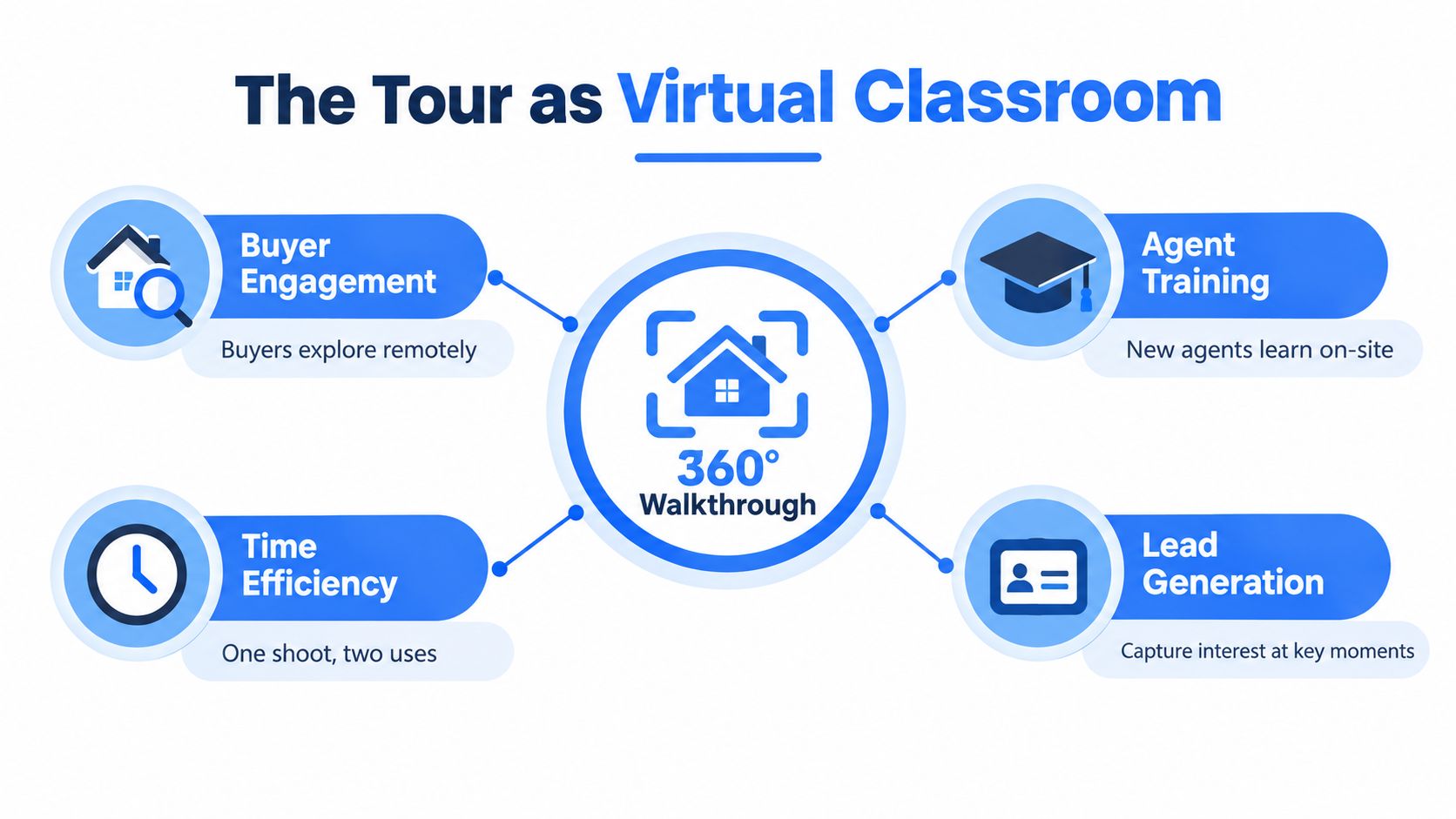
An agent is halfway through a remote open house when a useful thought arrives: the same 360° walkthrough guiding buyers through the listing could train a new-agent cohort on Tuesday morning. The kitchen can become a pricing discussion, the mechanical room can support a disclosure exercise, and the primary suite can prompt an objection-handling role-play. A single property asset can serve buyer education, agent development, and lead qualification when it's designed as an instructional environment rather than published as a passive gallery.
That hybrid approach gives real estate virtual classes a practical edge. Online delivery is already a major part of real estate education, with online learning estimated at 52.3% of the global market and blended learning at 31.7% in the cited market overview (market overview of online real estate education). The question has shifted from whether classes should be virtual to whether the virtual environment helps learners perform real work.
Table of Contents
- Why a 360° Tour Doubles as a Virtual Classroom
- Choosing How You Capture Your Lesson Scenes
- Building the Tour Like a Lesson Plan
- Embedding Interactivity and Lead Capture
- Keeping Buyers and Agents Engaged Inside the Tour
- Promoting Your Real Estate Virtual Classes
- Measuring Outcomes with Tour Analytics
Why a 360° Tour Doubles as a Virtual Classroom
The agent starts by sharing the entryway. Buyers examine sightlines, storage, and traffic flow from home. The training group sees the same scene and practices a listing presentation, explaining what matters to a buyer without reading from a slide. When the group moves into the kitchen, the instructor pauses at a hotspot and asks each learner to identify a likely objection, a relevant disclosure question, and the evidence that supports the asking price.
That shared setting works because spatial memory gives learners a concrete reference point. A slide labelled “condition, layout, and buyer concern” is easy to forget. A scene showing an aging HVAC unit beside a narrow utility closet gives the discussion a place, a visual cue, and a reason to revisit the lesson. Learners can pause at a hotspot, return to the same scene later, and compare their response with the instructor's explanation.
One environment, several jobs
A conventional Zoom class offers live conversation, but it doesn't automatically provide a persistent property canvas. A well-built tour can hold scene notes, floor plans, audio, quizzes, forms, booking prompts, and follow-up links in one place. Buyers use the asset to explore inventory and neighborhoods, while agents use it to rehearse client conversations inside the exact environment they'll later present.
The tour can also support scene-level observation. If learners repeatedly stop at the inspection hotspot but skip the pricing panel, the instructor has a useful signal about where the lesson needs clarification. If buyers open the floor plan and then request a consultation, the brokerage can distinguish casual viewing from stronger intent.
Practical rule: Build the tour once, then assign every scene a marketing job, a teaching job, or a qualification job. The strongest scenes do at least two.
The format has matured beyond novelty. Harvard Business School research covering more than 75,000 home sales found that roughly 22% of houses used virtual tours, indicating that the format had become a mainstream marketing tool (Harvard Business School research on virtual tours). That makes a 360° tour a credible lesson environment, provided the content respects the audience and the scene supports a clear learning outcome.
Choosing How You Capture Your Lesson Scenes
Capture quality should follow the stakes of the lesson. A certification cohort evaluating listing presentation standards needs a clean, credible environment. A short internal exercise about buyer objections can use a faster production path, as long as learners can read the room accurately and understand whether the scene is real or simulated.
Four practical capture paths
Dedicated 360° cameras such as the Insta360 X4 or Ricoh Theta Z1 suit flagship listings, broker training libraries, and cohorts where visual fidelity supports the institution's credibility. These cameras offer a purpose-built workflow for spherical capture, but they require equipment, setup discipline, stitching checks, and a repeatable process for removing the operator from the scene.
Phone-based capture through tools such as Google Street View or Matterport Capture lowers the production barrier. An agent can create a scene between showings and update a lesson without arranging a specialist shoot. The compromise appears in difficult interiors, especially tight rooms where stitching lines, inconsistent exposure, or awkward camera placement can distract from the teaching point.
Prompt-based AI panorama generation works for hypothetical scenes. A class can examine a poorly staged condo, a fictional renovation problem, or a comparable property that learners can't visit. The environment must be labelled clearly as generated, because learners need to distinguish a training simulation from an actual listing condition.
Photo-to-360 conversion fits a tight deadline when a professional photo set already exists. It gives the class a navigable environment without requiring a new capture session, though the result may feel less natural than a genuine 360° photograph. Teams should use it for visual reference and sequencing, not for lessons that depend on precise spatial measurement.
| Capture Methods Compared for Virtual Class Use | Best For | Trade-off |
|---|---|---|
| Dedicated 360° camera | Flagship listings and high-stakes cohorts | Higher setup and production demands |
| Phone-based panorama app | Fast updates and agent-led lessons | Stitching and interior-quality limitations |
| Prompt-based AI panorama | Hypothetical or inaccessible properties | Requires explicit disclosure |
| Photo-to-360 conversion | Existing photography and urgent launches | Less authentic spatial continuity |
The decision rule is straightforward: match capture fidelity to the lesson's stakes and the audience's expectation. Teams reviewing disclosure practice need trustworthy visual detail. Teams brainstorming marketing language can work with a lighter scene.
For practical guidance on equipment choices, agents can review this comparison of 360° cameras for real estate. Virtual Tour Easy can also generate panoramas from text prompts, transform regular photographs into 360° scenes, or accept existing 360° images, which gives a brokerage several production paths inside one workflow.
Building the Tour Like a Lesson Plan
A useful tour begins with the learner outcome, not the software interface. If the outcome is “present a listing clearly to a remote buyer,” the scenes should support orientation, feature explanation, and a next-step conversation. If the outcome is “identify questions that belong in an agent's discovery process,” the tour should expose details that invite analysis rather than burying learners under decorative hotspots.
Sequence scenes with intent
The opening scene should orient the learner immediately. An entryway, exterior, or branded title card can work, but the custom starting view needs to frame the focal point instead of accepting the platform's default center. A learner who opens on a blank wall or an irrelevant corner has no reason to continue.
A strong sequence often moves from context to decision points:
- Exterior and curb appeal establish location context and first impressions.
- Entryway and living areas reveal flow, scale, and presentation choices.
- Kitchen and primary suite support buyer priorities, objections, and pricing discussion.
- Mechanicals, roof, or service areas create opportunities for technical training.
- Floor plan and summary scene connect observation to action.
Each scene needs a pedagogical job. A hotspot on an HVAC closet labelled “service intervals and buyer questions” creates a useful prompt. Six generic labels such as “kitchen,” “window,” and “room” add clutter without improving comprehension.
Turn features into teaching cues
Floor-plan overlays help learners connect a visual scene with the property's broader layout. Place the overlay where orientation matters, then use scene-to-scene transitions that mimic a guided walkthrough. The sequence should feel intentional, not like a collection of unrelated rooms.
A class tour should stay compact. A practical target is five to seven scenes, with optional detail available through hotspots rather than extra navigation. That limit isn't a universal law, but it protects the lesson from becoming a property archive that learners browse without finishing.
The builder should also support a clear return path. Learners need to know where they are, what they've already covered, and what question each scene is asking. A branded starting view, consistent hotspot style, concise labels, and a visible next action do more for completion than excessive visual effects.
Embedding Interactivity and Lead Capture
Interactivity earns its place when it changes what the learner does next. A form, audio clip, download, or quiz should answer a specific instructional or commercial need. Adding every available widget usually creates hesitation, slows loading, and makes the tour feel like a form disguised as a walkthrough.
Assign each element a job
An email capture form belongs at a meaningful decision point. A pricing reveal, floor-plan download, consultation request, or request for the next class gives the visitor a reason to submit details. A form placed before the visitor understands the property often feels premature, while a form attached to a useful asset feels like a fair exchange.
A floor-plan download gives buyers a visual reference and gives agent learners a document to annotate during a discussion. Audio narration works best when it's tied to a particular scene and triggered intentionally. Auto-play can create accessibility problems, interrupt a learner's own reading, and perform poorly in shared environments.
CTA hotspots should route buyers to a showing calendar or consultation form, while agent learners might receive a link to an assessment, cohort registration page, or follow-up workshop. A quiz pop-up can ask an agent to identify the next discovery question before revealing the instructor's explanation.
Protect trust while collecting intent
Consent copy should appear beside the form, not be hidden in a distant privacy page. The brokerage should explain what the visitor will receive, how contact details will be used, and how the visitor can decline future communications. GDPR and CCPA obligations vary by audience, location, and implementation, so legal review remains necessary before launch.
High-value assets such as inspection reports or ROI calculators can be gated, but gating every useful detail damages the learning experience. A sensible hierarchy is:
- Top of tour: low-friction registration or class reminder.
- Middle of tour: qualified request tied to a pricing, condition, or layout decision.
- End of tour: premium content, consultation, or enrollment prompt.
A form builder can help teams structure this flow. The lead-capture form guidance from Virtual Tour Easy is relevant when the tour needs to collect contact details without separating the form from the scene that created the interest.
Keeping Buyers and Agents Engaged Inside the Tour
A buyer may enter the tour to answer one question, while an agent joins the same environment to practise a conversation. Engagement depends on serving both purposes without making property exploration feel like an exam. Buyers need quick orientation and a clear next action. Agents need regular chances to retrieve information, make a judgment, and receive feedback.
Research summaries report that listings with virtual tours can receive about 87% more views, while buyers aged 18 to 34 are about 130% more likely to book a showing when a virtual tour is included (real estate virtual tour adoption and engagement figures). The figures support the tour's role as an engagement and lead asset. They do not guarantee attention. Scene quality, loading speed, relevance, and the next action decide whether a visit becomes a conversation.
Design for the halfway point
Buyers often move quickly through a property, so the opening scenes should answer basic questions without forcing a fixed route. Agent cohorts benefit from more deliberate pacing. Insert checkpoints where learners must choose between two responses, then open a short Zoom or Whereby discussion if the scene exposes a genuine disagreement.
Micro-quizzes suit agent training because they turn the 360° environment into a practice room:
- Observation check: identify the feature a buyer is most likely to question.
- Disclosure check: select the issue that requires follow-up.
- Presentation check: explain the feature without overstating its value.
- Conversion check: choose the appropriate next step for the visitor.
The 360° tour can function as the lesson environment, analytics dashboard, and lead funnel, but each role needs a clear interaction. A buyer-facing hotspot can explain a layout decision. An agent-facing prompt can ask for the next discovery question before revealing the instructor's explanation. Those interactions create useful behaviour data without interrupting every visitor's exploration.
Live-call bridges should stay short and purposeful. Pause after a scene, invite two responses, resolve the disagreement, and send learners back into the tour. Long lectures inside a walkthrough restore the passivity that virtual classes are meant to reduce.
Make the experience usable
Build accessibility into each scene before publication. Audio should include captions or a transcript, and hotspots need meaningful text alternatives. Mobile users should receive the same essential information through pinch-zoom and touch navigation that desktop users receive through a mouse.
Language toggles can support multilingual markets, but translated labels require review for legal and cultural accuracy. Rich video and audio also compete with cellular bandwidth. A lighter scene with clear narration can outperform a dense scene that takes too long to load.
| Engagement Tactic vs Outcome | Buyer Impact | Agent Impact |
|---|---|---|
| Short scene sequence | Faster orientation and easier exploration | Clearer lesson progression |
| Decision-point hotspot | Answers a specific property question | Creates a discussion prompt |
| Micro-quiz | Encourages active inspection | Tests retention and judgment |
| Captioned audio | Improves access and silent viewing | Supports review and recall |
| Live-call interlude | Provides human assistance | Enables coaching and feedback |
Market conditions affect participation. A large U.S. dataset measured adoption at 45.19% for non-VR virtual tours and 3.88% for VR tours, with non-VR usage ranging from 3.03% in the Midwest to 90.32% in the Southwest (regional virtual-tour adoption analysis). Test engagement by market and audience segment instead of assuming one tour format will perform consistently everywhere.
Promoting Your Real Estate Virtual Classes
Promotion works when each channel receives a different job. Email reaches people who already know the agent or brokerage. Short-form video creates curiosity among colder audiences. MLS placement meets active property shoppers, while broker referrals put training offers in front of professionals who already trust the referring office.
Build the campaign around audience intent
Past buyers and the existing sphere are the natural first audience for buyer education. The message should lead with a practical outcome, such as learning how to compare layouts remotely, prepare for a showing, or understand the questions that deserve professional follow-up. Agent cohorts need a different promise, focused on listing presentations, digital workflows, virtual-tour technology, or remote qualification.
Instagram Reels and YouTube Shorts can sample a single moment from the tour. A short clip showing a hidden storage issue, an interactive floor plan, or a buyer-question exercise gives cold traffic a reason to visit the full class page. The clip shouldn't attempt to teach everything. It should create a clear information gap that the class resolves.
MLS syndication belongs in the buyer funnel when the tour is connected to a real listing. Using the available virtual-tour fields helps active shoppers find the experience while browsing inventory. Broker-to-broker referrals are especially useful for training cohorts because the referring broker can explain why the class matters and who should attend.
Use a simple promotion sequence
A workable schedule starts with an announcement at T-10 days, a practical reminder at T-3 days, and a final access message at T-1 day. The landing page should mirror the funnel: outcome first, short tour preview second, instructor or brokerage context third, registration form next, and expectations at the end.
Every channel needs UTM-tagged links. Email, social, MLS, and partner referrals should not share one unlabelled destination URL, because attribution disappears as soon as traffic moves between the tour, registration page, and booking calendar.
The promotional assets should also match the lesson. A buyer class can show exploration and decision support. An agent class can show a hotspot quiz, a listing-presentation prompt, or an example of remote lead qualification. Generic “join this online class” messaging gives neither audience a concrete reason to register.
Measuring Outcomes with Tour Analytics
A view count confirms access, not learning. A 360° class performs when the intended audience reaches the right scenes, responds to teaching prompts, shares useful information, and takes a relevant next step. For buyers, that action may be a showing request. For agents, it may be an assessment, follow-up session, or training enrollment. The tour therefore serves three jobs at once: lesson environment, measurement layer, and lead funnel.
Separate attention from progress
Tour-platform analytics can report views, visitors, devices, geographic information, scene dwell time, hotspot clicks, replay activity, and form submissions. GA4 adds the wider journey, particularly when someone moves from an embedded tour to a booking page or registration form. Use consistent event and link names in both systems so a scene interaction can be connected with the action that follows.
A useful dashboard should answer practical questions:
- Qualified lead submissions: Did the tour generate contacts who fit the intended audience?
- Completion rate: Did visitors reach the final scene, or leave early?
- Hotspot click-through: Which prompts earned attention and action?
- Average dwell time per scene: Where did learners pause, skim, or rush?
- Replay count: Which scene needed another look?
- Agent confidence score: Did learners report greater confidence after the class?
Collect agent confidence through a consistent post-class survey, not an informal chat comment. The absolute score matters less than comparisons across cohorts, instructors, and lesson versions. A lower score may identify unclear instruction, weak demonstrations, or a scene that asks for too much at once.
Dashboard discipline: Raw traffic shows who arrived. Completion, interaction, and qualified action show whether the lesson helped.
Read the systems together
UTM-tagged links preserve the source of visits from email, social, MLS, or a partner. GA4 conversion events can record form submissions and CTA clicks, while the tour platform supplies scene-level context that GA4 may miss. Review new leads and urgent follow-up weekly, compare cohorts monthly, and audit lesson content quarterly. Retire or revise scenes that repeatedly receive little attention or create confusion.
Separate bounce from drop-off. Someone who leaves before the tour loads has a different problem from a learner who completes the first three scenes and abandons the fourth. Completion rate can provide a clearer view than raw views when the class follows a defined learning path. Interpret it alongside audience, device mix, traffic source, and the proportion of optional content, because a long optional tour can lower completion without indicating a poor lesson.
Reporting also needs audience and market segmentation. Adoption can vary by region, price segment, device, and visitor intent, so one blended dashboard may conceal useful differences. Separate buyer education from agent training, and compare high-price listings with broader inventory where those groups are part of the program. Review the visitor behaviour analysis guide when deciding which patterns deserve investigation rather than immediate content changes.
| Core metrics for real estate virtual classes | What it tells you | Source |
|---|---|---|
| Qualified lead submissions | Whether engagement produced a relevant contact | Tour platform and CRM |
| Completion rate | Whether the lesson sequence held attention | Tour platform |
| Hotspot click-through | Which teaching or conversion prompts attracted action | Tour platform |
| Scene dwell time | Where visitors concentrated or rushed | Tour platform |
| Replay count | Which scenes invited review or created uncertainty | Tour platform |
| Agent confidence score | Whether learners felt more capable after training | Post-class survey |
| CTA conversion | Whether the tour produced a booking or enrollment | GA4 and CRM |
Virtual Tour Easy supports tour analytics, lead-capture forms, GA4, Google Tag Manager, and tracking pixels. A brokerage can connect scene activity with its wider marketing report instead of judging class performance from views alone.
Virtual Tour Easy also lets agents and brokerages create 360° scenes from prompts, regular photos, or existing panoramas, then add scenes, hotspots, audio, forms, and custom starting views in a visual builder. Visit Virtual Tour Easy to build a buyer lesson or agent training environment that can be shared by link, embedded on a site, and measured through tour and GA4 analytics.