A contractor is waiting at reception, the duty engineer is dealing with a leak, and the only photograph of the plant room cuts off the equipment label. Someone has to walk across the site to answer a question that should have been settled before arrival. For building and facilities management teams, that's a useful starting point for a virtual tour: not presentation, but better preparation.
Table of Contents
- Why Facilities Teams Are Adding 360° Tours
- Five Workflows a 360° Tour Supports
- How a 360° Tour Works Inside a Working Building
- How to Build an Inspection Tour Step by Step
- Tagging Assets and Maintenance Records in the Tour
- Compliance Evidence a Tour Can and Cannot Carry
- Examples From Hotels, Schools and Venue Operators
- Confirm the First Tour Before You Scale It
Why Facilities Teams Are Adding 360° Tours
A maintenance team opens a 360° tour to identify a piece of equipment, then finds the asset register uses a different name from the label on site. The room is visible, but the record still cannot be matched with confidence. That gap shows why a tour's value depends on the quality of the asset information behind it.
A 360° virtual tour is a set of linked panoramic photographs that viewers can move through on a phone, tablet, or computer. Teams can attach notes and equipment locations to the images, giving staff a shared visual reference before work begins. The practical benefit is clearer location context, especially when someone is unfamiliar with the building.
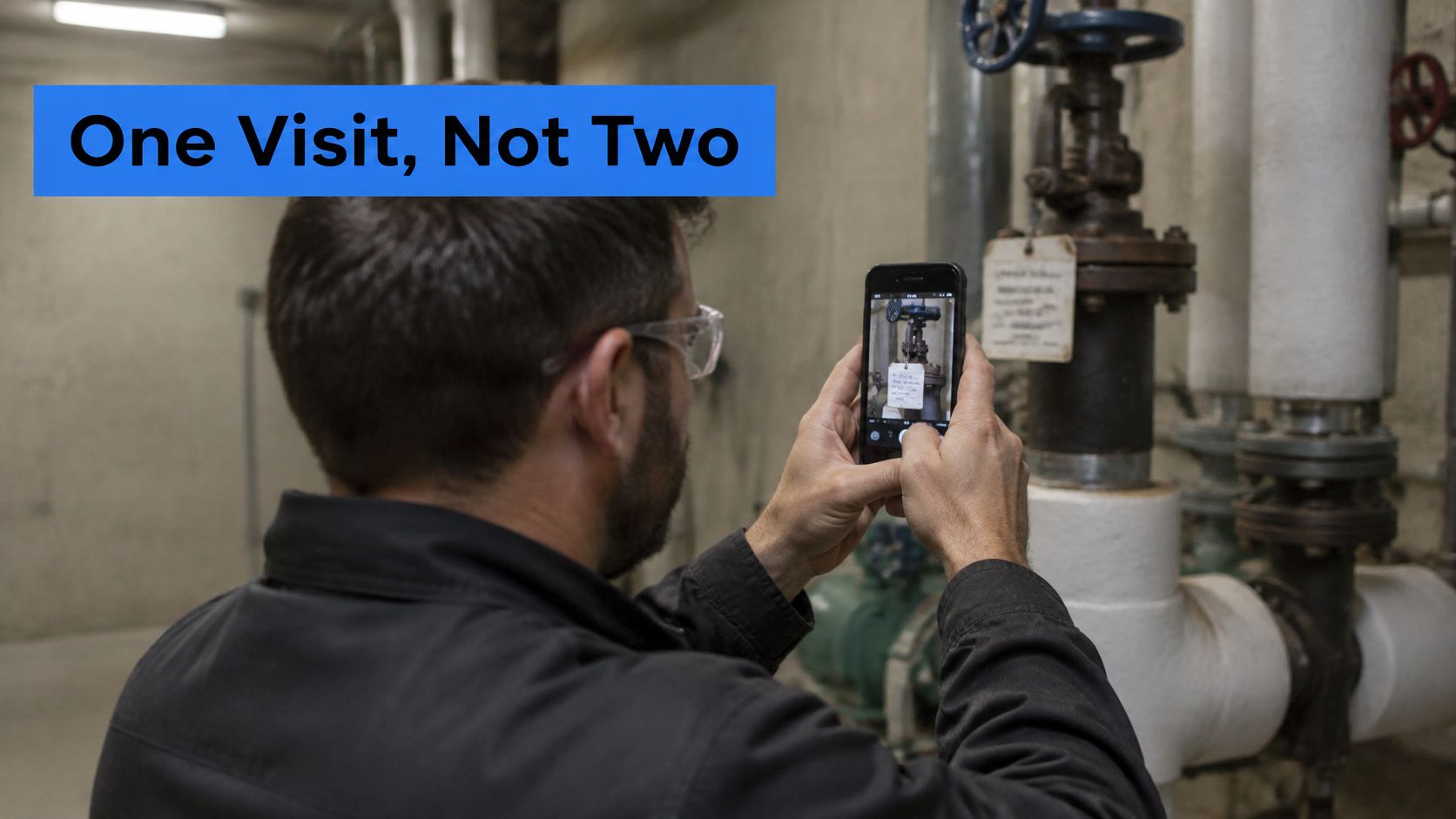
A tour can show which entrance leads to a riser, where a controller sits relative to a pump, or whether a replacement unit appears to have a workable delivery route. It cannot confirm that a valve operates or that a route meets current safety requirements. Those checks still belong to competent staff on site.
Start small. Capture a recurring problem area, use consistent viewpoints, and connect visible equipment to the correct asset records. Set an owner and a review trigger, such as a room alteration or equipment replacement. A focused tour that stays current is more useful than a whole-building record that slowly becomes outdated.
Five Workflows a 360° Tour Supports
Facilities workflows a 360° tour supports
| Workflow | What the tour captures | Main reader | Time saved or risk reduced |
|---|---|---|---|
| Inspections | Each room, plant space, and roof at fixed points, dated | Facilities supervisor | Fewer repeat site visits to confirm visible conditions |
| Asset tracking | Equipment nameplates and positions linked as hotspots | Technicians and asset manager | Faster identification of the correct unit |
| Maintenance workflows | Access routes, isolation valves, ladder and roof hatch positions | Contractors and on-call staff | Briefing before attendance and fewer wrong-location trips |
| Compliance documentation | Fire doors, exit routes, signage, and plant room clearances | Compliance lead and auditors | Dated visual support alongside formal certificates |
| Stakeholder collaboration | Shared tour with access controlled by role | Owners, tenants, insurers, and design teams | Remote discussion and decisions without unnecessary travel |
The starting row should match a documented nuisance, not a software feature list. If contractors repeatedly phone reception for directions, capture the service entrance and route to the equipment. If supervisors keep returning to confirm which unit a report refers to, start with asset identification.
Choose the question before the coverage
An inspection-focused tour needs consistent viewpoints that make comparison possible. An asset-identification tour needs readable close-ups, reliable tags, and a clear relationship between the equipment and its surroundings.
Maintenance preparation requires a different emphasis. A close-up of a pump contributes little if the contractor can't establish how to reach it, where delivery access stops, or which restrictions need discussion before arrival.
For stakeholder collaboration, the test is whether the viewer has enough context to make the requested decision. A roof repair discussion may need an overview, the affected area, and access arrangements rather than a complete interior walkthrough.
These benefits are workflow objectives, not guaranteed savings. The team should check whether the chosen route removes a call, visit, or clarification step.
A tour shows visible conditions at capture, not live condition, noise, smell, or concealed voids. Those observations still belong in inspection logs and work orders, supported by an on-site assessment where necessary.
How a 360° Tour Works Inside a Working Building
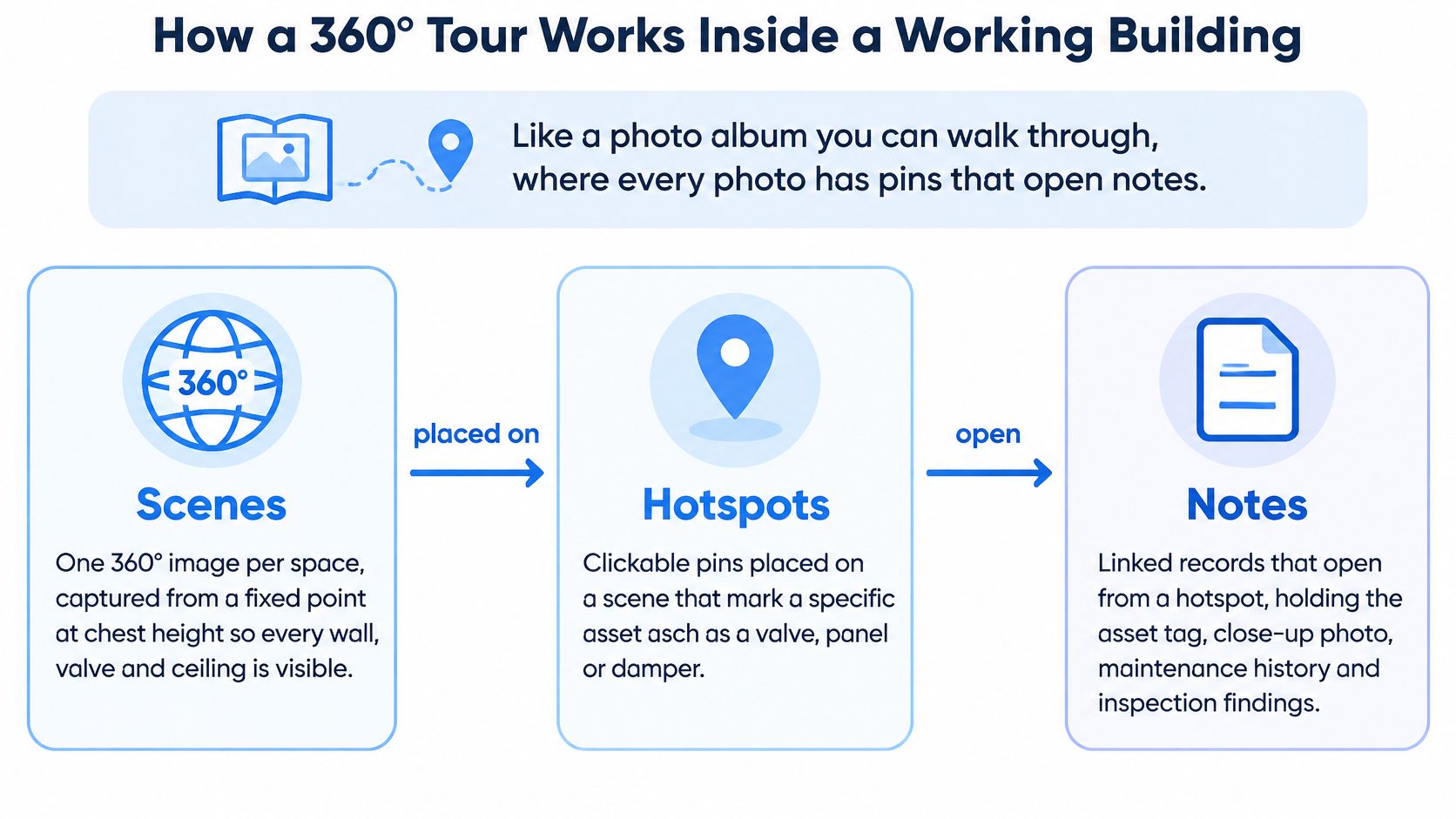
A tour works like a photo album that someone can walk through, with pins that open notes. The panoramic view supplies context, while the linked records supply detail that would otherwise disappear when the viewer zooms into a distant label.
The basic components have distinct jobs:
- Scenes are the panoramic images. A plant room scene establishes the relationship between the entrance, pump set, distribution pipework, and control panel.
- Hotspots are clickable markers. A marker placed on a valve should identify that particular valve, not an approximate cluster of pipework.
- Info panels hold the supporting material, such as a readable nameplate photograph, equipment record, manual, or service-history link.
Capture choices and evidence quality
A dedicated 360° camera can capture a surrounding view; a phone panorama can provide coverage where its format and stitching work with the chosen platform. Existing panoramic images can also be uploaded rather than recaptured solely to change software.
Some tools convert ordinary photographs into immersive scenes. That's useful for presentation, but generated or reconstructed areas must not be treated as inspection evidence. A plausible-looking wall, clearance, or pipe connection isn't proof that the feature exists.
For operational records, retain the original photographs and use genuine site captures. Where a label remains unreadable, attach a separate close-up rather than relying on digital enlargement.
Navigation and practical access
Connect scenes in the order a technician would walk, with a starting view facing the entrance or the next decision point. Navigation should distinguish movement hotspots from equipment hotspots so that opening a manual doesn't unexpectedly move the viewer elsewhere.
A visual builder is one option alongside a controlled photo register or annotated plan. Relevant capabilities include drag-and-drop scenes, hotspots, info panels, audio notes, and custom starting views; sharing by link or intranet embed makes the route accessible across devices.
View and device analytics can indicate whether intended users opened the material. They can't prove that a contractor understood the briefing or accepted a safety instruction.
Every operational scene needs a visible capture date. Without it, viewers can't judge whether the pictured arrangement is relevant to the job.
How to Build an Inspection Tour Step by Step
Start with an agreed scope and a safe capture plan. Roofs, restricted plant areas, and operational equipment still require the site's normal access arrangements; a camera doesn't justify entering an unsafe space.
Build the route and its records
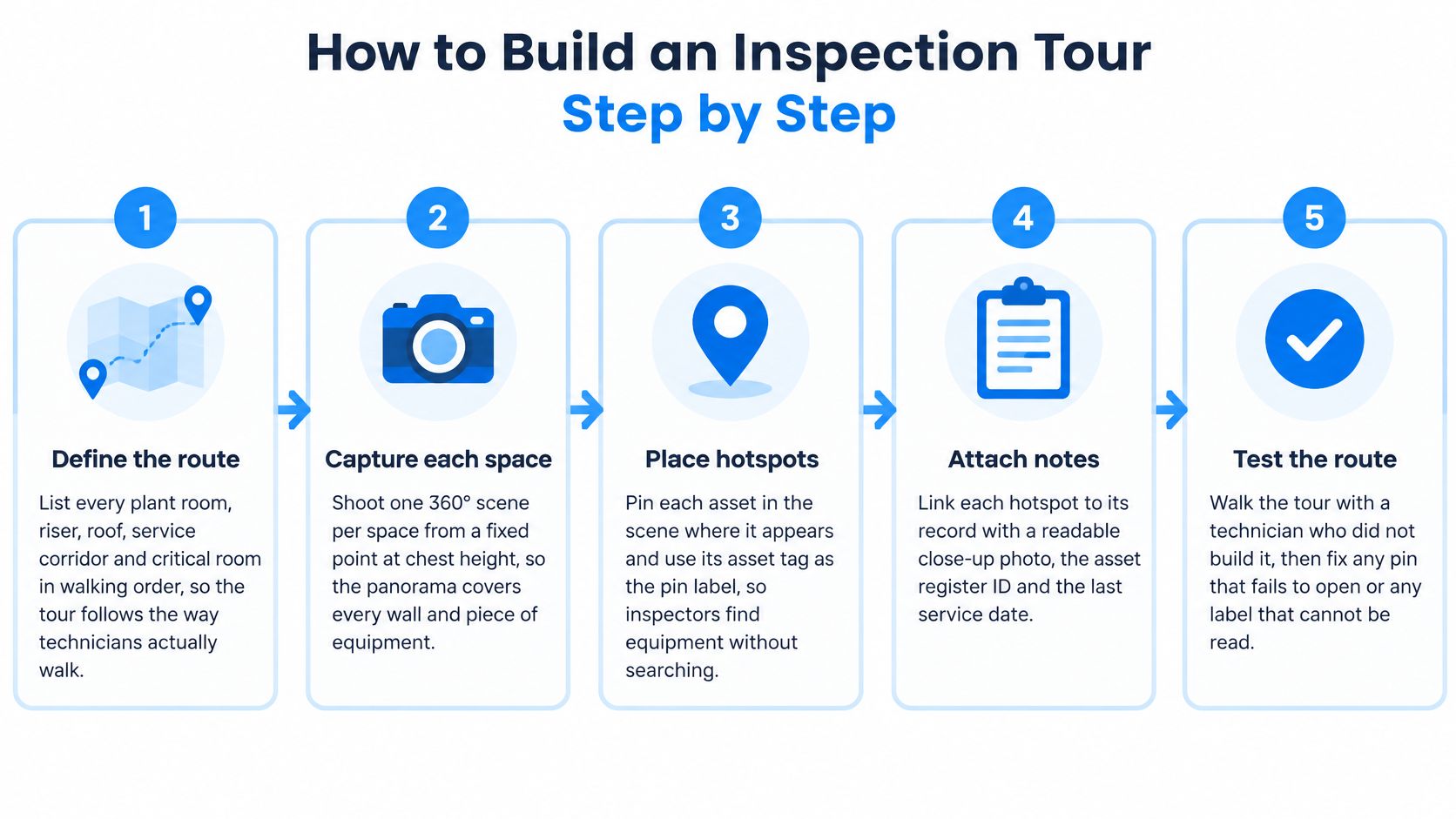
Define the route in walking order. List the relevant plant rooms, risers, roof access points, service corridors, and critical rooms, beginning at the actual service entrance. This prevents a technically complete tour from leaving contractors confused about how its spaces connect.
Capture from repeatable positions. Use a consistent standing point and camera height, with suitable lighting and similar daylight conditions where practical. Record obstructions as found before arranging legitimate housekeeping, and never move equipment or conceal defects to improve the image.
Apply a scene-naming pattern. A structure such as Building-Floor-Room-CaptureDate keeps search results intelligible. Record the capture position on the working plan so another staff member can reproduce it.
Place hotspots on checked items. Mark valves, panels, fire doors, closers, and controllers using their verified equipment tags. Add close-up photographs wherever the panorama can't resolve the detail an inspector needs.
Attach actionable records. Include the last inspection date, open defect reference, and next due date through the authoritative record wherever possible. Re-entering these fields manually creates another place for information to become stale.
Test permissions and the route. Assign editing and viewing responsibilities, then ask a technician who didn't build the tour to follow it on a phone. Check broken links, ambiguous labels, restricted files, and whether a contractor can open the briefing without needing an administrator's help.
Make recapture part of change control. Update affected spaces after layout changes, controls upgrades, energy retrofits, or plant replacement, while retaining earlier captures. Set a risk-based routine review as well, rather than assuming change notifications will catch everything.
Keep the tour separate from the inspection system
The guide to creating a 360° virtual tour provides a practical reference for assembling scenes and navigation. The inspection checklist should remain in the system that assigns findings, tracks corrective work, and records closure.
For Australian teams selecting that companion system, Safety Space provides a resource to find inspection apps for Australian WHS. Selection should focus on evidence retention, responsibility, and follow-up rather than treating a visual walkthrough as the inspection itself.
Before-and-after captures can document what physically changed during an energy project. They don't establish savings: ASHRAE's energy-efficiency position document supports performance goals, monitoring, and recommissioning, which require operating data beyond photographs.
The common capture mistakes are poor lighting, changing the scene without recording its original condition, and omitting the date. A technically navigable tour can still be operationally misleading if any of those checks fail.
Tagging Assets and Maintenance Records in the Tour
In the 2025 SFG20 State of Facilities Management Report, 43% of respondents considered their asset registers less than 75% accurate, while 34% either didn't update them or were unsure how often updates occurred, as reported in PBC Today's coverage of the findings. A tour built on those records can make incorrect information easier to find without making it more reliable.
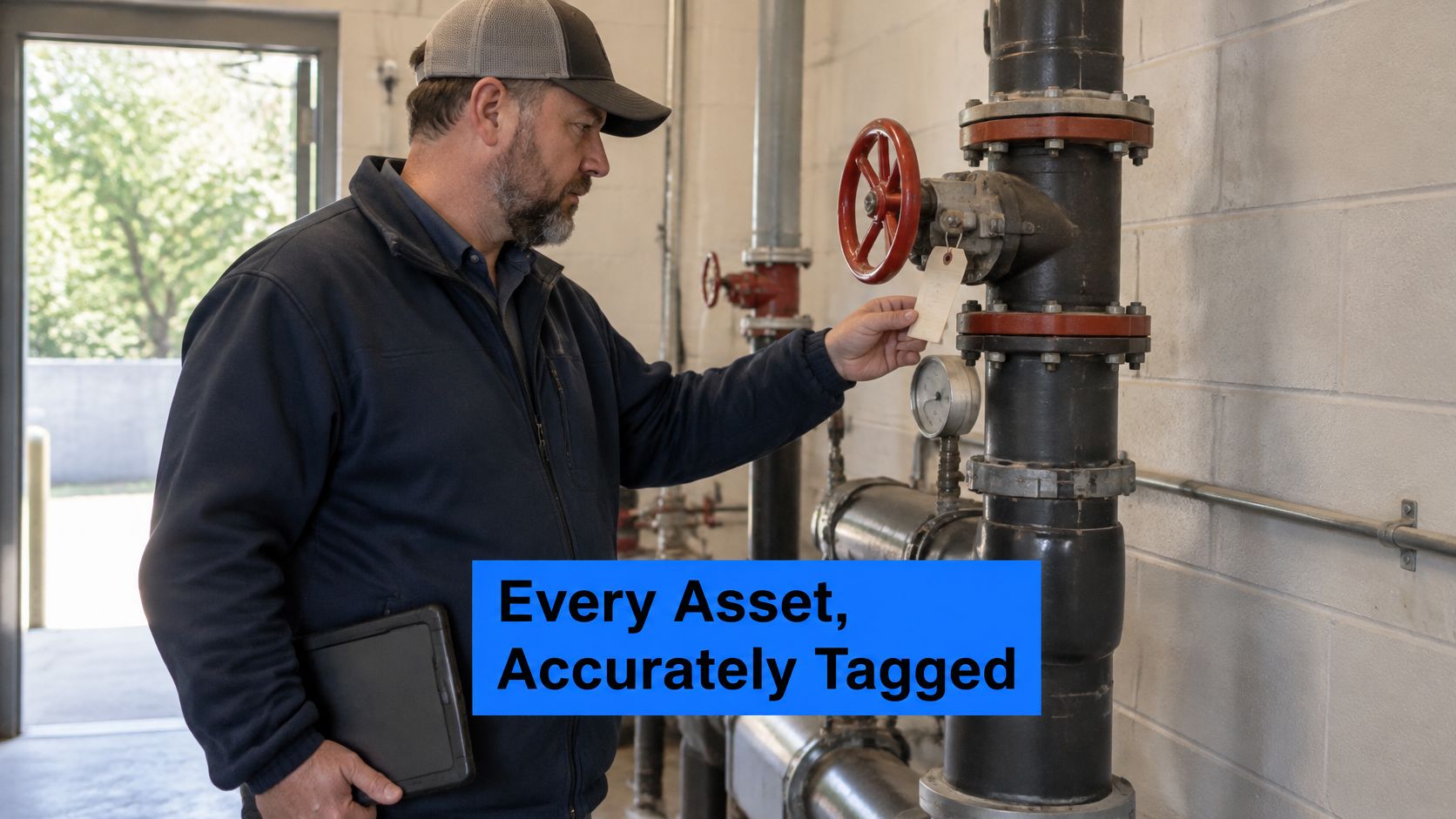
The minimum viable asset record needs a standardized name, unique tag, room-level location, readable nameplate photograph, service-history link, and named update owner. Warranty information is useful where it affects repair decisions, but optional fields shouldn't prevent the essential record from being completed.
Establish the update responsibility
A durable QR code can open the matching record or scene, allowing a technician to compare the physical tag with the digital identity. The code should resolve through a managed address so that changing the tour doesn't require replacing every label.
The following is a suggested operating schedule, not a statutory inspection timetable.
Asset fields in a tour and who keeps them current
| Asset record field | Where it appears in the tour | Who updates it | Check frequency |
|---|---|---|---|
| Asset name and tag | Hotspot label | Technician at installation or replacement | Each service visit |
| Location, including building, floor, and room | Scene title and map position | Facilities coordinator | Quarterly walkthrough |
| Nameplate photo | Hotspot image | Technician | At capture and after replacement |
| Service history | Info panel with PDF or link | Maintenance lead | After every work order |
| Warranty end date | Info panel field | Asset manager | Monthly reminder |
| Isolation or shutoff point | Hotspot with direction arrow | Technician verifying on site | Annually and after layout changes |
Location verification must include identity, not just proximity. Similar pumps mounted beside each other are an obvious place for tags, photographs, and service records to become crossed.
A hotspot pointing at the right room but the wrong unit is worse than an honestly incomplete record.
Make handover include usable information
Construction and renovation contractors should supply verified equipment identifiers, photographs, and a tour capture alongside their as-built documentation. Acceptance should include opening the supplied files and checking a sample of equipment in the field, rather than merely confirming that a folder was delivered.
Any discrepancy needs an owner and a correction route. A technician finding a missing tag should be able to flag it during the job without being expected to rebuild the register afterward.
The division of labour should stay clear: the tour supplies location and visual context; the maintenance system records condition, defects, actions, and closure. Linking to the live service record is usually more sustainable than uploading a fresh PDF after every visit.
Compliance Evidence a Tour Can and Cannot Carry
A tour isn't a compliance certificate. It can help an auditor, insurer, or inspector understand how a room was arranged when photographed, but it can't establish that equipment passed a test or that a safety system performed correctly.
A visible door closer doesn't demonstrate closing force or reliable latching. Similarly, an apparently clear electrical panel frontage doesn't establish compliant dimensions unless suitable measurements and the applicable requirements are recorded.
Match the visual evidence to the formal record
The documents below are typical companion records. Their exact names, required scope, and acceptance depend on the applicable jurisdiction and building.
What a tour shows and what still needs a formal record
| Requirement | What the tour can show | Formal record still needed |
|---|---|---|
| Fire doors and exit routes | Dated photographs of doors, closers, and exit signs | Fire risk assessment and inspection log |
| Electrical panel clearance | Panel with working space visible | Electrical test certificates |
| Lifts and boilers | Equipment plate and location | Statutory inspection certificate |
| Accessibility features | Routes, ramps, and signage | Accessibility audit report |
| Hazardous materials | Location of marked areas | Licensed survey register |
The hazardous-materials boundary deserves particular care. A marked area can be documented visually, but an unmarked area can't be declared clear from a panorama, and capture staff shouldn't disturb finishes to improve coverage.
Preserve provenance and control access
Retain dated versions instead of replacing the only copy. Where an inspection references a scene, store an export or another durable copy with the inspection package so later edits don't change the evidence under discussion.
The record should identify the capture location, person responsible, and any known gaps in coverage. If image processing, stitching, or blurring obscures a relevant detail, retain the original securely and explain the limitation.
- Protect people: Blur faces and remove unnecessary staff names, noticeboard details, and personal information.
- Limit distribution: Restrict security-sensitive routes, control panels, and access arrangements to appropriate viewers.
- Check linked files: Tour permissions don't automatically protect a publicly accessible certificate or drawing.
Requirements vary by country, sector, and building type. The facilities lead should confirm which records the regulator, competent assessor, or insurer accepts before relying on a tour as supporting evidence.
Visual completeness should never be confused with compliance completeness. A smooth walkthrough may still omit the test, signature, measurement, or competent-person assessment that matters.
Examples From Hotels, Schools and Venue Operators
The following scenarios are illustrative workflows, not measured case studies. Each shows a different reason to capture a space and a different measure for deciding whether the work was worthwhile.
At a hotel, the engineering team could document the route from reception to a plant room beneath the kitchen, including the relevant valve tags and restricted access points. The duty engineer could brief the contractor before entering the service area, while kitchen management confirms a suitable attendance window. The useful measure would be clarification calls or time spent locating the correct equipment, not how attractive the tour looks.
A school site manager could capture teaching blocks during the holidays, keeping classroom access, service cupboards, and contractor routes separate from sensitive pupil information. The summer contractor could review the planned work areas remotely, while the autumn audit references the relevant retained captures. A practical school virtual-tour approach should distinguish operational records from public-facing admissions material, with contractor questions before arrival tracked as the workflow measure.
Measurement note: A remote viewing only counts as an avoided journey when someone would otherwise have needed to attend for that same purpose.
Different decisions need different evidence
An event venue could capture load-in routes, door restrictions, power-distribution locations, and the visible positions of rigging points before its operating season. A production company could review the proposed route remotely and flag questions before equipment arrives, but the tour wouldn't authorize rigging loads or replace technical approval. The venue should track unresolved arrival-day access questions and requests for additional technical information.
A multi-site property group could give an overseas owner a dated roof overview, defect close-ups, and the proposed repair scope. The owner might approve a contractor's quotation without making a separate familiarization trip, while the technical recommendation remains with the qualified person who assessed the roof. The team should record approval turnaround and whether another visit was still required because the evidence was incomplete.
Across these settings, a useful measure follows the decision being supported. View totals alone won't reveal whether the right equipment was found, the work was properly briefed, or the approval had adequate technical backing.
Confirm the First Tour Before You Scale It
Choose the space responsible for the most repeat visits, usually a plant room, roof access route, or riser. Capture only the scenes and hotspots needed for that workflow, starting where the technician enters rather than where the equipment happens to sit.
Assign an owner for asset-field accuracy and an owner for capture history; a small team may give both responsibilities to the same person. Before release, check the route on a contractor's device and resolve every label that can't be matched confidently to the register.
Set an evidence-based expansion gate
At an agreed review point, compare performance with a comparable period before launch:
- Repeat attendance: Record visits genuinely avoided, excluding jobs that still required testing or repair.
- Briefing use: Check whether contractors opened the material before attendance, then ask whether it answered their preparation questions.
- Record accuracy: Log mismatches between physical tags, linked records, and tour labels, including how quickly they were corrected.
Expand only when the workflow improves and the team can keep its information trustworthy.
Comparisons need context. A quieter maintenance period or a change in contractor can alter the result without any contribution from the tour.
If preparation improves but record mismatches persist, fix the asset process before capturing more buildings. A small, maintained location layer is a workable operational tool; a large collection of outdated scenes is another information system the team has to manage.
Virtual Tour Easy offers a visual builder for assembling site panoramas, equipment hotspots, and linked information panels into a shareable walkthrough. Facilities teams can visit Virtual Tour Easy to build a focused pilot around a troublesome service route, then test it against the asset register before expanding.