A counselor at a school admissions desk is answering the same message again: a family lives several time zones away, cannot visit before the application deadline, and wants to know what classrooms, residence halls, laboratories, and student spaces actually feel like. A photo gallery helps, but it doesn't answer the family's deeper question: Can this school become a place where the student belongs?
Virtual tours for schools give that family a way to explore independently, while giving admissions, marketing, and instructional teams an asset they can measure. The strongest tour is more than a collection of attractive images. It guides people through a physical environment, answers questions at the point of interest, supports different access needs, and connects exploration to an action such as booking a visit, requesting information, applying, or completing a learning activity.
Table of Contents
- What Virtual Tours for Schools Actually Mean in 2026
- Where School Virtual Tours Make the Biggest Difference
- What a School Virtual Tour Needs to Include
- Building a Tour Step by Step With or Without Special Gear
- Choosing Between AI Panoramas, Real Photography, or Both
- Publishing, Sharing, and Ranking Your School Tour
- Measuring Interest, Capturing Leads, and Proving ROI
- Launch Checklist and Common Mistakes to Avoid
What Virtual Tours for Schools Actually Mean in 2026
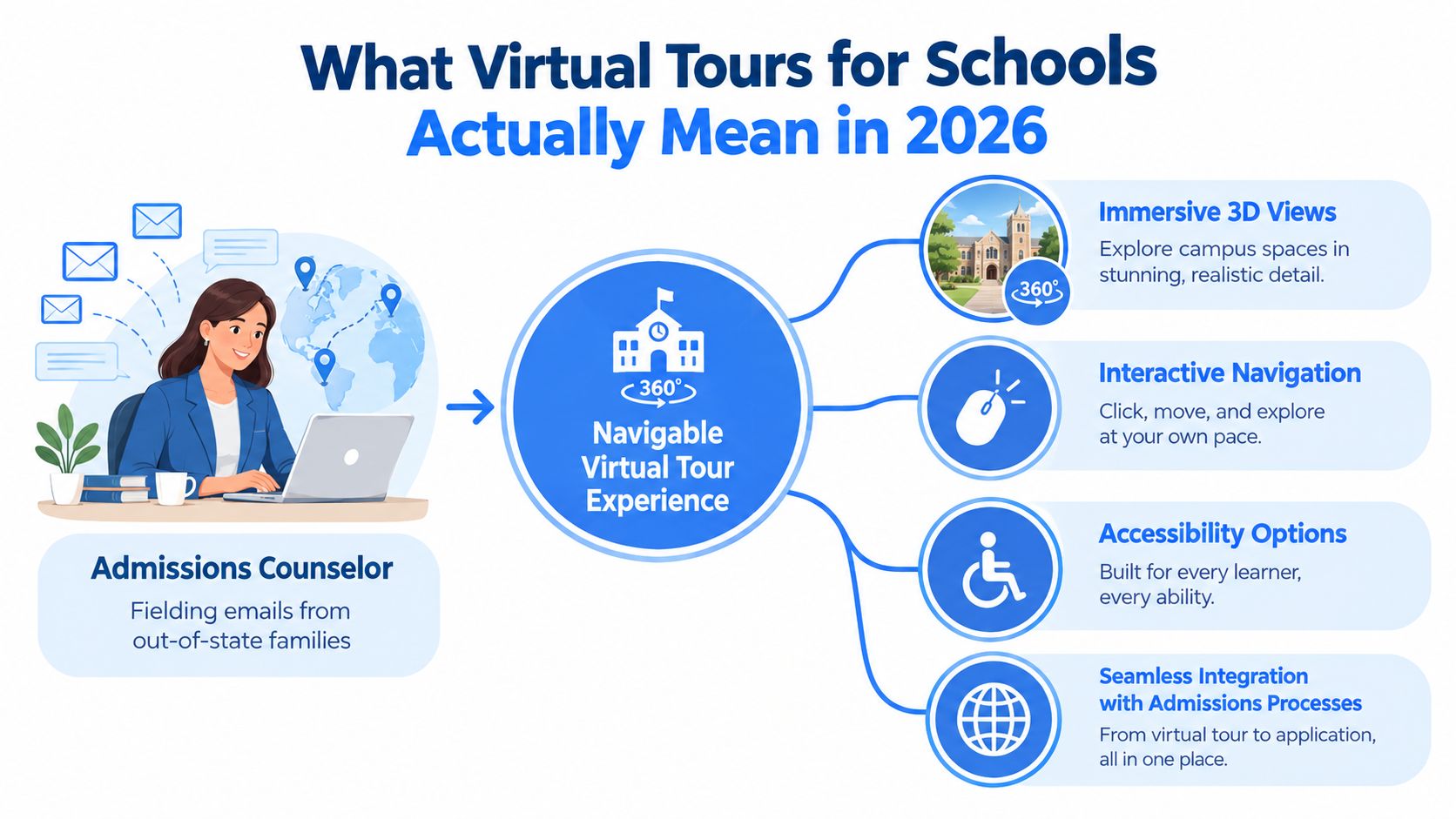
A school virtual tour is a navigable, browser- or headset-based experience that lets prospective families, current students, and remote learners move through a campus from a device. Visitors can enter a reception area, move into a classroom, inspect a laboratory, open a hotspot about a program, and follow a route toward a residence hall or sports facility.
That makes the format different from a slide deck or a static photo gallery. A gallery shows selected images in a fixed sequence. An interactive tour provides spatial orientation, clickable navigation, embedded video or audio, floor-plan context, and event tracking. A prospective student can choose what to explore, return to a previous scene, and follow a subject-specific path instead of passively watching a presentation.
Three production formats
Schools generally choose among three formats:
- Traditional 360° photography, captured with dedicated equipment and processed into panoramic scenes.
- AI-generated panoramas, created from prompts, regular photographs, or existing visual assets when a school lacks specialist capture equipment.
- Hybrid tours, combining captured scenes with floor plans, videos, interviews, maps, accessibility information, and interactive hotspots.
The right format depends on the intended job. A flagship admissions tour may need highly realistic detail in a library, science lab, or signature courtyard. A smaller school might prioritize a quick, useful route that answers family questions before an open day. A tour can also support broader campus planning, including ESG goals with campus, when the experience explains movement, access, and how people use the site.
A practical starting point is to review virtual campus tour software through the lens of user journeys and measurement, not just camera features. List the audiences and actions the tour must support, then move to the use cases that create the clearest value.
Where School Virtual Tours Make the Biggest Difference
The same campus tour can serve several audiences, but each audience needs a different success test. Admissions teams care about qualified interest and applications. Family engagement teams care about remote access and event participation. Teachers care about whether students interact with content and retain what they learn.
Higher education already offers a clear signal about the importance of the physical visit. An EAB-linked article reported that 95 percent of chief enrollment officers considered the campus tour important in a prospect's decision to enroll, while 86 percent called it very or extremely important. The figures are cited in this sector resource. A digital version doesn't replace every in-person visit, but it extends the visit to families who can't travel.
| Use Case | Primary Metric | Secondary Metric |
|---|---|---|
| Admissions marketing | Tour-sourced inquiries or applications | Completion rate and hotspot engagement |
| Prospective family visits | Visit bookings or information requests | Geographic reach and return visits |
| Accessibility and inclusion | Completion of accessibility checks | Use of captions, transcripts, keyboard paths, and alternative content |
| Open days and remote events | Event registrations or attendance | Tour visits before and after the event |
| Classroom learning extensions | Lesson engagement | Responses, reflections, or task completion |
Admissions and family decisions
A virtual tour works as an early-stage qualification tool. Families can inspect facilities before speaking with a counselor, and the school can identify which programs or spaces attract attention. During the early pandemic period, a 2020 Inside Higher Ed report said that nearly 1.4 million people viewed a YouVisit virtual campus tour between March 13 and April 13, while high school seniors took those tours at a rate 228 percent higher than at the same point the previous year. The report also said EAB was partnering with 539 colleges and had 748 active virtual tours online, evidence that the format had moved beyond a niche recruitment tactic. The figures appear in the cited analysis.
That report also found that students who shared contact information during a virtual tour were twice as likely to apply as students who contacted an institution through a standard website form or by email or phone. Schools should treat that result as a reason to measure tour-sourced behavior, not as a guaranteed outcome for every institution.
Inclusion and learning
A tour can reduce travel barriers, support families comparing schools remotely, and give students a way to preview an unfamiliar building before arrival. In classroom settings, a web-based 360-degree tour study reported scores rising from 52.44 to 80.21, a gain of 27.77 points, alongside improved interest and learning outcomes. The findings are described in the study repository.
Before production, each school should write down its top three goals. A K-12 school may prioritize family confidence, open-day preparation, and transition support. A university may prioritize international recruitment, program discovery, and inquiry capture. Those choices determine the route, hotspots, calls to action, and dashboard.
What a School Virtual Tour Needs to Include
A useful tour starts with a route, not a camera. The production team should identify the places that answer a family's first practical questions and the spaces that express the school's character.
Build the scene list
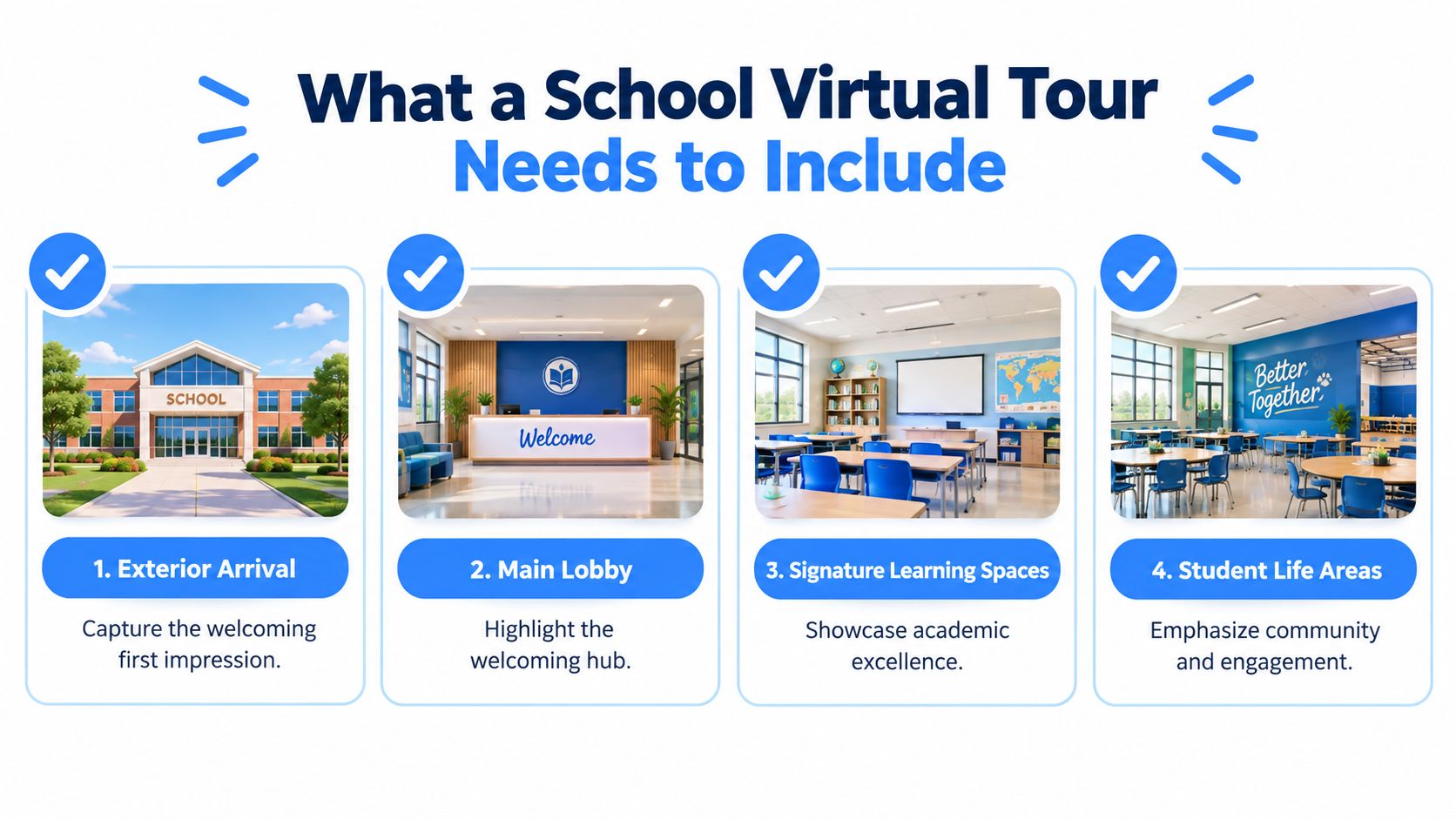
Begin with the arrival experience. Include the exterior entrance, reception or main lobby, signature classrooms, laboratories, library, student services, cafeteria, arts and athletic facilities, residential spaces where relevant, and clear accessibility routes. A family evaluating a school wants more than polished architecture. They need to understand where students enter, study, eat, meet staff, receive support, and move between important areas.
The route should also include context. A floor plan or campus map can show how scenes relate to one another, while hotspots can explain a program, introduce a faculty member, or link to an admissions page.
Check the experience on real devices
A tour that looks excellent on a large monitor may frustrate a parent using a phone over a mobile connection. Test touch navigation, orientation changes, loading behavior, readable text, embedded video, and headset compatibility. The school should also test keyboard-only navigation and screen-reader interpretation before launch.
Accessibility needs to be designed into the interactive layer. Guidance for education tours recommends WCAG 2.2 principles, including keyboard navigation, semantic HTML that works with screen readers, alt text, captions or transcripts for audio and video, and sufficient color contrast. The technical guidance is outlined in this virtual campus tour resource.
Add content that earns the next action
Every hotspot should answer a question or provide a useful next step. Faculty and student voiceovers can add human context, while multilingual captions and transcripts make information easier to follow. Calls to action should match the page's purpose, such as Book a visit, Ask about the program, Request admissions information, or Explore the curriculum.
When resources are limited, build the admissions-critical scenes first. Learning extensions, alumni stories, and deeper program modules can follow in a later phase. A written scene inventory, owner, accessibility status, and call to action gives the build team a manageable production brief.
Building a Tour Step by Step With or Without Special Gear
Two production paths can produce a credible school tour. The choice depends on the visual standard required, the people available, and how often the school expects to refresh the experience.
Track A with traditional photography
A specialist photographer or trained staff member captures 360° scenes along a pre-approved route. The team schedules the shoot to avoid crowded corridors, checks lighting, obtains permissions, and records any voiceover or video separately.
The usual workflow looks like this:
- Scope the route. An admissions or facilities lead identifies scenes and permissions. The deliverable is a shot list and campus map.
- Capture the spaces. A photographer uses a 360° camera or DSLR setup. The deliverable is a set of panoramic files.
- Stitch and edit. The production team processes panoramas in tools such as PTGui or Matterport, removes distractions where appropriate, and prepares media.
- Assemble the experience. A builder such as Kuula or Pano2VR connects scenes, navigation, hotspots, and calls to action.
- Review and publish. Admissions, IT, and accessibility reviewers test the tour on representative devices.
Schools without specialist equipment can learn the fundamentals of how to take 360 photos before deciding whether a professional shoot is necessary.
Track B with AI-assisted capture
An AI-assisted workflow lowers the dependence on dedicated media staff. The school can upload smartphone panoramas or still images, use AI to reconstruct a navigable scene, apply face blurring, and arrange scenes in a hosted builder. Virtual Tour Easy is one example of a platform that supports AI-generated panoramas, regular-photo conversion, existing 360° uploads, drag-and-drop scenes, hotspots, information panels, audio, embeds, analytics, and lead forms.
The team still needs a route, permissions, content review, and accessibility testing. AI can reduce the production barrier, but it doesn't decide which spaces matter to a prospective family or whether a caption accurately represents a program.
| Path | Main people involved | Best operational fit | Main deliverable |
|---|---|---|---|
| Traditional photography | Photographer, admissions lead, editor, accessibility reviewer | Flagship tour with controlled visual quality | Fully edited panoramic tour |
| AI-assisted capture | School staff, content owner, platform administrator | Fast first launch or frequent updates | Hosted interactive tour assembled from supplied media |
| Hybrid workflow | Photographer and school content team | Multiple campuses or mixed priorities | Professional hero scenes plus flexible refreshes |
Choose the path that the school can maintain after launch. A tour that receives timely updates is more useful than a visually impressive experience that quickly becomes inaccurate.
Choosing Between AI Panoramas, Real Photography, or Both
The production decision becomes clearer when schools separate fidelity, speed, and repeatability. AI panoramas can help a first-time team create a functional experience from regular images or prompts without a specialist camera workflow. Traditional 360° photography offers stronger control over realism, detail, lighting, and composition, especially in scenes that represent the institution's identity.
A hybrid model assigns each approach a different job. Professional photography can cover hero locations such as a library, laboratory, performance venue, or central quad. AI-assisted scenes can support routine updates, temporary event coverage, or additional routes that don't justify a new photography session.
A practical decision test
Use AI when the school needs a fast initial experience, has limited production support, or expects frequent content changes. Use traditional photography when the tour will anchor a major enrollment campaign and the visual presentation must carry significant brand weight. Use both when multiple campuses, programs, or annual updates create different production needs.
Cost should be assessed beyond the camera purchase. The actual comparison includes staff time, travel, scheduling, editing, hosting, accessibility review, and future refreshes. A low-cost capture method can become expensive if nobody has time to organize scenes or correct inaccurate information.
| Approach | Typical Cost | Turnaround | Quality | Best For |
|---|---|---|---|---|
| AI panoramas | Lower production overhead | Faster setup | Suitable for many functional scenes | First launch, routine updates, and event coverage |
| Traditional 360° photography | Higher production overhead | Requires scheduling and post-production | Highest control over realism and detail | Flagship admissions experiences |
| Hybrid | Variable | Fast for some scenes, slower for hero areas | Balances polish and flexibility | Multi-campus programs and continuing refreshes |
The best choice is the one that matches the school's actual operating model. A small admissions team may value a tool that staff can update themselves. A large university may prefer a controlled brand workflow with professional capture for priority spaces and a repeatable process for everything else.
Publishing, Sharing, and Ranking Your School Tour
A finished tour won't attract families if it sits on an overlooked page. Publishing should place the experience where visitors already make decisions, then connect it to search, social distribution, and measurable actions.
Put the tour close to the decision
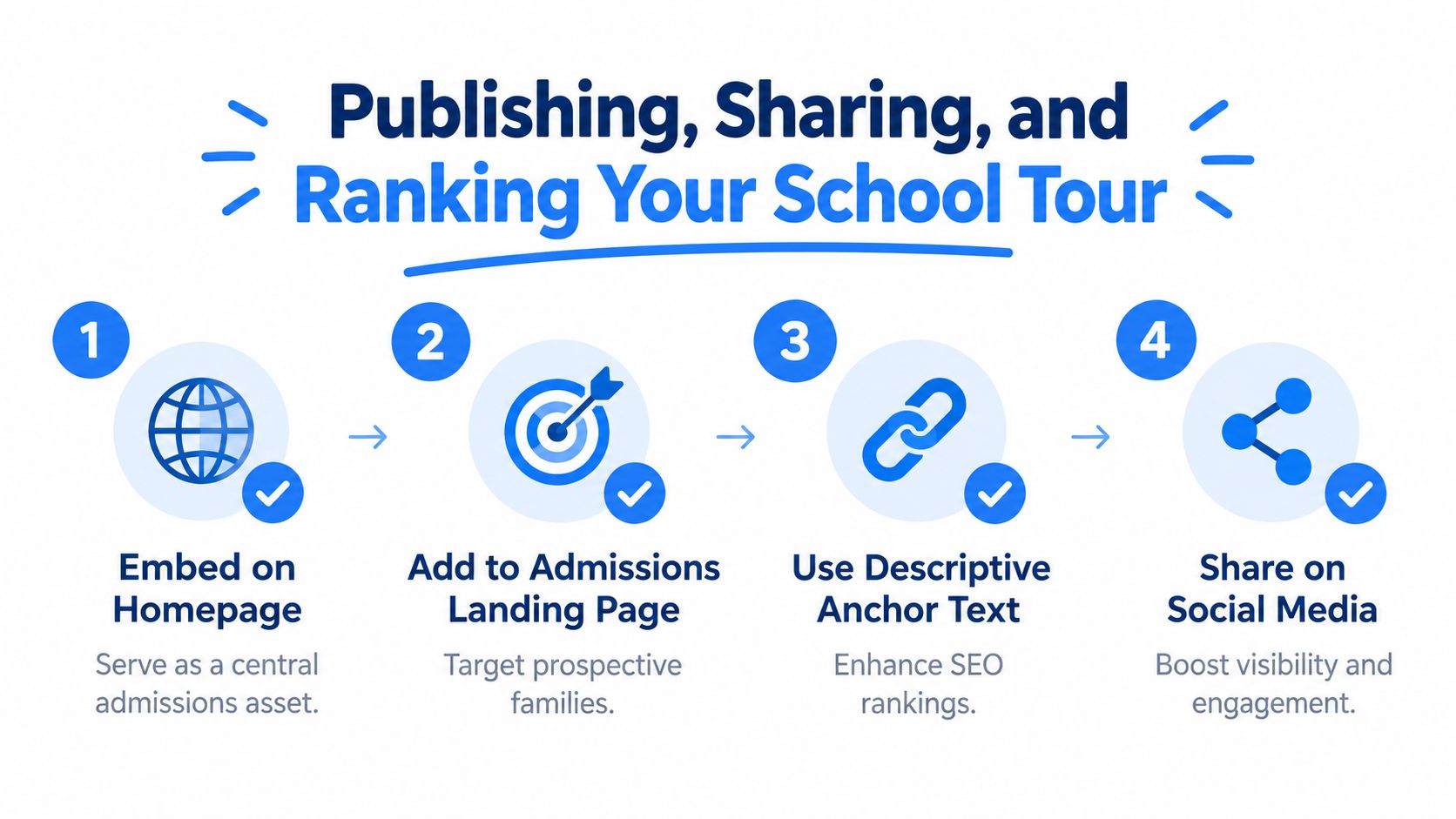
Embed the experience on the homepage when campus discovery is a central part of the brand. Add it to the admissions landing page, program pages, prospectus emails, and event follow-up messages. Descriptive anchor text such as Explore the science facilities virtually gives visitors more context than “click here” and helps search engines interpret the linked destination.
Create a dedicated page with a clear title, introductory copy, transcripts for spoken content, descriptive hotspot text, and relevant structured data. Compress media and test the page's loading performance on mobile devices. A tour should support the page rather than make the admissions experience slow or difficult to use.
Extend reach beyond the website
A verified Google Business Profile can help the tour appear in local discovery surfaces when the school's profile and media meet platform requirements. Short walkthrough videos derived from key stops can work on YouTube, Instagram Reels, and TikTok, while alumni publications and local education outlets may provide relevant opportunities for editorial coverage.
Distribution rule: Every channel should lead to a page where the school can explain the tour, present an appropriate call to action, and measure the resulting visit.
Search Console can show whether the dedicated page is indexed and how it performs for relevant impressions and clicks. Analytics can then distinguish organic, paid, email, event, and social visitors. Marketing teams should review those sources together rather than judging the tour by total visits alone.
Measuring Interest, Capturing Leads, and Proving ROI
A tour becomes an admissions asset when its activity connects to stages the school already reports. The dashboard should follow the path from inquiry to application, visit, and enrollment, while preserving enough detail to show what visitors explored.
At the experience level, track completion rate, scene exits, hotspot clicks, dwell time, returning visitors, device type, geography, and form submissions. These measures answer different questions. A low completion rate may indicate that the route is too long or slow. Strong engagement with a laboratory hotspot may suggest demand for a program page. A high number of returning visitors can signal ongoing consideration, although it doesn't by itself prove application intent.
Capture useful intent
Calls to action should appear after relevant information, not interrupt every scene. A family viewing residence halls might receive an invitation to ask about housing. A prospective engineering student might see a program inquiry form after exploring a laboratory. Forms should capture only information the admissions team can use, with clear consent and a defined follow-up process.
Use UTM parameters for campaign links and pass source information into the CRM. Assign a source or campaign value to tour forms, then compare tour-sourced records with other inquiry paths. Teams can use conversion tracking setup to connect tour actions with analytics and marketing systems.
Report costs and outcomes together
The ROI model should include production, hosting, content maintenance, accessibility review, and staff time. Against those costs, report tour-sourced inquiries, applications, enrolled students, completed bookings, and counselor hours saved when families answer routine questions through the experience.
A sensible first-month cadence is weekly operational review, followed by a monthly admissions report. The weekly review catches broken links, confusing scenes, and form problems. The monthly report compares audience quality, funnel progression, and content engagement, then identifies one change for the next reporting period.
Launch Checklist and Common Mistakes to Avoid
A school can use the following checklist before publishing:
- Content readiness: Confirm every scene, label, program description, voiceover, and call to action.
- Technical quality: Test mobile, desktop, touch, keyboard navigation, embedded media, and loading behavior.
- Accessibility: Check captions, transcripts, alt text, contrast, semantic labels, and an alternative route for users who can't use interactive panoramas.
- Privacy: Remove or blur identifiable people and secure permissions for students, staff, artwork, and restricted areas.
- Distribution: Publish the tour on priority admissions pages, event communications, relevant program pages, and approved profiles.
- Measurement: Test analytics events, campaign parameters, form submissions, CRM attribution, and reporting ownership.
Common failures usually come from treating the tour as a media project instead of a user journey. Low-light capture makes spaces look unwelcoming. Poor mobile performance excludes families using phones. Missing captions and alt text block access. A tour buried several clicks deep receives less attention, while weak metadata limits discovery. An unassigned maintenance owner allows program details, room layouts, and event information to become outdated.
The admissions director should choose the primary conversion goal and approve the route. The marketing lead should create the landing page, campaign links, and reporting view. The instructional designer should select one learning activity, add accessible context, and test whether students can complete it without live assistance.
A practical launch begins this week with three meetings: a route review, an accessibility review, and an analytics review. Each meeting should end with an owner, a deadline, and a testable deliverable.
Virtual Tour Easy lets schools create immersive tours from prompts, regular photos, or existing 360° images, then add scenes, hotspots, media, embeds, analytics, and lead forms without requiring a dedicated media team. Visit Virtual Tour Easy to assess whether its AI-assisted workflow fits the school's first tour, update process, and admissions measurement plan.