Adding a domain to GA4's configuration list is not the same as implementing reliable GA4 cross-domain tracking. That setting tells the Google tag which domains may participate, but attribution still depends on the _gl linker parameter surviving every click, redirect, gateway handoff, iframe boundary, and consent decision. Google's cross-domain measurement documentation confirms that _gl carries identifiers between domains across Google Analytics, Google Ads conversion measurement, and Floodlight conversions.
For sites that send visitors from a marketing domain to a booking engine, payment provider, scheduling platform, or virtual tour, the practical question isn't “were the domains added?” It's “did the same identity and session survive the entire journey?” The following implementation focuses on that question.
Table of Contents
- Why Cross Domain Tracking Breaks More Often Than People Admit
- Configuring Cross Domain Tracking Inside GA4 Itself
- Setting Up Cross Domain Tracking Through Google Tag Manager
- Subdomains, True Cross Domain, and Embedded Scenarios Compared
- Verifying the Handoff Actually Worked
- Common Breakages and How to Fix Them
- What This Means for Your Reporting and Next Steps
Why Cross Domain Tracking Breaks More Often Than People Admit
The popular advice is simple: open GA4, add the domains, save the setting, and move on. That advice is incomplete. GA4's cross-domain feature is designed to preserve activity attribution as a user moves across multiple root domains, but the handoff only works when the destination receives and accepts the linker data. Google's GA4 setup guidance places domain configuration inside the web data-stream settings, not inside a universal repair mechanism for broken redirects or inconsistent tags.
The _gl parameter is the operational proof that the handoff occurred. A link can leave the source page correctly decorated, then lose _gl through a server redirect, URL shortener, JavaScript navigation, or payment gateway. Once that happens, the destination can create a fresh identity and session, while the reporting interface may make the result look like ordinary referral or direct traffic.
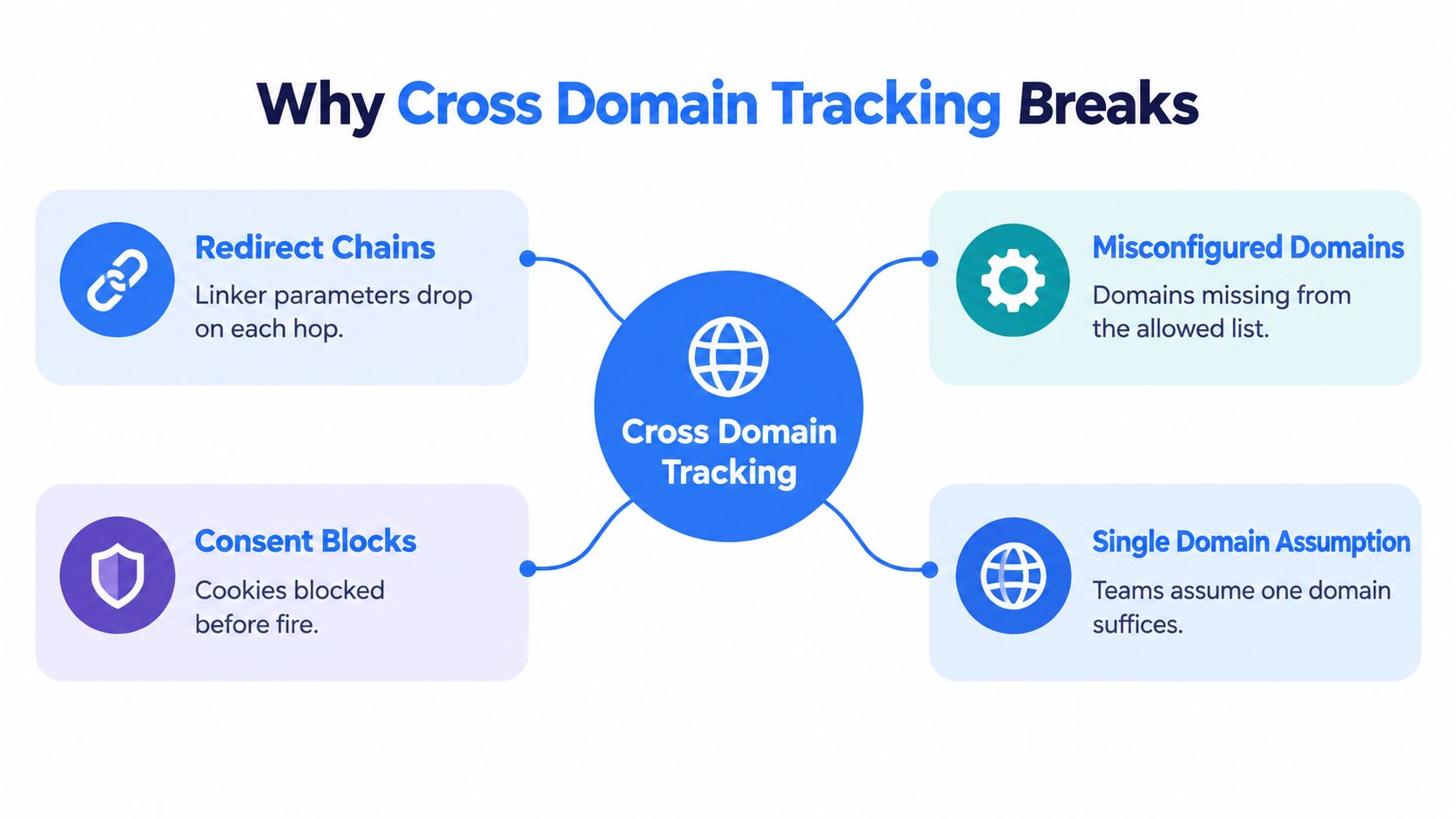
Four failure points deserve immediate attention
- Redirect chains: A 301 or 302 can rebuild the destination URL without preserving its query string.
- Payment and booking handoffs: A third-party service may accept the visitor but return them without the original linker context.
- Consent collisions: The source domain may allow analytics storage while the destination blocks or delays it.
- Referral exclusions: A partner or owned domain can still appear as a referrer when linking and unwanted-referral rules aren't aligned.
The configuration also fails when the domains use different measurement IDs or different allowed-domain lists. Google's documentation describes the linker as part of the Google tag's cross-domain behavior, so a destination must run a compatible tag that can process the incoming parameter. This is why a virtual tour embedded on one site, a booking engine hosted elsewhere, and a payment confirmation page on a third domain should be tested as separate technical boundaries.
A related implementation detail often gets missed: a custom button, form submission, iframe, or scripted redirect may not behave like a normal anchor link. Teams working on immersive experiences should also review browser compatibility checking for embedded tours because browser behavior and embedded navigation can affect whether the decorated destination is ever reached.
Practical rule: Treat the linker as a parcel moving through a delivery network. Configuration creates the parcel, but every redirect and platform in the route must preserve it.
Configuring Cross Domain Tracking Inside GA4 Itself
GA4's domain list is the starting point for a true cross-domain setup. It tells the Google tag which domains belong to the same measurement journey and allows the linker logic to recognize eligible destinations.
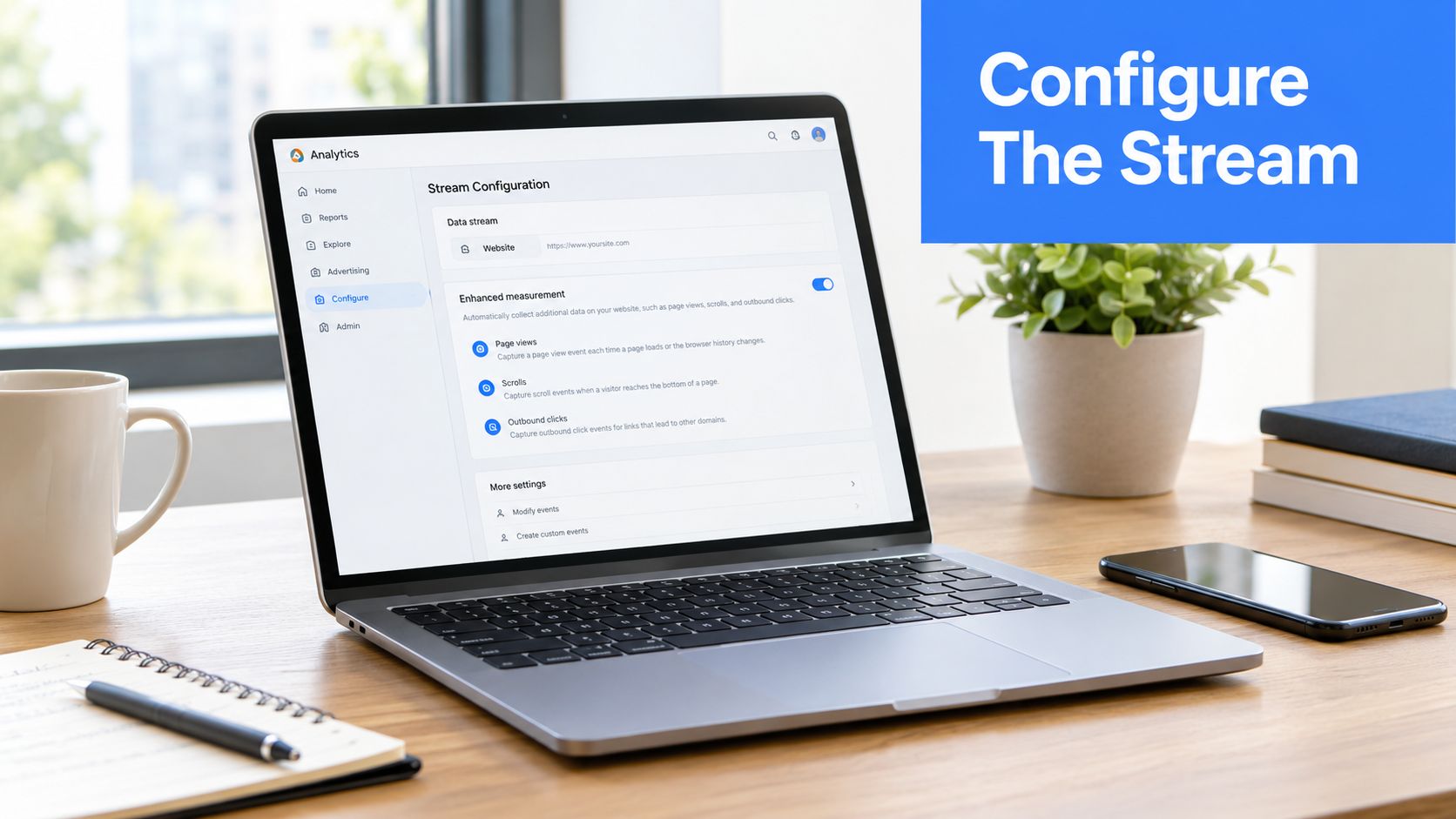
Open Admin, choose Data Streams, select the relevant web stream, and open Configure tag settings. Then choose Configure your domains. Add each root domain that participates in the same user journey, including a booking, checkout, or partner domain that receives traffic from the primary site.
Match the scope to the actual architecture
The domain conditions should match the hostnames visitors use. A true domain handoff, such as example.com to bookingpartner.net, requires explicit configuration. A subdomain arrangement, such as www.example.com to shop.example.com, normally doesn't need the same cross-domain treatment when both locations use the same Google tag, measurement ID, property, and web stream.
That distinction matters because teams often add every known environment to the production list. Staging hosts, temporary campaign domains, and unrelated regional properties can make the configuration harder to audit and can contaminate the intended journey. The allowed list should represent real production destinations, not every hostname owned by the organization.
GA4 Admin also doesn't decorate every custom navigation pattern by itself. The Google tag must load on both sides, and the implementation must be able to modify outgoing links or pass identity through another mechanism. GTM is often the clearest place to control that behavior, especially when a site has several templates, embedded experiences, or separate development teams.
Before publishing, compare the measurement ID on each participating domain and confirm that the same stream receives the relevant page views and events. The configuration is only coherent when the source and destination agree about the measurement context.
Setting Up Cross Domain Tracking Through Google Tag Manager
Google Tag Manager gives teams more control over how the Google tag handles outgoing links and incoming linker data. The cleanest arrangement starts with one Google tag, or one carefully managed configuration pattern, firing on All Pages across every participating domain.
In the tag configuration, use the same GA4 measurement ID for the shared stream. Set the cookie domain to auto, then enter every true destination domain in the Cross-Domain Linking field. This is the setting that helps the tag decorate eligible outgoing links with _gl. The GA4 Admin list should agree with it, but the GTM tag is what runs on the page and performs the client-side behavior.
Make tag timing predictable
The configuration tag must fire before event tags that depend on the GA4 session. Set a firing priority or sequencing rule so the Google tag loads before custom events, form listeners, virtual tour interactions, and conversion events. A duplicate configuration tag can create duplicate page views or competing settings, so the container should be searched for older GA4 configuration tags before publication.
Iframe scenarios need a separate review. A parent page can't automatically control every navigation inside a cross-origin iframe. Where a virtual tour or scheduling widget contains links to another domain, the implementation may require linker acceptance on the receiving context, postMessage communication between parent and iframe, or server-side measurement using the same GA4 property. A normal top-level link test doesn't prove that an iframe journey works.
A practical GTM workflow is:
- Create the shared Google tag: Use the same measurement ID and fire it on all relevant pages.
- Configure outgoing domains: Add only production destinations that belong to the journey.
- Allow incoming linker data: Check that custom settings or hardcoded code haven't disabled incoming parameters.
- Sequence dependent tags: Load the base tag before events, form tracking, and tour interaction tags.
- Preview before publishing: Test a source link, a redirected link, and any iframe or form route.
Teams maintaining a mixed hardcoded and GTM implementation should remove conflicting configuration where possible. If a legacy gtag.js setup must remain, a linker-only change may be safer than introducing a second full configuration tag. Documentation on Google Tag Manager setup can help teams map the container before changing production tags.
If a deployment causes duplicate events or broken navigation, rollback should restore the previous published container version first. Debugging can then continue in preview mode without adding more live variables to an already uncertain setup.
Subdomains, True Cross Domain, and Embedded Scenarios Compared
The right implementation depends on where the browser moves. A subdomain under the same root is not the same as a booking partner on a separate registered domain, and an iframe isn't the same as either.
| Scenario | GA4 Stream Config | GTM Setup | Referral Behavior |
|---|---|---|---|
Same-root subdomains, such as blog.example.com to shop.example.com |
Usually use the same property, web stream, and measurement ID. Explicit cross-domain configuration generally isn't required when the same tag operates across the subdomains. | Keep the Google tag consistent. Use GTM only when custom navigation or separate implementations create a real handoff issue. | The journey can remain within the same measurement context. A self-referral usually signals inconsistent tagging or a separate stream. |
Distinct registered domains, such as example.com to bookingpartner.net |
Add both domains to Configure your domains in the relevant web stream. | Configure cross-domain linking on the Google tag and ensure the destination accepts incoming linker data. | Correct linking suppresses the artificial partner referral. Broken linking can create a new session or make the partner appear as the source. |
| Embedded third-party experience, such as a virtual tour or payment iframe | The parent stream alone may not control the iframe's navigation. The receiving experience needs compatible measurement treatment. | Use iframe communication, parameter passing, or server-side collection where appropriate. Test the actual embedded path. | The parent page may record the interaction while the embedded destination loses identity unless the boundary is handled deliberately. |
The practical reason subdomains are easier is cookie and tag consistency within the same root. A separate registered domain can't read the source domain's first-party storage directly, so the linker must transfer the relevant identifiers through the navigation.
This distinction also affects site architecture decisions. A useful primer on the SEO impact of subdomains provides context for why teams should first identify whether a planned experience is a subdomain or a separate domain. Analytics configuration shouldn't compensate for a domain model that hasn't been documented.
Embedded content needs its own test case
An iframe can display a tour, form, or payment step without changing the top-level URL. That makes ordinary URL inspection insufficient. The parent may need to pass context into the iframe, while the iframe may need to communicate outgoing destinations back to the parent or decorate them independently.
The trade-off is control versus isolation. A same-root subdomain is usually easier to govern centrally. A third-party iframe offers deployment convenience but introduces consent, browser, and messaging boundaries that can't be solved by adding another hostname to GA4.
Verifying the Handoff Actually Worked
A successful save in GA4 doesn't prove a successful handoff. Verification should follow the visitor through the exact route used in production, including redirects, payment steps, booking confirmation, and embedded content.
Run the route in four checks
First, use Tag Assistant. Connect the source and destination domains, then trigger the link. Confirm the Google tag fires once on each page and that the outgoing navigation receives linker treatment. A duplicate tag or missing destination tag is already a failure signal.
Second, inspect the destination URL. The inbound page should contain a _gl parameter in the navigation URL, often visible in a form such as ?_gl=1*.... If the source link has _gl but the final destination doesn't, inspect every intermediate hop rather than stopping at the first page load.

Third, compare DebugView. Run the journey with debugging enabled on both domains. The source and destination should show a continuous measurement context, including the same session identity where the implementation supports it. A new user or session appearing immediately at the boundary is a strong indication that the incoming linker wasn't accepted.
Fourth, inspect reporting. Review Traffic acquisition after data processing has caught up. Look for owned-domain self-referrals, sudden direct or unassigned paths at the handoff, and conversion events credited to the booking or payment host instead of the original acquisition source.
A passing test has evidence at the URL, tag, debug, and report layers. One green signal isn't enough.
Report interfaces don't stabilize instantly after a live change. The team should allow the normal processing window for the relevant GA4 reports, then compare a controlled test journey with the resulting acquisition and conversion records. Archive screenshots, destination URLs, Tag Assistant output, and the container version used for the test.
A broken handoff typically shows one of three patterns: _gl disappears, the destination tag starts a new identity, or the final report records the partner domain as a new source. A passing handoff keeps the linker through the route and produces a coherent journey in debugging and reporting.
Common Breakages and How to Fix Them
Cross-domain implementations often look correct in the admin interface while failing in the browser. The fastest diagnosis starts at the first point where the expected _gl value disappears.
Redirects that rebuild URLs
A server-side 301 or 302 may construct a clean destination URL without copying the original query string. JavaScript navigation can do the same if code assigns a new window.location value without preserving parameters. The fix belongs with the development team: configure the redirect to retain the query string, remove unnecessary navigation hops, or pass the linker value into the final destination.
A URL shortener deserves the same scrutiny. It may redirect correctly for a human visitor while still dropping the parameter needed by the Google tag.
Payment and booking platforms
A payment gateway or booking engine can create a fresh session when it doesn't accept the incoming linker or returns the visitor through a URL that lacks it. The return path should be tested independently from the outbound path, because a correct source-to-gateway handoff doesn't guarantee a correct gateway-to-confirmation handoff.
The platform owner may need to preserve query parameters on its return URL, while the site team must ensure the confirmation page runs the same compatible GA4 tag. If the provider doesn't support the required client-side behavior, server-side measurement may be the more reliable architectural option.
Consent state changes
Consent can break continuity before the destination tag has a chance to use the linker. For example, the source may allow analytics storage while the destination defaults to denied or waits for a separate consent decision. In that situation, the parameter can arrive correctly but the measurement state still prevents the identity from being stored or used.
Review the consent default, the update event, and the order in which the consent management platform and Google tag fire. The destination should apply the intended consent state before measurement-dependent events execute. Privacy tooling and browser restrictions can still limit continuity for visitors who deny storage.
Referral exclusions used as a substitute
Referral exclusions don't repair a missing linker. They can prevent a known partner from appearing in referral reporting, but hiding the referral doesn't stitch the original user and session back together. Pair unwanted-referral rules with working cross-domain linking, then test the result in acquisition reports.
Google's current implementation guidance treats _gl as the key handoff mechanism, while independent GA4 cross-domain troubleshooting guidance highlights redirect chains, consent mismatches, measurement-ID parity, and referral configuration as recurring breakpoints. The correct order is to preserve and accept the linker first, then clean up referral interpretation.
What This Means for Your Reporting and Next Steps
Reliable cross-domain measurement changes the shape of the data, not just the settings screen. When a visitor moves from a marketing site to a booking engine and completes a key event there, the original journey can remain connected instead of splitting at the domain boundary. That makes acquisition analysis more useful because the conversion is evaluated in the context of the visit that initiated it.
The same principle applies to virtual tour funnels. A tour view, lead form interaction, booking click, and confirmation event may occur across different hosts or embedded contexts. Clean measurement lets teams compare those steps as part of one designed journey, while a broken boundary can make the tour appear to generate engagement without downstream outcomes.
Reporting checks after publication
Review the following areas after the implementation goes live:
- Traffic acquisition: Look for self-referrals and unexpected direct or unassigned traffic at the domain transition.
- Landing-page and path analysis: Confirm that the first meaningful source remains attached to later key events.
- Key events: Check that bookings, payments, and lead submissions are recorded on the intended destination without creating duplicate conversions.
- Explorations: Compare journeys that use the booking or tour path with journeys that stay on the primary site.
- Audiences: Test whether qualifying behavior can be used across the participating domains under the organization's consent and data policies.
Teams using campaign parameters should also align this implementation with a documented GA4 UTM tracking process. Consistent campaign naming won't fix a broken linker, but it makes the resulting acquisition data easier to interpret once the handoff works.
Before launch, archive a short implementation record containing the GA4 stream settings, GTM tag configuration, measurement-ID comparison, consent sequence, unwanted-referral review, redirect test, _gl evidence, and DebugView result. Recheck the journey after major template, gateway, consent-management, or domain changes, then include it in a quarterly measurement review. The maintenance signal is simple: a new self-referral, direct spike, unassigned transition, or missing conversion path deserves investigation before it becomes accepted reporting behavior.
For organizations that publish immersive experiences, Virtual Tour Easy provides GA4 and GTM integrations for tour measurement, including tour-level views, visitors, session duration, device, and geographic reporting, while custom domains and embedded tours still require the same handoff testing described above. Teams can review the platform and connect their measurement workflow through Virtual Tour Easy, then validate the exact journey from tour interaction to booking or lead completion.