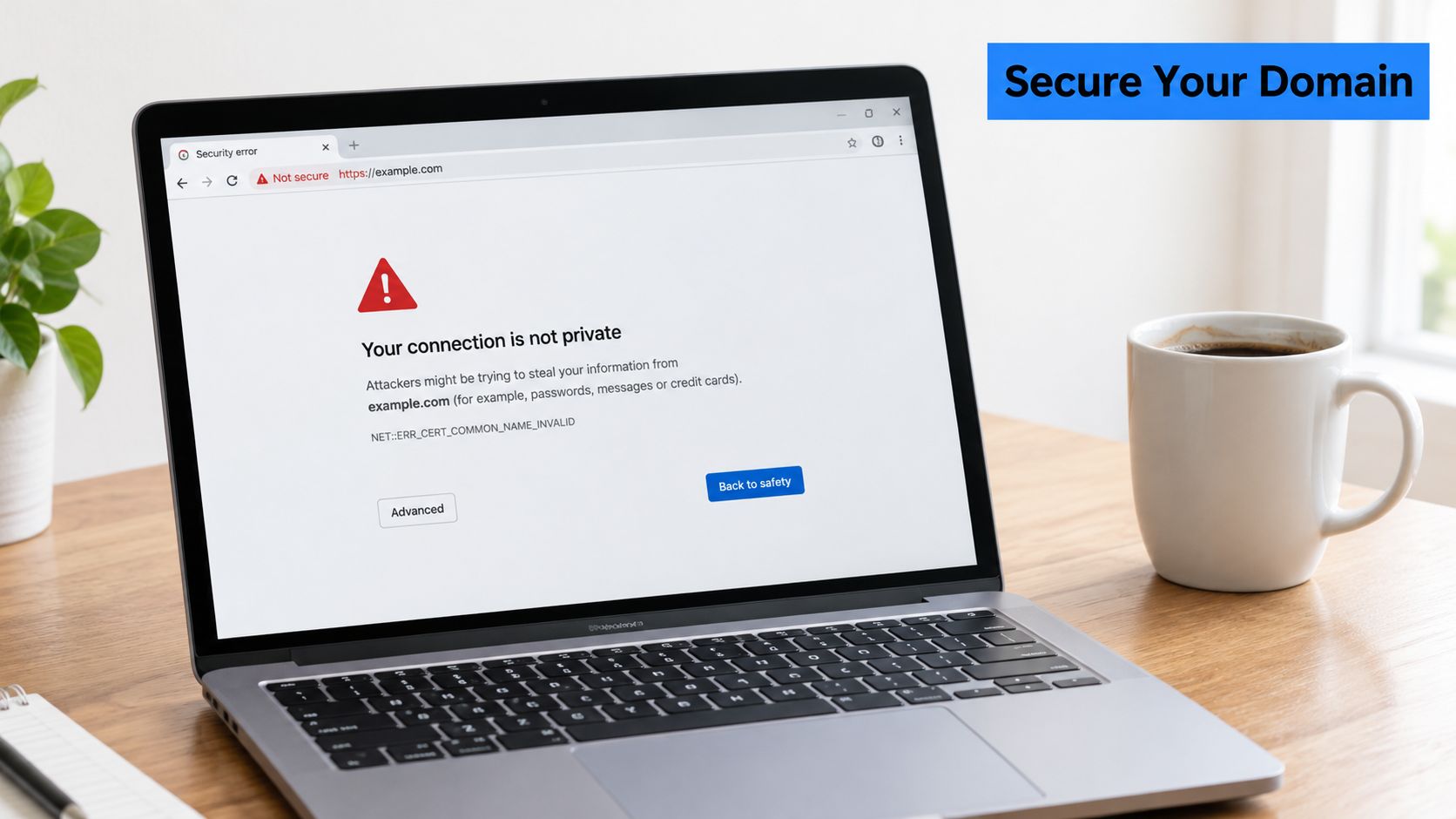
A branded tour domain is ready to launch. The DNS change is complete, the content looks polished, and the campaign links have already gone to clients. Then someone opens tours.example.com and sees a browser warning that the connection isn't private. The page may still exist, but trust has already been lost.
A custom SSL certificate for a domain name isn't just a padlock added after design work is finished. It authenticates the hostname, encrypts connections, and keeps forms, analytics, administrative sessions, and embedded experiences from being presented through an unsafe or mismatched endpoint. The difficult part isn't uploading a certificate once. Production failures usually come from incomplete hostname coverage, incorrect DNS, missing intermediates, SNI mistakes, or renewal processes nobody owns.
Table of Contents
- Why Your Custom Domain Needs Proper SSL Setup
- Generating a CSR That Covers Every Hostname You Will Use
- Choosing the Right Domain Validation Method for Your Setup
- Installing the Certificate Chain Correctly on First Try
- Validating the Deployment Like a Security Engineer Would
- Why Manual SSL Management Is Becoming Risky and How to Fix It
Why Your Custom Domain Needs Proper SSL Setup
A visitor doesn't assess the certificate manually. The browser does it immediately, comparing the requested hostname with the certificate's approved names, checking the trust chain, and evaluating whether the certificate is current. If any of those checks fail, the visitor may see a full-page warning before the virtual tour, property showcase, hotel experience, or venue page loads.
HTTPS is now the normal transport layer for public websites. Google's HTTPS Transparency Report recorded approximately 95% of page loads across Google over HTTPS by April 26, 2020, and about 96% on January 21, 2024. Google also reports that desktop users load more than half of the pages they view over HTTPS and spend roughly two-thirds of their browsing time on HTTPS pages. These figures come from Google's HTTPS Transparency Report, and they show why HTTP-only publishing looks abnormal to modern visitors.
What the certificate protects
TLS establishes an encrypted connection between the visitor and the endpoint serving the domain. That matters even when a page only displays images. A tour platform may also exchange lead-form submissions, tracking data, login credentials, embedded content, and administrator requests.
A valid certificate also proves that the server is authorized to present the domain's public key. It doesn't prove that the organization is reputable, and it doesn't fix insecure application code, but it prevents a basic hostname impersonation and trust failure.
Practical rule: Treat HTTPS as a launch dependency, not a finishing touch. A branded domain that displays a security warning is operationally unavailable to part of its audience.
A certificate can be valid and still be wrong for the URL. A certificate issued only for www.example.com won't automatically cover example.com, and a certificate for tours.example.com won't cover regional.example.com unless that hostname is included. Teams comparing certificate products can use SSL certificate solutions as a starting point for understanding the available approaches, but the hostname inventory must come from the actual publishing setup.
Generating a CSR That Covers Every Hostname You Will Use
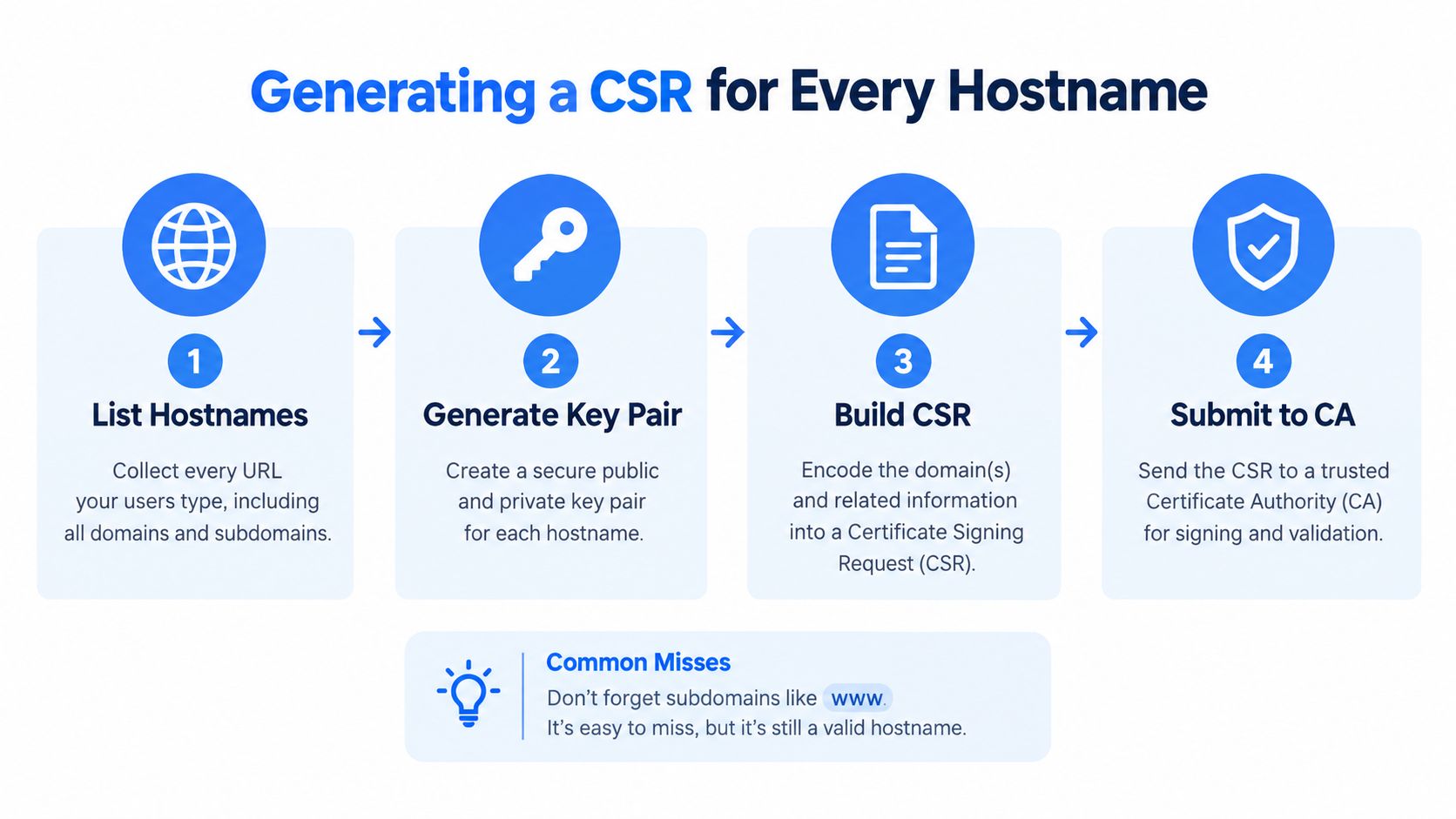
The certificate request should begin with a hostname inventory, not an OpenSSL command. List the apex domain, www, tour subdomains, regional endpoints, and customer-specific names that users will enter. A certificate authority can issue a technically correct certificate that still fails at launch if one required name was omitted.
Modern browsers validate the Subject Alternative Name, or SAN, extension. The legacy Common Name field isn't a substitute for a complete SAN list. Apex and subdomain coverage must be treated separately, even when both names belong to the same brand.
Build the request safely
For a simple certificate covering an apex domain and its www version, an OpenSSL configuration file is clearer than trying to encode SAN values through a long command. The private key must remain secret, while the CSR can be sent to the certificate authority.
openssl genrsa -out example.key 2048
Create example.cnf:
[req]
distinguished_name = req_distinguished_name
req_extensions = req_ext
prompt = no

[req_distinguished_name]
CN = example.com

[req_ext]
subjectAltName = @alt_names

[alt_names]
DNS.1 = example.com
DNS.2 = www.example.com
DNS.3 = tours.example.com
Then generate the CSR:
openssl req -new \
  -key example.key \
  -out example.csr \
  -config example.cnf
The key length and certificate profile should follow the certificate authority and hosting platform's current requirements. A private key generated by a hosted platform may never be downloadable, which can be appropriate when that platform terminates TLS. A self-managed server requires controlled storage, restricted permissions, and a documented backup strategy.
Verify before submission
Inspect the request before sending it:
openssl req -in example.csr -noout -text
Check the Subject Alternative Name section, not just the subject line. The list should match the production hostname inventory exactly. Remove names that won't be used, because unnecessary coverage expands the certificate's scope and complicates future ownership reviews.
A hostname such as client.example.com also raises a responsibility question. The team requesting the certificate must be able to complete domain-control validation for every included name. Teams planning branded URLs can review custom domain endings while deciding whether the public hostname should be an apex domain, a subdomain, or a platform-managed address.
Choosing the Right Domain Validation Method for Your Setup
Domain Control Validation, or DCV, is the certificate authority's proof that the requester controls the hostname. The CSR describes the names, but it doesn't prove ownership. The validation method should be selected according to who controls DNS, who operates the web server, and whether renewal will later run automatically.
| Method | Works well when | Main failure mode |
|---|---|---|
| DNS TXT | A team controls authoritative DNS or has API access | Stale records, incorrect delegation, restrictive DNS workflows, or CAA policies |
| HTTP challenge | The team controls the web server or hosting edge | Redirects, proxies, routing rules, or the wrong server handling the challenge |
| Approval email | Authorized administrative mailboxes are monitored | The address is inaccessible, unmonitored, or not recognized for the domain |
DNS validation is usually the durable choice
DNS TXT validation remains independent of the application server. That makes it useful for hosted platforms, migrations, and environments where the web endpoint changes during issuance. It also fits automation when the certificate service can update DNS through a controlled API.
The trade-off is ownership. A platform may issue the certificate, but a customer, registrar, agency, CDN, or former employee may control the DNS zone. A stale TXT record from an earlier attempt can confuse operations, while restrictive CAA settings can prevent an otherwise correct request from being issued. The team should document which provider hosts authoritative DNS and who can change validation records.
HTTP and email have narrower fits
HTTP validation is practical when the application edge is under direct administrative control. The challenge file must reach the correct hostname without being intercepted by a redirect, cache, reverse proxy, or unrelated virtual host. It becomes fragile when a hosted platform serves the domain and the customer can't control the challenge path.
Email approval avoids DNS changes, but it depends on access to the certificate authority's accepted administrative addresses. It can be convenient for a small, stable domain and awkward for a brand whose mail routing or ownership is changing.
Before requesting issuance, review the domain's CAA policy, delegation, and existing validation records. The custom domain name guide provides useful context for teams mapping the relationship between branded domains and hosted publishing services.
Installing the Certificate Chain Correctly on First Try
Certificate installation has two separate jobs. The server must select the right leaf certificate for the requested hostname, and it must send the intermediate certificates that allow browsers to build a trusted path to a root already present on the device.
The correct bundle order is leaf certificate first, followed by every required intermediate certificate. The root certificate is generally trusted from the client trust store and isn't normally something the public endpoint needs to serve. Sending only the leaf certificate is a common migration error because some browsers may already possess a cached or previously fetched intermediate, while other devices fail immediately.
Bind the certificate to the right listener
On a conventional web server, the certificate and private key must be paired in the TLS virtual host. On a reverse proxy or load balancer, the certificate must be attached to the active listener that receives the public request. On multi-tenant infrastructure, Server Name Indication determines which certificate profile is selected during the TLS handshake.
A correct certificate installed under the wrong SNI profile is still a failed deployment. The server may present a neighboring tenant's certificate, a default certificate, or an older version that doesn't contain the requested SAN.
Use a full-chain file where the product expects one. A typical concatenation is conceptually:
-----BEGIN CERTIFICATE-----
leaf certificate
-----END CERTIFICATE-----
-----BEGIN CERTIFICATE-----
intermediate certificate
-----END CERTIFICATE-----
The exact file names and reload command depend on the server or managed platform. Configuration changes should be tested before reload, and the private key should never be pasted into a ticket, shared document, or chat channel.
Check the installation before launch
A simple preflight list catches most avoidable mistakes:
- Chain order: Confirm the leaf precedes the intermediate certificates.
- Key pairing: Verify that the certificate corresponds to the private key generated for the CSR.
- Hostname binding: Check the apex,
www, and every active subdomain. - SNI selection: Test each hostname independently, especially on shared infrastructure.
- Reload state: Confirm the active proxy or load balancer is using the new certificate, not merely storing it.
- Redirect behavior: Ensure HTTP redirects to the intended HTTPS hostname without creating a loop.
A practical guide to installing your SSL certificate can help translate the general sequence to a particular hosting environment. The principle remains the same: install the complete chain, bind it to the correct endpoint, and verify the live listener rather than trusting the upload screen.
Validating the Deployment Like a Security Engineer Would
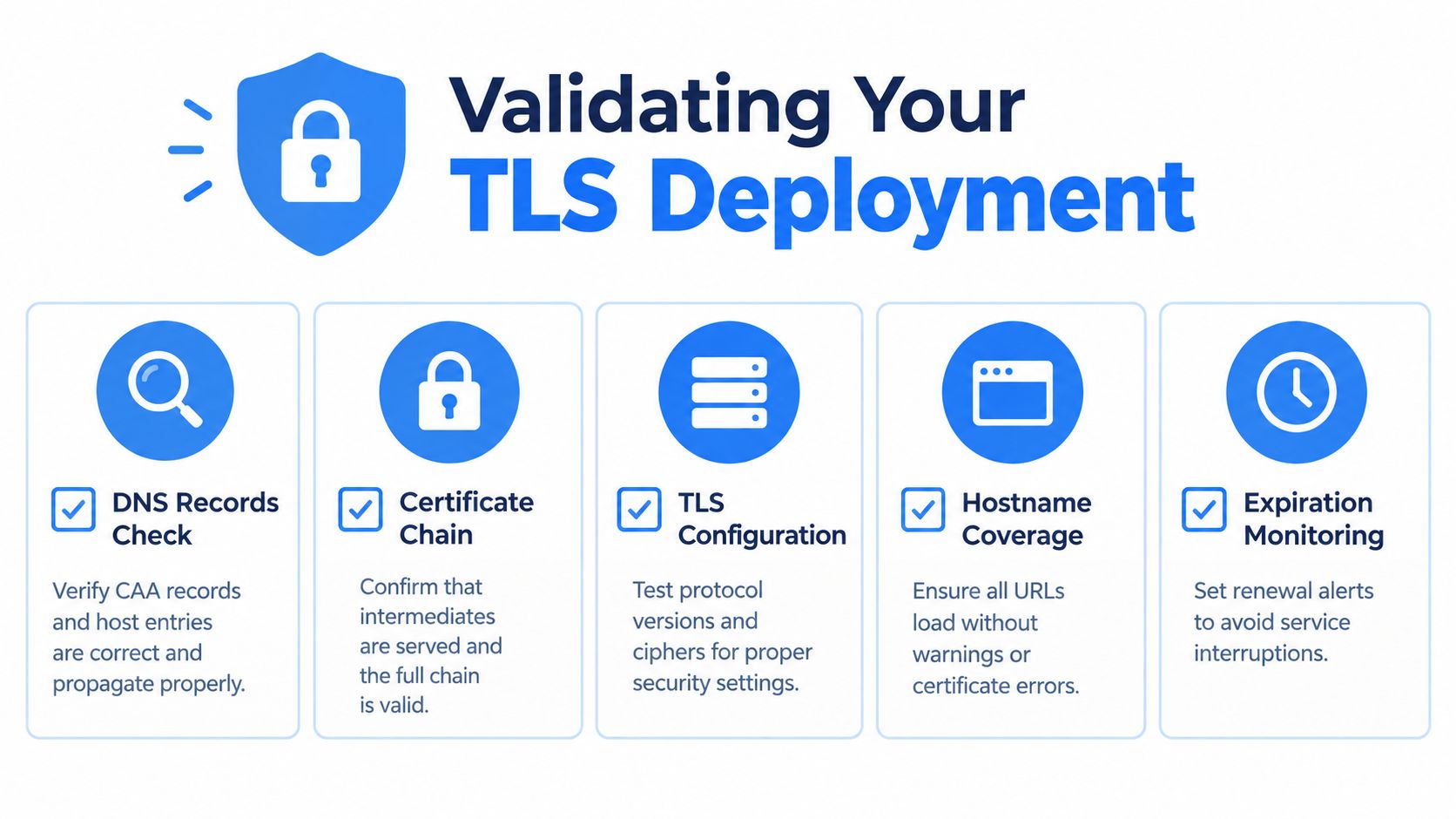
A padlock only tells the visitor that the browser completed its basic trust checks. It doesn't confirm that every hostname resolves to the intended edge, that the new certificate reached every load balancer, or that the TLS configuration matches the organization's security baseline.
Validation should start outside the server. Resolve each public hostname and confirm that the result belongs to the intended hosting path. Then inspect the certificate presented for that exact name, because a test against www.example.com says nothing about example.com or tours.example.com.
Use hostname-aware tests
OpenSSL can force SNI during a connection test:
openssl s_client \
  -connect example.com:443 \
  -servername example.com \
  -showcerts
The output allows an administrator to inspect the served chain, subject alternative names, issuer, and expiration. The same command should be run against each production hostname, not just the first name listed in the certificate.
An external assessment such as Qualys SSL Labs adds a second perspective. Its methodology weights certificate quality, protocol support, key exchange, and cipher strength at 30%, 30%, 30%, and 10% respectively, as described in the SSL Labs assessment methodology. A practical baseline is TLS 1.2 and TLS 1.3 only, at least a 2048-bit RSA key or an appropriately strong ECDSA key, SHA-256-or-better signatures, and no SSLv3, TLS 1.0, or TLS 1.1.
Test the failure paths too
The most useful checks are often the ones that expose a mismatch before a client does:
- DNS records: Confirm host records, CAA policy, delegation, and migration leftovers.
- Certificate chain: Check that all required intermediates are served.
- Hostname coverage: Test apex and subdomain URLs individually.
- Protocol posture: Review supported versions, cipher suites, key exchange, and forward secrecy.
- Renewal propagation: Confirm that a renewed certificate reached the active load balancer.
- Page assets: Inspect embedded forms, scripts, images, and analytics endpoints for mixed-content errors.
- Redirects: Verify that HTTP and alternate hostnames arrive at the intended canonical HTTPS URL.
A certificate issued for the wrong hostname is not a partial success. It is a configuration failure, even if the certificate itself has a current expiry date and a trusted issuer. The same applies to a stale DNS record that sends visitors to an old edge after a migration.
Why Manual SSL Management Is Becoming Risky and How to Fix It
Public TLS certificates once commonly remained valid for up to 825 days, or roughly 27 months. Mozilla announced a reduction to a 398-day maximum, approximately 13 months, for newly issued certificates beginning September 1, 2020, as documented in its TLS certificate lifetime announcement.
The operational consequence is straightforward. A custom SSL certificate for a domain name is no longer a one-time installation record. It belongs in an inventory with an owner, renewal path, DNS permissions, deployment target, alert destination, and recovery procedure.
Automation must include deployment
The CA/Browser Forum has approved a phased reduction from the 398-day maximum to 200 days beginning March 15, 2026, 100 days in 2027, and 47 days in 2029, while domain-validation evidence reuse is scheduled to fall to 10 days by 2029, according to PwC's overview of the policy change. These are policy milestones, not a reason to wait for the next renewal failure.
A reliable process should:
- Track every certificate: Record hostnames, issuer, expiry, validation method, and installation target.
- Renew without a ticket: Use an ACME client, managed platform, or certificate lifecycle service where appropriate.
- Deploy to the active edge: Updating a certificate store isn't enough if the load balancer still serves the old file.
- Alert a human: Failed DNS validation and permission errors need a named owner.
- Test after renewal: Repeat hostname, chain, protocol, and redirect checks after every replacement.
For hosted tour publishers, SSL certificate auto-renewal is the relevant operational model: automatic issuance and renewal reduce manual certificate handling, but domain ownership and DNS access still need clear responsibility boundaries.
A team should be able to answer who controls DNS, who receives renewal failures, what happens when an agency relationship ends, and how a domain is recovered after an ownership change. If those answers don't exist, manual SSL management is already a business continuity risk.
Virtual Tour Easy provides custom-domain publishing with automatic SSL management for branded virtual tours and channel pages, so teams can focus on the experience while still documenting DNS ownership and renewal responsibility. Visit Virtual Tour Easy to create and publish immersive property, hospitality, venue, or educational tours under a domain your audience recognizes.