Listings with virtual tours received 87% more views, while 54% of buyers skipped listings without them. Visitors also stayed on sites with virtual tours five to ten times longer, making mobile delivery a direct marketing concern rather than a visual extra.
A prospective buyer opens a property link while standing outside another appointment. A hotel guest compares rooms from a train. A student explores a campus between classes. In each case, the smartphone is the decision-making environment, not a smaller version of a desktop screen.
A mobile virtual tour has to load quickly, communicate the next action clearly, and remain comfortable to operate with a thumb. If the opening scene stalls, the controls are difficult to tap, or the experience demands unnecessary zooming and dragging, the business loses attention before the tour can demonstrate value. The strongest implementations treat performance, accessibility, and measurement as part of the marketing strategy from the beginning.
Table of Contents
- What Makes a Mobile Virtual Tour Different
- The Technical Requirements for Mobile Delivery
- Creating Mobile-Optimized Tours Step by Step
- Performance Optimization and User Experience
- Choosing the Right Platform and Features
- Distribution Strategies and Analytics Integration
- Future Trends and Mobile Tour Evolution
What Makes a Mobile Virtual Tour Different
A property agent may see a polished tour on a large monitor and assume the work is complete. The same tour can feel unusable on a phone. The panorama loads slowly over cellular data, the navigation buttons sit too close together, and the viewer has to pinch and drag before understanding what the space offers. A client who arrived with buying intent leaves before reaching the enquiry form.
Desktop tours can afford wider layouts, persistent menus, and more elaborate navigation. Mobile tours compete with limited screen space, touch gestures, changing network conditions, and distracted viewing contexts. A person may be walking through a venue, waiting for a page to load, or comparing several listings in quick succession. The experience must deliver orientation immediately.
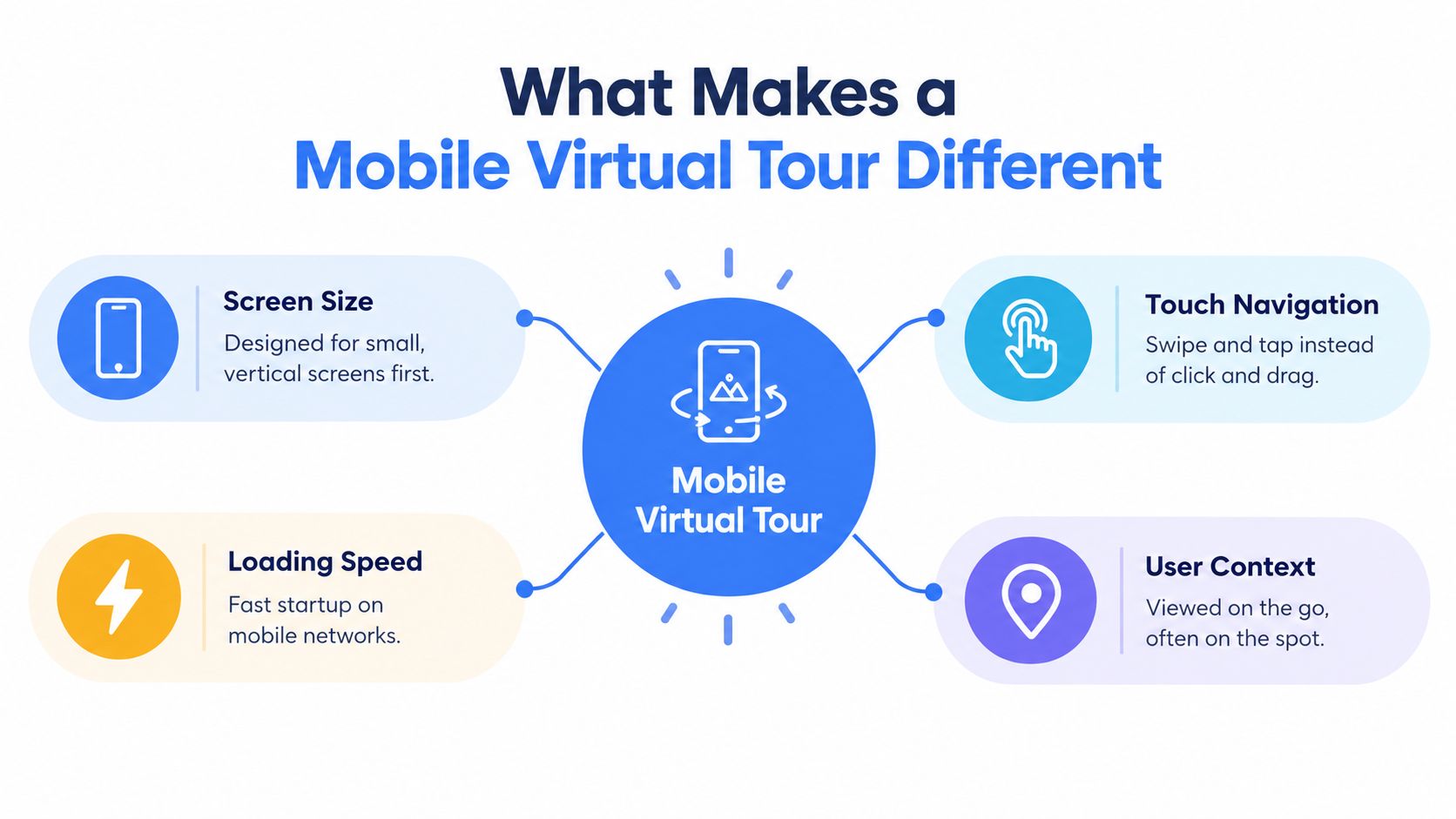
The four design differences
- Screen size: A mobile interface needs a clear focal point, readable labels, and controls that remain usable in portrait orientation.
- Loading speed: The first scene has to arrive before curiosity turns into abandonment. Later scenes can load progressively.
- Touch navigation: Swiping, tapping, and scrolling replace precise mouse movements. Controls need generous spacing and obvious states.
- User context: Mobile viewers often browse away from a desk, so the tour should support quick orientation and short, purposeful interactions.
Industry reporting identifies mobile-first delivery as a leading virtual-tour trend because smartphones are a primary way people access online information, making mobile accessibility central to platform design and effectiveness, as described in this market overview of virtual tour platforms.
A mobile virtual tour also changes the meaning of “immersive.” Maximum visual complexity isn't always the best outcome. Research on a smartphone-based heritage tour found phone viewing more comfortable than VR headset viewing, with better dizziness and vertigo outcomes, which supports designing for comfort rather than pursuing immersion at any cost. Simple guidance, device compatibility, and lightweight interaction can make the experience more usable for education, hospitality, real estate, and venue audiences.
The Technical Requirements for Mobile Delivery
The delivery architecture determines whether a high-quality panorama feels responsive or burdens a phone with unnecessary work. A dependable mobile virtual tour generally uses an HTML5 web experience, so the viewer can open a standard link in a mobile browser without downloading an app or installing a plugin.
The underlying imagery is typically prepared as equirectangular panoramas, then divided into multi-resolution tiles. The viewer receives the resolution appropriate to the device and the visible portion of the scene instead of downloading every visual detail at maximum quality at once. This approach lowers the processing burden on lower-power phones while preserving detail when the viewer looks around.
Why browser delivery matters
A browser-based experience removes a major adoption barrier. A property listing, booking email, school webpage, or social post can send the same tour link to a wide range of devices. The recipient doesn't need to search an app store, create an account, or wait for an installation before seeing the space.
That convenience also improves distribution. A single responsive tour can appear inside a website, open from a short link, or sit behind a campaign button. The implementation still needs browser testing, since differences in touch behavior, media decoding, orientation changes, and memory management can affect the experience. Teams responsible for launch should use a structured browser compatibility checking process rather than relying on one development device.
Image preparation and scene loading
Pre-rendered imagery should be compressed without damaging the details that help viewers judge a room, façade, classroom, or event space. Scene density deserves equal attention. A tour with many heavy scenes may look impressive in an authoring environment but create a poor first visit on a midrange handset.
Lazy loading, sensible starting views, and progressive scene requests help the viewer begin exploring sooner. The technical target isn't just the highest possible resolution. It is the best balance between perceived quality, startup speed, device workload, and reliable navigation.
Creating Mobile-Optimized Tours Step by Step
A practical workflow starts with the audience and the action the tour should support. A hotel may want a viewer to compare room types. A school may want prospective students to find a laboratory or lecture hall. A broker may want a buyer to reach the enquiry form after inspecting key rooms. That purpose determines the scene order, labels, hotspots, and starting view.
A workable production process
Choose the source material. Teams can generate panoramas from a text prompt, transform a regular photograph into a 360-degree scene, or upload existing 360 imagery. The source should represent the space accurately, with attention to lighting, clutter, and the areas a visitor needs to assess.
Build the scene sequence. A drag-and-drop builder can arrange rooms, floors, facilities, or venue zones into a path. The first scene should answer the viewer's basic orientation question immediately, such as where they are and what they can inspect next.
Add useful interaction. Hotspots should explain a feature, open another scene, display an image, or direct the viewer to an enquiry action. Info panels and audio narration can support education and hospitality use cases, but every addition should earn its place on a small screen.
Set the starting view. The initial camera angle controls the first impression. It should show the strongest relevant feature without hiding the navigation controls or forcing a viewer to rotate before understanding the scene.
Reduce mobile friction. Keep labels short, avoid dense overlays, and check that each interactive element remains easy to tap in portrait mode. A cinematic effect that delays access to the space is usually less valuable than a clear opening.
Publish and test. The same tour should be checked on current iPhone and Android devices, with attention to scene transitions, orientation changes, text legibility, and form completion. Testing should happen on real mobile connections, not only on a fast office network.
AI-assisted creation reduces the need for specialist camera equipment and complex software training, but automation doesn't remove editorial responsibility. Generated scenes still need factual review, consistent visual treatment, accessible labels, and a clear relationship between the tour and the business outcome. A polished mobile virtual tour is built by combining fast production with deliberate content decisions.
Performance Optimization and User Experience
A viewer opening a tour on cellular data may abandon it before the first scene appears. Another may reach the space quickly but struggle with small controls, unreadable text, or disorienting motion. Mobile performance therefore affects both access and conversion. A fast interface still frustrates visitors when interaction is difficult, while attractive visuals cannot compensate for an oversized payload.
Experts recommend keeping primary page speed under 2 seconds and using touch targets of about 44 by 44 pixels, alongside compressed media and controlled scene density. These benchmarks and recommendations appear in mobile virtual tour optimization guidance. Test with a midrange Android phone over LTE, as well as current devices on office Wi-Fi, to expose problems that a high-end setup conceals.
Where teams should look first
- Compress media: Reduce file weight while retaining the visual details viewers need to assess the space.
- Load scenes progressively: Deliver the opening scene first, then request additional scenes as the viewer moves through the tour.
- Simplify navigation: Use large buttons, concise labels, and fewer competing actions.
- Adapt the layout: Make the interface respond cleanly to both portrait and horizontal orientations.
- Test real conditions: Check weak Wi-Fi, cellular connections, older handsets, and common browser behaviors.
Comfort is part of conversion
Small-screen ergonomics influence whether visitors reach the parts of a tour that support an enquiry. A thumb should open a hotspot without precision tapping, and text should remain readable without constant zooming. Motion effects should clarify orientation rather than create dizziness, especially for visitors using phones while standing or moving. These choices also support accessibility, reducing effort for people with limited dexterity, visual strain, or inconsistent connectivity.
Practical rule: Remove any interaction that looks impressive in a demonstration but slows the viewer's route to understanding and enquiry.
Teams can use a bandwidth-efficient delivery approach to assess payloads, scene requests, and media choices together. Ask whether the intended audience can understand and move through the tour without waiting, guessing, or feeling uncomfortable, rather than focusing only on whether the phone can display it. A useful review connects those experience signals to business outcomes, such as completed enquiries and continued engagement.
Choosing the Right Platform and Features
Platform selection should follow the publishing workflow, audience, and measurement needs. A solo photographer may need simple uploads and embeds, while a brokerage, hotel group, school, or agency may need collaborative roles, branded domains, lead capture, and analytics.
AI generation can shorten the path from concept to scene, but it shouldn't replace control over starting views, hotspots, info panels, audio, and navigation. Storage and AI allowances matter only when they match the volume of content a team produces. An organisation that publishes a small number of tours may gain more from reliable embeds and analytics than from an expensive enterprise feature set.
| Feature | Free Tier | Pro Tier | Business/Team Tier |
|---|---|---|---|
| Tour creation | Basic builder and limited project capacity | Expanded creation tools and more working capacity | Advanced workflows for larger production needs |
| AI generation | Limited AI credits or access | More AI credits for regular creation | Higher allowances suited to teams and agencies |
| Storage | Suitable for initial projects | More room for multiple tours and media | Expanded storage for shared libraries |
| Distribution | Direct links and standard embeds | Short links and broader embed options | Branded distribution and organisational control |
| Analytics | Basic visibility into tour activity | Deeper engagement and audience data | Advanced reporting and team-level workflows |
| Branding | Platform branding may remain | More customisation | White-label branding and custom domains with automatic SSL |
| Collaboration | Individual use | Limited collaboration | Team roles, shared workflows, and public channel pages |
A business should also review how the tour fits into broader automation. Teams comparing lead routing, follow-up, and property marketing workflows may find this comparison of automated marketing tools useful when evaluating the wider stack.
The right platform makes distribution and measurement practical without forcing every user into a technical role. For agencies and enterprises, white-label presentation, custom domains, team permissions, and public channel pages can matter as much as image quality. For smaller operators, a responsive browser experience, straightforward publishing, and usable analytics may be the more sensible priority.
Distribution Strategies and Analytics Integration
A finished tour doesn't create demand by itself. The link has to appear where prospects already make decisions, and the organisation has to distinguish casual viewing from commercial intent. Website embeds, short links, listing pages, email signatures, social posts, booking journeys, and Google Street View can all serve different stages of discovery.
Distribution should preserve context. A venue link shared from an event enquiry can open on the relevant room. A property listing can place the tour beside the photo gallery. A school campaign can send visitors to a tour with clear calls to admissions content. The fewer steps between the original message and the relevant scene, the easier it becomes to interpret the resulting engagement.
Research cited in industry reporting found that listings with virtual tours received 87% more views, 54% of buyers skipped listings without them, and visitors stayed on sites with tours five to ten times longer. Those figures appear in this report on the rise of virtual tours in real estate, but views and time alone don't prove commercial value.
Measure the path to action
Analytics should connect tour behaviour with the next business step. A useful measurement plan can include:
- Acquisition source: Record whether visitors arrived from a listing, website, email, social post, or direct link.
- Device and location: Compare phone types, browser environments, and geographic patterns to identify delivery problems or high-value markets.
- Scene engagement: Track which rooms, facilities, or hotspots receive attention and which are ignored.
- Lead actions: Measure form starts, form completions, calls, booking clicks, and other enquiry events.
- Quality signals: Compare tour-assisted enquiries with subsequent appointments, applications, bookings, or qualified sales conversations.
GA4, Google Tag Manager, and tracking pixels can turn a passive viewing experience into a source of behavioural evidence. A team can then test a different starting view, shorten a form, revise a hotspot label, or change the campaign placement based on observed behaviour rather than assumptions. The conversion tracking setup guide provides a practical reference for connecting tour activity with measurable actions.
Future Trends and Mobile Tour Evolution
The next phase of mobile touring won't be defined by visual complexity alone. AI-generated scenes will become easier to refine, accessibility expectations will become more explicit, and augmented reality may connect a remote preview with an in-person visit. The durable advantage will belong to organisations that make these capabilities useful without increasing cognitive load.
Personalised scene paths could present different information to a buyer, student, guest, or event organiser. Interactive storytelling may explain how a space is used rather than merely showing its dimensions. Cross-device continuity could allow someone to begin on a phone and continue on a larger screen without losing their place. Each idea has value only if the underlying experience remains fast, understandable, and comfortable.
Research on mobile virtual tours continues to identify usability, accessibility, physical discomfort, and standardised evaluation as important gaps. Instruments such as SUS and UEQ are used in usability work because the field still lacks one universally accepted benchmark for mobile-tour quality. That makes practical auditing more valuable than chasing a single engagement number.
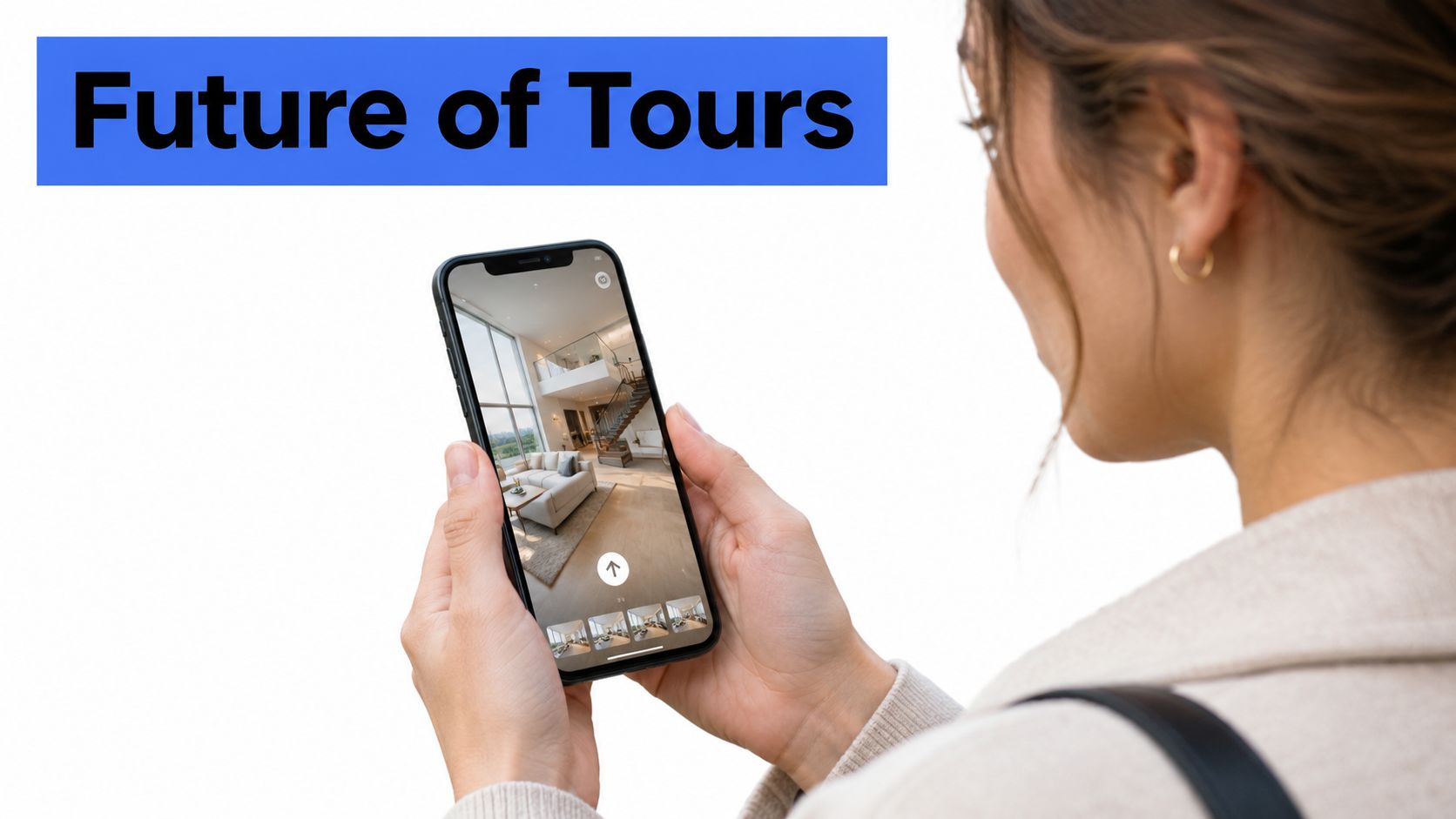
A future-ready audit
- Open the tour on ordinary phones and confirm that the first scene appears promptly.
- Test portrait and horizontal orientations, touch targets, text, audio, and motion comfort.
- Check whether every scene has a clear purpose and whether the starting view reflects the campaign promise.
- Review embeds, short links, listing placements, and mobile calls to action.
- Connect engagement events to enquiries, bookings, applications, or sales conversations.
- Re-test after every major media, layout, or platform change.
A mobile virtual tour should be treated as an operating asset, not a one-time production file. Teams that monitor speed, accessibility, device behaviour, and lead quality can improve the experience as audience expectations change.
Virtual Tour Easy lets teams create immersive 360-degree tours from text prompts, regular photos, or existing 360 imagery, then publish them with hotspots, info panels, audio, responsive viewing, analytics, and lead capture. Explore the workflow and start building a mobile-focused experience through Virtual Tour Easy.