A real estate agent stands in a vacant living room with a phone in hand. The listing needs something more immersive than flat photos, but the choices feel muddy. Should the phone capture a panorama, should a dedicated app do the stitching, or would an AI tool produce something faster for the website?
That confusion is normal because photo 360 app can mean several different tools at once. Some apps capture. Some stitch. Some only display a finished sphere. Others build a full virtual tour around it. The useful question isn't “Which app should be downloaded?” It's “Which workflow fits the space, the deadline, and the business outcome?”
Table of Contents
- What a Photo 360 App Actually Does
- Four Ways to Create a 360 Photo Today
- Capturing 360 Photos With Your Phone
- How AI Tools Generate 360 Scenes Without a Camera
- Photo 360 App vs AI Tour Platform
- Matching the Workflow to Real Estate, Hospitality, and Architecture
- Choosing the Right 360 Workflow and What Comes Next
What a Photo 360 App Actually Does
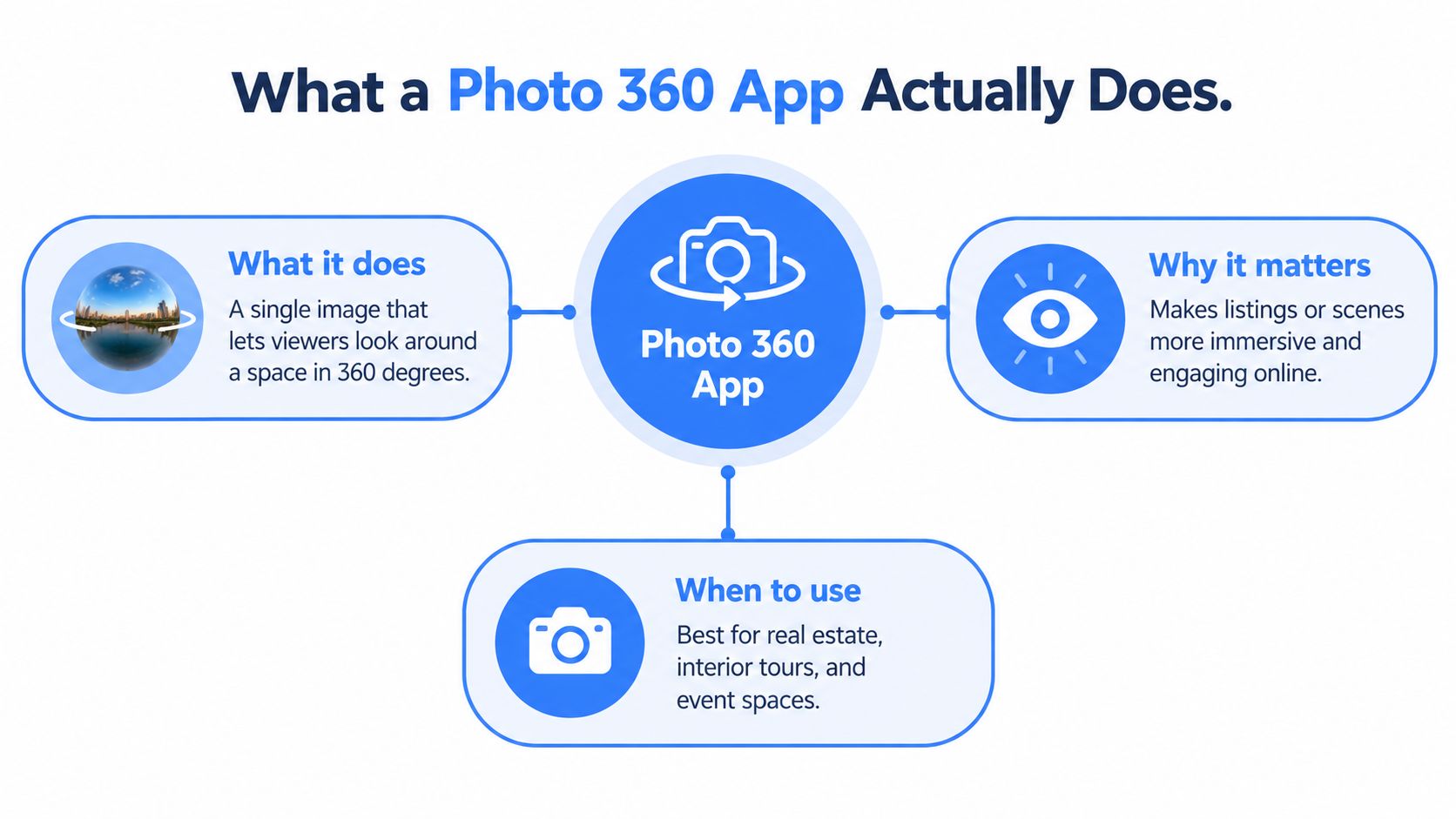
A photo 360 app works with a spherical image. That means the viewer can stand at one fixed point and look left, right, up, and down. The viewer rotates inside the image, but doesn't move through the space unless multiple 360 photos are linked together in a tour.
For non-specialists, the easiest way to think about it is as a room captured from the center. A regular photo shows one wall. A 360 photo shows the whole shell of the room from a single spot.
The file behind the experience
Most 360 photos are stored as equirectangular images in a 2:1 aspect ratio. A practical way to picture that format is an orange peel flattened onto a table. The original shape is round, but the file has to become a rectangle so apps and browsers can store it as a normal image. That's why a full sphere usually looks stretched and strange when opened as a plain JPEG.
One technical guide notes that spherical panoramas are typically stored this way, with common output tiers around 4096×2048, 8192×4096, and in some cases up to 16384 pixels on the long edge in viewer implementations, though older devices may struggle with larger files due to memory limits (Kuula image specs).
What users often confuse
Many people mix up these categories:
- Panorama app: Usually captures a wide strip from side to side.
- 360 photo app: Handles a full sphere, including ceiling and floor.
- 360 viewer: Displays an existing file but may not create one.
- Virtual tour platform: Connects multiple scenes, hotspots, text, maps, or embeds.
Practical rule: If a viewer can look up at a ceiling and down at a floor, it's dealing with a spherical 360 image, not just a wide panorama.
A photo 360 app may do one job or several. The practical outputs usually fall into five buckets:
- Capture a scene directly on a phone or camera.
- Stitch overlapping shots into one sphere.
- Edit seams, color, or orientation.
- Export a usable equirectangular file.
- Publish to a viewer, website, or tour builder.
Some readers who are still deciding between motion and still imagery may also find it helpful to compare this with a choose a video from photos app workflow, because a 360 photo and a photo-based video solve different marketing problems.
Four Ways to Create a 360 Photo Today
Not every 360 image starts the same way. That's where many “best app” lists go wrong. They compare apps without separating the underlying method.
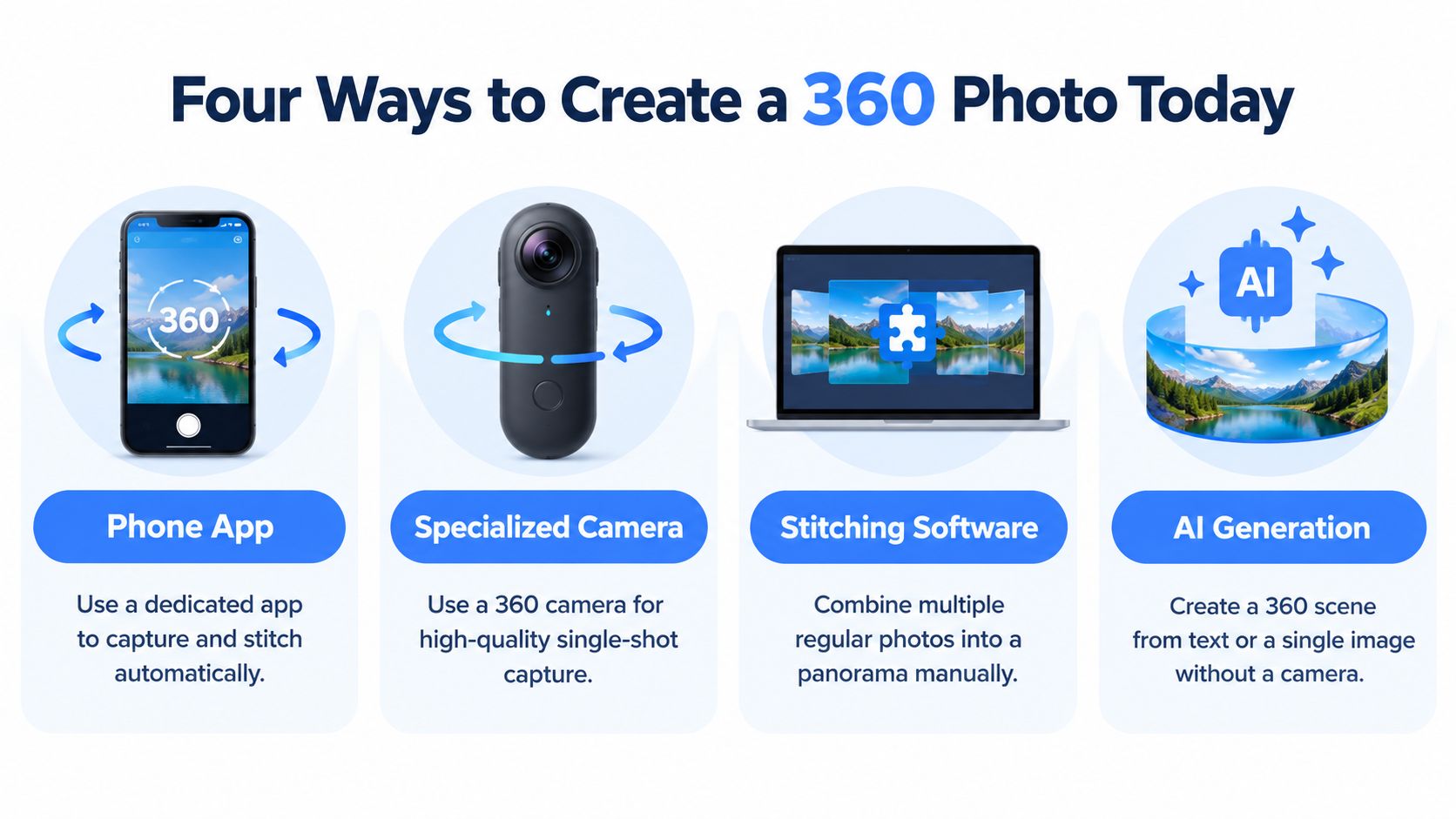
Phone-only capture
This is the simplest entry point. A user opens a phone app, follows on-screen guides, rotates through the space, and lets the app combine the frames.
Pro: It's accessible and usually fast to try. No extra hardware is required.
Con: Results can break at the seams if the phone shifts position while rotating. Quality also depends heavily on lighting and the app's stitching logic.
Multi-shot stitching
This path uses several overlapping photos taken around a fixed point. Those photos might come from a phone or a standard camera. Stitching software then blends them into one spherical file.
Pro: It offers more control. A careful operator can get cleaner lines, better exposure choices, and more deliberate composition.
Con: It takes patience. If overlap is inconsistent or the camera moves off-axis, stitching errors become obvious.
A 360 image is only as clean as the overlaps between frames. The software can blend similar edges. It can't guess a missing corner convincingly every time.
AI text-to-360 generation
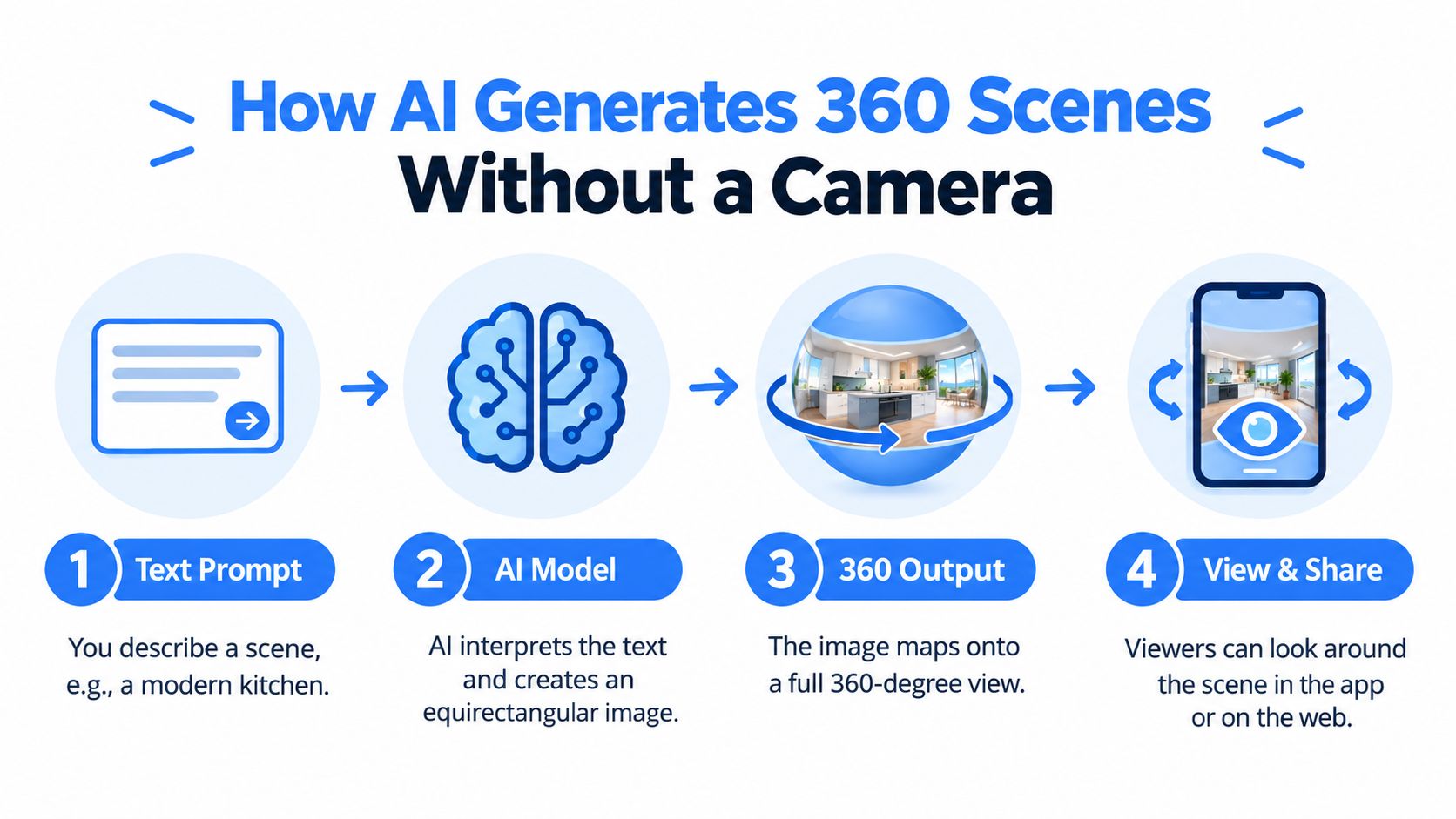
Here, the user writes a prompt such as “modern hotel suite with warm wood tones and city view,” and the tool creates a synthetic equirectangular scene.
Pro: It's fast for concepts, pre-visualization, and placeholder content.
Con: It isn't a trustworthy record of a real location. That matters in property marketing, facilities documentation, and client approvals.
AI photo-to-360 conversion
This method starts from one regular image. The AI estimates surrounding context and depth, then expands the flat image into an immersive scene.
Pro: It can reuse existing photos when no 360 capture exists.
Con: The invented parts of the scene still need human review. The farther the generated view extends beyond the original frame, the less literal it becomes.
Which path fits which reality
A useful way to choose is to match the method to the job:
- Need a real room shown quickly: phone capture
- Need better control over detail: multi-shot stitching
- Need concept visuals before a space exists: text-to-360
- Need to repurpose an existing listing or render: photo-to-360
No single path wins for everyone. The right one depends on budget, deadline, and whether the result needs to document reality or communicate an idea.
Capturing 360 Photos With Your Phone
Phone capture is where many beginners start, and that's reasonable. It asks for attention more than gear.
How to move through the room
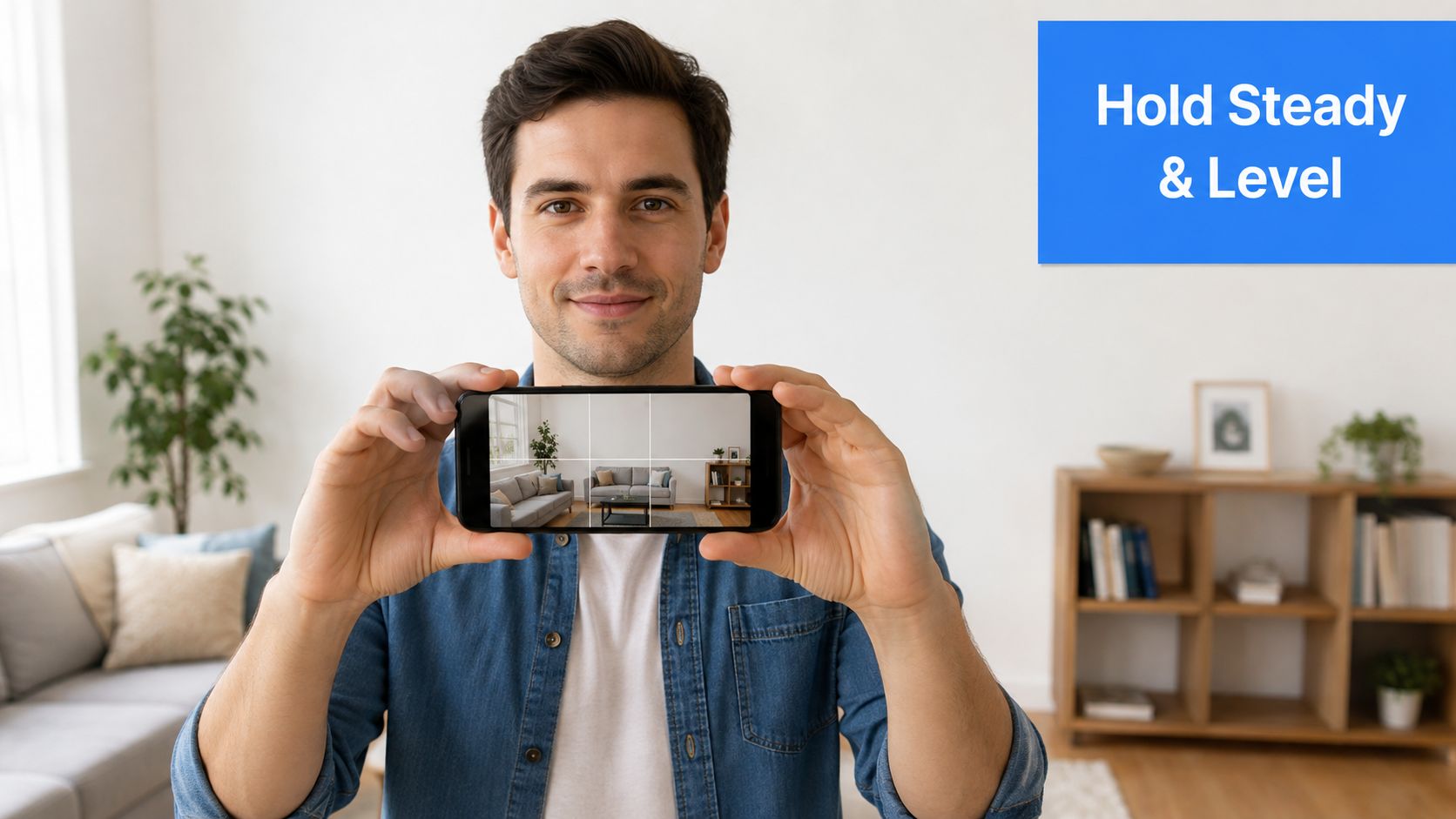
The cleanest phone-based 360 captures usually come from a simple habit. Hold the phone around chest height, keep it level, and rotate around one fixed point instead of stepping in a loose circle. If the phone drifts forward or backward as it turns, the app has to reconcile walls and furniture from slightly different positions.
Overlap matters more than first-time users expect. Each frame should share visible content with the one before it so the stitching software can match edges and textures.
For a practical walkthrough of capture basics, Virtual Tour Easy also explains how to take 360 photos in plain language.
What usually goes wrong
Most failed phone captures come from four problems:
- Tilted horizon: The phone points slightly up or down during rotation, so the room feels warped.
- Exposure shifts: The camera keeps changing brightness between frames.
- Moving objects: People, pets, curtains, or screens create ghosts where frames meet.
- Top and bottom gaps: The zenith and nadir, meaning ceiling and floor, don't always stitch cleanly.
Recent mobile guidance also calls out practical settings that many generic app roundups skip. Smart HDR conflicts, file-format compatibility, manual exposure control, lens cleanliness, and nadir or zenith stitching errors all affect whether the final output is publishable. That same guidance recommends turning off Smart HDR and exporting as equirectangular JPEG for consistency (Travvir on 360 camera apps for iPhone).
Field note: If an app keeps producing strange seams, the problem often isn't the room. It's the phone changing exposure or sharpening between shots.
Resolution choices that affect publishing
Resolution is a trade-off, not a badge of honor. The larger the sphere, the more detail a viewer gets when zooming in. But large files also load slower and push harder on mobile memory.
A useful mental model:
- 4K-class output such as 4096×2048 is light enough for broad compatibility and quick initial delivery.
- 8K-class output such as 8192×4096 is a practical target for more polished tours where interior detail matters.
- Very large outputs can be useful in some workflows, but they often add friction for everyday listing and hospitality use.
Phone capture can work well when the goal is speed, basic documentation, or an entry-level tour. It's less forgiving when accuracy and polish need to survive close inspection.
How AI Tools Generate 360 Scenes Without a Camera
AI changes the starting point. Instead of standing in a room and collecting overlapping images, the user begins with language, a flat photo, or an existing panoramic file.
Text-to-360 and photo-to-360 are not stitching
Stitching blends real frames that overlap. AI generation does something different. A text-to-360 tool interprets a written prompt and renders a synthetic equirectangular scene. A photo-to-360 tool starts from one flat image and infers what might exist around the visible frame.
That distinction matters for business use. A stitched panorama can document a real suite, lobby, or showroom. An AI-generated scene can help explain mood, layout intent, or a marketing concept, but it still needs review before anyone treats it like evidence of the physical site.
Where an AI tour platform changes the workflow
Some platforms combine generation with publishing tools, which removes the need to jump between separate apps. Virtual Tour Easy is one example. It supports text-to-360 generation, photo-to-360 conversion, uploading existing 360 files, and arranging scenes in a visual builder with hotspots, floor plans, and analytics. Readers who want to understand the image-cleanup side of that process may find its article on AI photo enhancement useful.
A platform like that changes the job in three ways:
- It reduces capture dependency: Useful when nobody can revisit the site.
- It bundles publishing: The same workspace can assemble scenes, labels, and navigation.
- It keeps distribution in mind: The output is prepared for sharing instead of ending as a loose file in a folder.
Who benefits most from skipping capture
AI-first workflows fit specific situations especially well.
A property manager may need an immersive asset before access is available. A hospitality marketer may want to test mood-driven room presentations before photography is scheduled. An architecture studio may need to present design intent before construction exists.
Another reason AI workflows are gaining attention is the broader market behind immersive imaging. One market summary reports the 360-degree camera market at about USD 1.3814 billion in 2023, with a projection to USD 8.1336 billion by 2030 and a 27.8% CAGR from 2024 to 2030. The same summary notes annual shipments above 2 million units and an active installed base above 10 million devices worldwide, which points to a large ecosystem for editing, publishing, and sharing 360 content (360 camera market statistics).
The limitation stays the same across all AI-generated work: the scene may look convincing without being site-accurate. For architecture and hospitality concepting, that may be acceptable. For property disclosure, facilities review, or measurement-sensitive work, it often isn't.
Photo 360 App vs AI Tour Platform
A standalone photo 360 app and an AI tour platform can both produce useful results. They just solve different layers of the problem.
A side-by-side comparison
| Dimension | Standalone Photo 360 App | AI Tour Platform |
|---|---|---|
| Cost | Often lower-friction for occasional use | Usually involves an ongoing platform cost |
| Learning curve | Easier if the goal is only capture or viewing | Broader toolset means more to configure |
| Output quality | Depends heavily on capture skill and separate editing | Can combine generation, cleanup, scenes, and presentation in one workflow |
| Publishability | May leave the user with a raw file that still needs hosting | Usually built for embedding, sharing, scene links, and tour structure |
When the app wins
A standalone app makes sense when the task is narrow. Someone needs one spherical image. The scene doesn't require hotspots, lead capture, analytics, or a tour path. The file may be uploaded to an existing viewer or delivered to another team.
This path also suits occasional personal use. A venue manager documenting one room, or an agent testing whether immersive media is worth adding to future listings, may not need more infrastructure than that.
When the platform wins
A platform becomes more sensible when capture is only one step in a recurring publishing workflow. Businesses often need more than a sphere. They need labels, embedded floor plans, scene-to-scene navigation, audience tracking, or a cleaner handoff to clients and web teams.
Viewer performance also matters at this stage. One help source notes that panoramas are stored internally as 4K or 8K, whichever is nearest, to support fast GPU display and streaming. It also recommends not going below 4K×2K because quality loss becomes noticeable. The same source notes that files above about 50 MB can slow browser rendering on lower-end devices, and that 4096×2048 is a practical sweet spot for responsive loading (Metareal panorama guidance).
The better question isn't whether a tool can create a 360 image. It's whether the final result can be published, loaded, and used by the audience without friction.
Teams comparing immersive outputs across formats may also find photo inputs to video AI helpful, especially when deciding whether a project should become a guided motion piece or an interactive sphere.
A simple rule of thumb works well here. If the work is occasional and mostly about capture, a standalone app is often enough. If the work is repeated, interactive, and tied to business reporting or lead flow, a platform usually fits better.
Matching the Workflow to Real Estate, Hospitality, and Architecture
The same technical options lead to very different deliverables once the audience changes.
Real estate listing workflow
An agent has a vacant condo that needs online screening before in-person showings. The chosen path is phone capture, because speed matters more than perfection and the space is already accessible. The output becomes a simple 360 scene or a short connected tour embedded into the property marketing stack.
The business outcome is straightforward. The agent wants better-qualified interest before scheduling visits. A sphere helps remote viewers understand room relationships in a way flat stills often don't.
Hospitality marketing workflow
A boutique hotel wants to market a suite with atmosphere, not only floor coverage. The team chooses multi-shot stitching to control lighting, styling, and composition more carefully. Hotspots then point viewers toward amenities or a booking action.
In hospitality, emotional presentation often matters as much as geometric precision. The room needs to feel inviting. A carefully stitched panorama can support that better than a rushed phone capture, even if both are technically “360 photos.”
Architecture presentation workflow
An architecture studio is presenting a project before construction starts. There's no finished room to capture, so the team uses photo-to-360 conversion for existing interior renders and text-to-360 for mood-based concept scenes. The output functions less like documentation and more like spatial communication.
The goal isn't listing engagement or booking intent. It's faster stakeholder understanding. When clients can look around a proposed atmosphere instead of interpreting elevations alone, discussions often become more concrete.
Why the use case should choose the tool
One reason buyers get confused is that the category itself is fragmented. Some articles and app listings blur the line between panoramic capture, spherical capture, VR viewing, and tour building. That creates a gap between what people search for and what they need. A user searching “photo 360 app” may want one tool for creation, editing, and publishing, even though the market splits those jobs across different products (Digital Trends on 360 camera apps).
A second clue comes from mass-market photo app history. One app listing states that Camera 360 has accumulated more than 100,000,000 users worldwide and more than 100,000,000 total downloads, which shows how mobile photography tools reached broad consumer scale long before many businesses started treating immersive imagery as routine workflow (Mordor Intelligence market report).
The business lesson is simple. Real estate usually values accurate room understanding. Hospitality often values mood and conversion flow. Architecture often values pre-construction communication. The right workflow follows that outcome.
Choosing the Right 360 Workflow and What Comes Next
A workable decision framework starts with three constraints: budget, timeline, and audience.
A simple decision lens
- Phone-based capture fits when the budget is tight, the space is real and accessible, and the team needs something usable fast.
- Stitching fits when a real location must look more polished and the team can spend extra time on careful shooting and cleanup.
- Text-to-360 fits when speed matters more than documentary realism.
- Photo-to-360 fits when existing still images or renders need to become immersive without a reshoot.
For teams thinking beyond one tour, it also helps to study how publishing workflows are changing more broadly. This overview of integrating AI into photography gives useful context for how image creation, cleanup, and delivery are starting to merge.
A short pre-publish checklist
Before publishing any 360 scene, a team should verify four things:
- Resolution choice: The file should match the audience's device reality, not just the highest possible output.
- Hotspot placement: Links and labels should support navigation instead of covering important visual details.
- Metadata and format: The export should remain a proper equirectangular JPEG when that's the target workflow.
- Mobile testing: The scene should load and respond well on an actual phone, not only on a desktop monitor.
For teams planning broader distribution, it's also useful to understand how a 360 scene connects to public mapping ecosystems such as Google Street View publishing.
The direction of travel is clear even without overpromising specifics. 360 publishing is moving toward lighter web viewers, cleaner AI-assisted scene preparation, and tighter connections between capture, hosting, and distribution. The practical takeaway stays grounded: the best photo 360 app is the one that matches the job the team has, not the imaginary workflow in a feature list.
Virtual Tour Easy gives teams several paths discussed above in one place. It can turn text or a regular photo into a 360 scene, accept uploaded panoramic files, and assemble them into shareable tours with hotspots and publishing tools. Readers who want to move from isolated 360 images to a usable business workflow can explore Virtual Tour Easy.