A diner is comparing two restaurants on a phone during a busy commute. Both have attractive food photography, clear opening hours, and an online reservation button. One listing also lets the diner move through the entrance, inspect the table spacing, look into the private dining room, and understand the atmosphere before committing. That restaurant answers practical questions the photo gallery leaves unresolved, so it earns the booking.
That's the commercial role of virtual tours for restaurants. They aren't decorative media. A well-built tour helps diners judge whether a venue suits a date, family meal, business gathering, celebration, or private event, then gives them a direct route to reserve.
Table of Contents
- Why Virtual Tours Win Restaurant Bookings Now
- Planning Your Restaurant Tour for Real Decisions
- Creating 360 Scenes Without Complex Gear
- Designing Hotspots Menus and Booking Paths That Convert
- Publishing Tracking and Promoting Your Tour Everywhere
- Best Practices and Next Steps for Lasting Results
Why Virtual Tours Win Restaurant Bookings Now
A 2026 UK consumer survey covered by ITBrief's report on online venue tours found that 66% of 2,741 adults relied on pre-visit digital venue exploration before deciding whether to visit or spend money at hospitality venues, including restaurants. The same coverage reported that 13% felt far more confident spending when they could properly explore a venue online in advance.
That distinction matters. Diners aren't only looking for visual novelty. They're checking whether the room feels comfortable, whether a group can sit together, whether a private room looks suitable, and whether the venue matches the occasion. In major cities, where several restaurants may compete for the same search, an explorable listing can reduce uncertainty at the moment a guest is choosing.
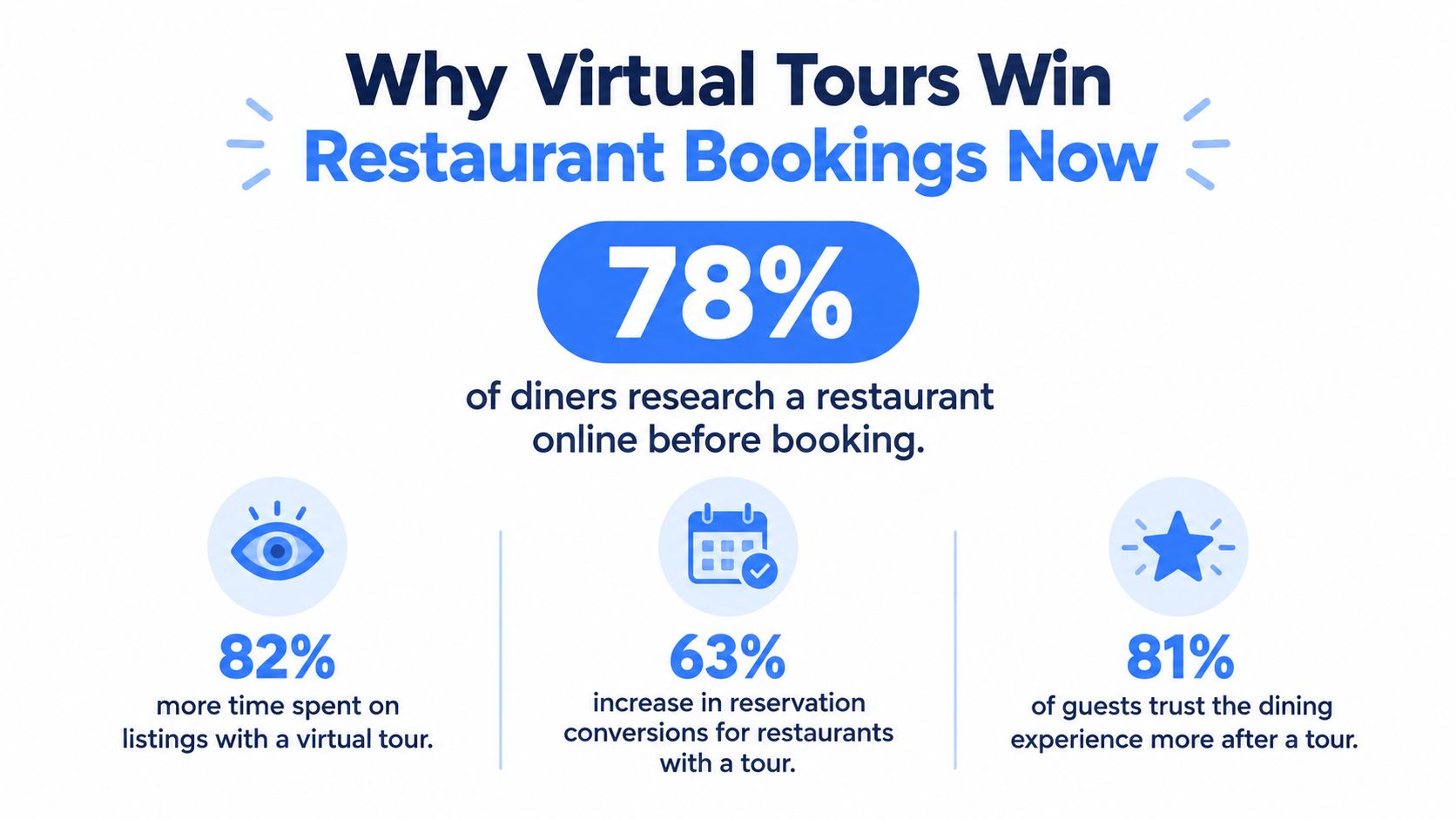
The strongest fit is decision-heavy dining
Fine-dining venues benefit because ambience, room character, and table context influence perceived suitability. Casual restaurants can use tours to show accessibility, seating flow, bar areas, and family-friendly layouts. Event-led venues have an even clearer use case, since private dining buyers need to assess capacity, privacy, entrances, and setup flexibility before they enquire.
The survey's city-level findings reinforce that urban competition makes this behavior especially relevant. It reported pre-visit exploration interest at 17% in London and 15% in Birmingham, suggesting that immersive previews have become part of venue evaluation in large markets, rather than an occasional curiosity.
The broader market is also expanding. Grand View Research data cited in this restaurant virtual-tour market overview values the global tourism and hospitality virtual tour market at US$3,334.2 million in 2024 and projects US$23,529.1 million by 2030, implying a CAGR of about 35.4% across that period. Restaurants sit inside this wider hospitality discovery funnel, where guests increasingly evaluate spaces before booking.
Practical rule: A restaurant tour should answer a booking question at every important stop, not merely provide more views.
Restaurants should borrow the discipline used in other local-search categories. A resource on GBP optimization for dental practices is useful here because it emphasizes the importance of treating a business profile as a conversion surface. For restaurants, the equivalent is making the tour visible where intent is highest and connecting it to reservations, enquiries, and directions.
Planning Your Restaurant Tour for Real Decisions
The camera should be the last planning decision, not the first. Before capture, the restaurant team needs a one-page map of the guest journey, beginning at arrival and ending at a reservation or event enquiry.
Start with the areas that influence confidence:
- Entrance: Show the first impression, host stand, queue area, and arrival route.
- Dining room: Reveal the seating flow, table spacing, sightlines, and overall atmosphere.
- Bar: Capture the counter, stools, drinks display, and whether the space works for a casual visit.
- Private dining: Make room proportions, access, table configuration, and privacy visible.
- Patio or terrace: Show the outdoor setting, circulation, shade, and relationship to the main venue.
- Restrooms: Provide reassurance about cleanliness, access, and the quality of the guest experience.
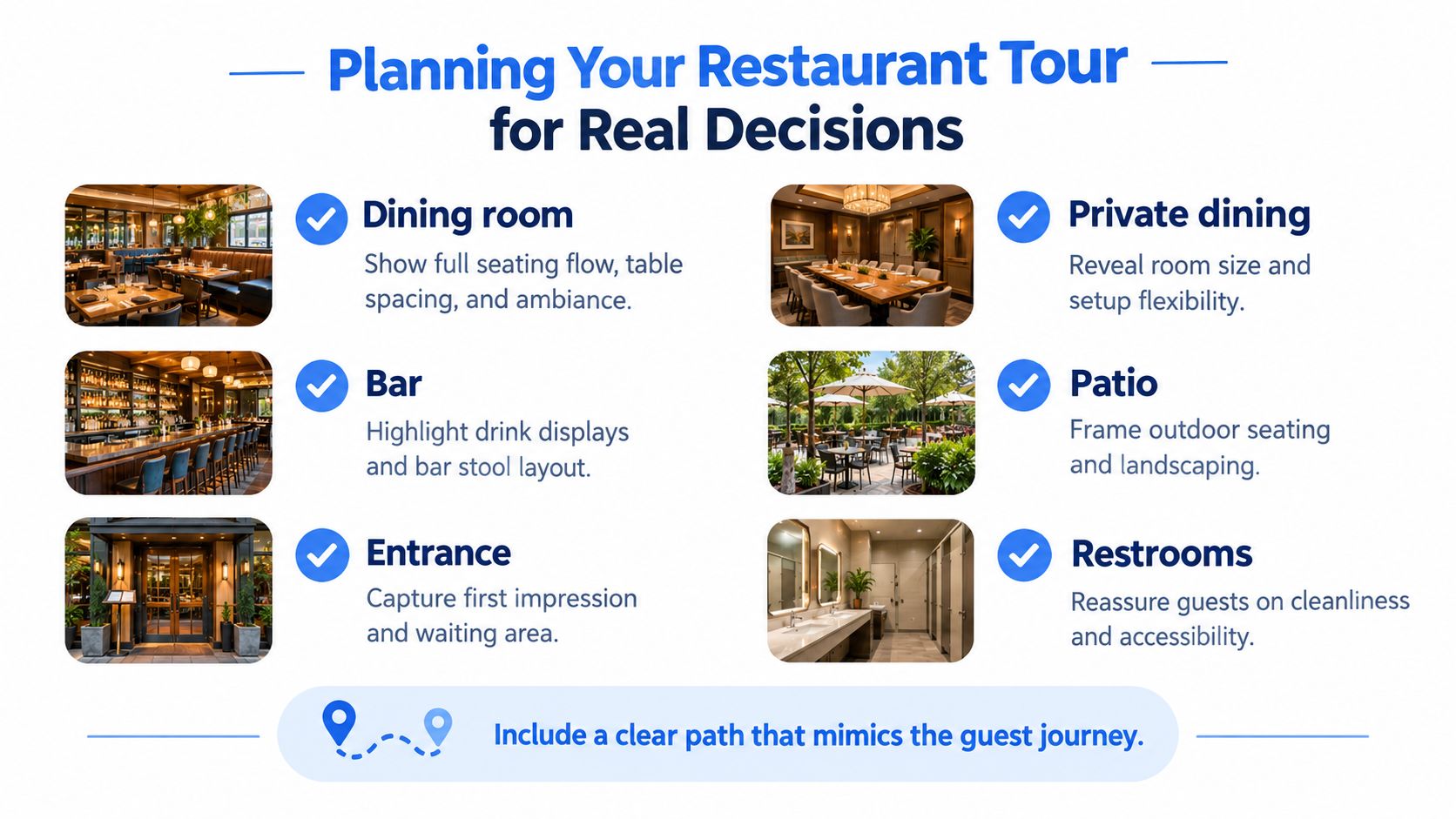
Build the sequence around intent
A useful route usually starts outside or at the entrance, moves through the main dining room, then branches into the bar, patio, or private spaces. The viewer should be able to understand how a guest arrives, waits, sits, moves through the venue, and reaches the area relevant to the occasion.
A couple comparing restaurants needs atmosphere and table context. A family needs circulation, restroom access, and practical seating information. An event organiser needs private-room dimensions, service access, layout flexibility, and a clear enquiry action. The same raw footage can serve all three audiences if the navigation is deliberate.
Shoot before service when the space is clean and fully prepared, but don't make the venue look sterile or misleading. Tables should be styled as they appear during a real service, lighting should reflect the intended experience, and staff should remove temporary clutter such as delivery bags, cleaning equipment, and personal items. If permissions are needed for branded artwork, artwork, music, or guests appearing in the frame, resolve them before capture.
Create a shot list that protects conversion
The shot list should name the scene, its purpose, and the action attached to it. For example, “private room, demonstrate flexible layout, link to event enquiry form” is more useful than “private room, wide shot.”
Teams preparing a broader hospitality operation can also consult these tips for building a hospitality business, particularly the emphasis on aligning guest experience with operational planning. The tour must reflect what the venue can deliver, or the booking team will inherit avoidable expectation problems.
For the production team, a practical guide to using a photo-to-360 app can help determine whether existing photography is usable or whether a fresh capture is needed. The decision should follow the booking path, not the convenience of the available images.
Creating 360 Scenes Without Complex Gear
Restaurants have three practical production routes. Each can work, but each creates a different compromise between control, speed, consistency, and visual realism.
| Capture route | Best use | Main trade-off |
|---|---|---|
| Smartphone workflow | Small cafés and quick refreshes | Lower consistency in difficult lighting |
| Dedicated 360 camera | Full-service dining rooms and detailed venue coverage | Requires hardware and careful positioning |
| AI-assisted creation | Renovation concepts, missing scenes, or mockups | May introduce visual artifacts and shouldn't misrepresent the current venue |
A smartphone workflow is suitable when the restaurant needs a lightweight preview and the space has manageable lighting. The operator should keep the camera position consistent, avoid blocking key sightlines, and inspect stitching before publication. It's fast to repeat, which makes it useful for a venue that changes layouts frequently, but it may struggle with bright windows, dark corners, reflective surfaces, and crowded visual compositions.
A dedicated 360 camera gives the production team more control over resolution, exposure, and stitching. It's the better choice when table spacing, artwork, bar detailing, and private-room structure need to remain legible while the viewer looks around. The camera should be placed where a guest would naturally stand, not in a corner that exaggerates the room or hides circulation.
Use AI where it solves a real production gap
AI generation can help teams create a concept for a planned renovation, turn a regular photograph into a 360 scene, or fill a temporary gap while a proper reshoot is scheduled. Virtual Tour Easy, for example, supports panorama generation from a text prompt, photo-to-360 transformation, and uploads of existing 360 images, followed by assembly in a visual builder with drag-and-drop scenes, hotspots, info panels, audio, and custom starting views.
That flexibility doesn't remove the need for editorial judgment. A generated scene should be clearly treated as a concept or mockup if it doesn't show the current venue. It must not imply that a dining room, table arrangement, or private facility exists when it hasn't been built.
Assemble the experience, not just the files
After capture, scenes need to be stitched, labelled, connected, and checked on the devices diners use. Set a custom starting view that presents the strongest first impression without hiding the entrance or misrepresenting the room. Add audio only when it improves the sense of place and give viewers an obvious way to mute it.
For a smaller project, this guide to creating a free 360 virtual tour can help the team assess the minimum viable workflow. The finished result should feel calm and intentional. A technically impressive panorama still underperforms if the viewer can't find the dining room, private space, menu, or reservation button.
Production standard: A polished tour is not the one with the most effects. It's the one that makes the venue easy to understand without creating doubt about what the guest will actually experience.
Designing Hotspots Menus and Booking Paths That Convert
A hotspot earns its place by resolving hesitation. The viewer may be asking, “Can this room handle my group?”, “What does the menu look like?”, “Where do I reserve?”, or “Is this the right atmosphere for the occasion?” The interface should answer those questions near the scene where they arise.
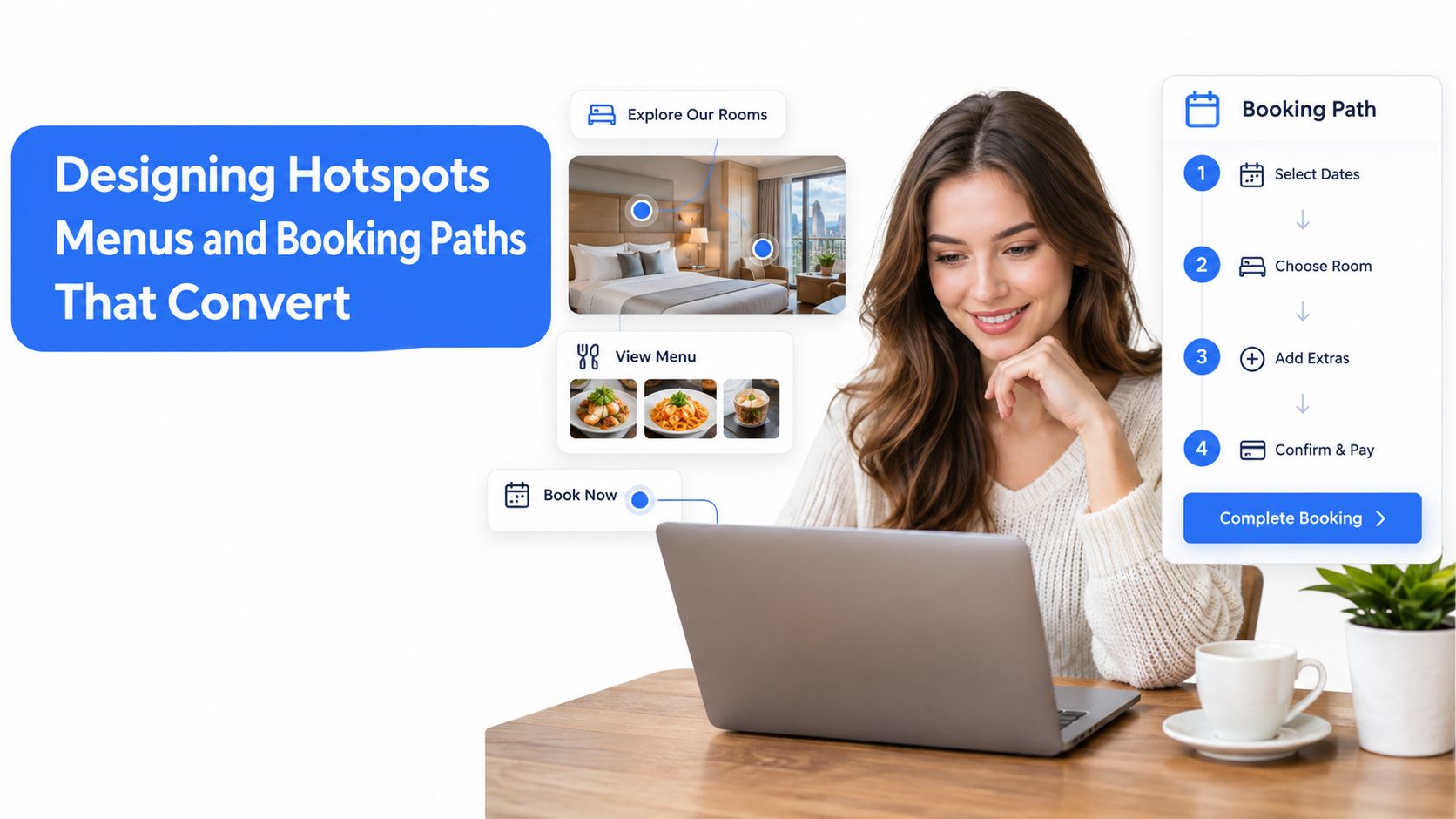
Match hotspot type to guest intent
| Guest intent | Useful hotspot | Appropriate destination |
|---|---|---|
| Assess food choice | Menu panel | Current menu or signature dishes |
| Reserve a standard table | Booking CTA | Reservation system or direct booking page |
| Plan a celebration | Event information | Private-dining enquiry form |
| Understand room suitability | Info panel | Capacity, layout, accessibility, or setup notes |
| Find the venue | Location action | Directions, address, and opening hours |
The main dining-room scene should usually carry the primary reservation action, but it shouldn't be the only conversion point. A viewer exploring the bar may be ready to reserve a counter seat. Someone examining the private room may need an event form rather than a generic booking page. Contextual calls to action reduce the work required from the guest and help the restaurant identify the type of demand arriving.
Show the evidence behind the promise
A private-dining button won't compensate for a vague room view. The scene should show the room's shape, entry point, ceiling height, table arrangement, and relationship to the rest of the restaurant. If the room can be configured in different ways, use an info panel to explain the available setups without overwhelming the image.
The same principle applies to standard reservations. A beautiful sweep across the dining room becomes more useful when viewers can inspect table spacing, booth placement, window seats, or quieter corners. Atmosphere cues matter because diners often select a restaurant for the experience, not the food.
A restaurant-focused case study reported that 50% of viewers who watched the virtual tour made a reservation directly, while 84% said the tour influenced venue choice. These figures come from VR Labs Studio's hospitality case study, so they should be treated as a directional case-study signal, not a universal benchmark.
Keep interaction friction low
Mobile viewers need large, recognizable controls, short labels, and a clear return path. Hotspots should not cover one another, obscure important design features, or open long blocks of text before the viewer understands why they matter. A persistent “Reserve” action can work well, provided it remains visible without dominating the experience.
The most common design error is treating the tour like an interactive photo gallery. The better model is a hosted walkthrough. Each scene introduces a decision, each hotspot provides evidence or context, and each relevant branch leads to the next commercial action.
Publishing Tracking and Promoting Your Tour Everywhere
A finished tour has no commercial value if diners can't find it. Distribution should begin with the places where restaurant intent already exists, then extend into channels that create demand and support follow-up.
The website is the controlled destination. Embed the tour on a page that already helps visitors decide, such as “Visit,” “Private Dining,” “Events,” or a location landing page. Keep the booking button close to the tour, provide a text alternative for accessibility and search clarity, and make sure the page loads well on mobile connections.
Google Business Profile and Google Street View are important discovery surfaces because diners often compare venues before visiting a restaurant website. Add the tour to the profile, connect it with relevant photos, and use a short link in reservation-page content, email signatures, social profiles, and event replies. The tour should also appear in private-dining proposals, where visual proof can shorten the distance between an initial enquiry and a site visit.
Measure actions instead of applause
Views alone won't show whether the tour is helping the restaurant. The measurement plan should distinguish exploration from commercial intent.
Track at least:
- Tour starts: Identify how often visitors begin the experience after landing on the page.
- Scene movement: See whether viewers reach private dining, the bar, patio, or other decision-critical areas.
- Hotspot clicks: Separate menu interest, event information, directions, and reservation actions.
- Reservation clicks: Record the handoff from the tour to the booking system.
- Device and location patterns: Compare behavior across mobile, desktop, and relevant geographic audiences.
- Lead submissions: Capture private-event enquiries when a booking can't happen immediately.
A restaurant-focused source reported booking conversion of 3.2% without a tour versus 7.8% with one, described as a 144% lift, and also claimed 35% more walk-in discovery from local search. Those figures appear in this hospitality virtual-tour conversion analysis. They're useful as reported benchmarks, but restaurants shouldn't assume the same outcome without testing their own traffic, audience, and booking process.
Connect the tour to the analytics stack
GA4 can record page visits and outbound reservation clicks. Google Tag Manager can help organize event tracking, while advertising pixels can distinguish visitors who interacted with the tour from those who only viewed the page. The implementation should use descriptive event names and preserve the traffic source, device, landing page, and relevant scene whenever the platform supports that detail.
A practical conversion tracking setup guide can help the marketing and reservations teams agree on events before launch. A reservation platform may complete the booking on another domain, leaving the restaurant with an incomplete view unless the handoff is configured carefully.
Promote the tour as content
One tour can produce several distribution assets without turning the venue into a repetitive feed. A short cinematic walkthrough can support paid or organic social content. A private-room scene can sit inside an event landing page. A direct scene link can answer a group-booking email. A Google Business Profile post can point users toward the “See Inside” experience.
Measurement rule: Compare reservation behavior by source and audience, not just total tour views. A smaller group of high-intent private-dining visitors may be more valuable than a large audience that never reaches a booking action.
Best Practices and Next Steps for Lasting Results
A restaurant tour should be managed like a booking asset with maintenance ownership, not filed away after publication. Menus change, tables move, private rooms get refreshed, and seasonal displays alter the visual promise. Assign one person to review the tour whenever the guest experience changes materially.
Keep the experience accurate
A durable operating checklist includes:
- Review high-signal scenes: Recheck the entrance, dining room, private areas, patio, bar, and restrooms after layout or renovation changes.
- Test every CTA: Confirm that reservation, menu, directions, and event links still open the intended destination.
- Check mobile behavior: Rotate through scenes, open hotspots, mute audio, and complete the booking handoff on a phone.
- Protect accessibility: Use clear labels, readable panels, alternative text, and supporting written information outside the tour.
- Preserve brand consistency: Keep language, photography, colours, and starting views aligned with the restaurant's current positioning.
- Review team permissions: Agencies and multi-location operators should control who can edit, publish, and approve changes.
The most important unresolved buyer question is segment performance. Existing restaurant-tour content often explains how to place a tour on Google Business Profile, a website, or a reservation page, but it rarely shows which restaurant types gain the strongest booking response. That makes testing more valuable than adopting a generic benchmark.
A fine-dining venue can compare tour-assisted enquiries with standard reservation traffic. An event-led venue can examine private-room hotspot engagement and qualified forms. A casual restaurant can test whether showing seating flow, outdoor areas, or family-relevant facilities changes the quality of incoming visits. The comparison needs a consistent time window, clear source tagging, and a definition of what counts as an incremental booking or qualified enquiry.
Prioritize the next actions
This week, the restaurant team should identify the decision-critical scenes, write the shot list, choose the capture route, and place the reservation destination beside each relevant scene. Next month, the team can review device behavior, hotspot engagement, reservation handoffs, and feedback from the booking staff.
The strongest tours stay useful because they evolve with the venue. They show enough detail to qualify a guest, avoid claims the space can't support, and make the next action obvious without forcing the viewer through a complicated presentation.
Virtual Tour Easy lets restaurants create immersive 360 scenes from text prompts, regular photos, or existing 360 images, then assemble them with drag-and-drop navigation, hotspots, info panels, audio, custom starting views, analytics, and lead capture. Visit Virtual Tour Easy to build a booking-focused preview for a dining room, private space, bar, or event venue and publish it across the channels where guests already make decisions.