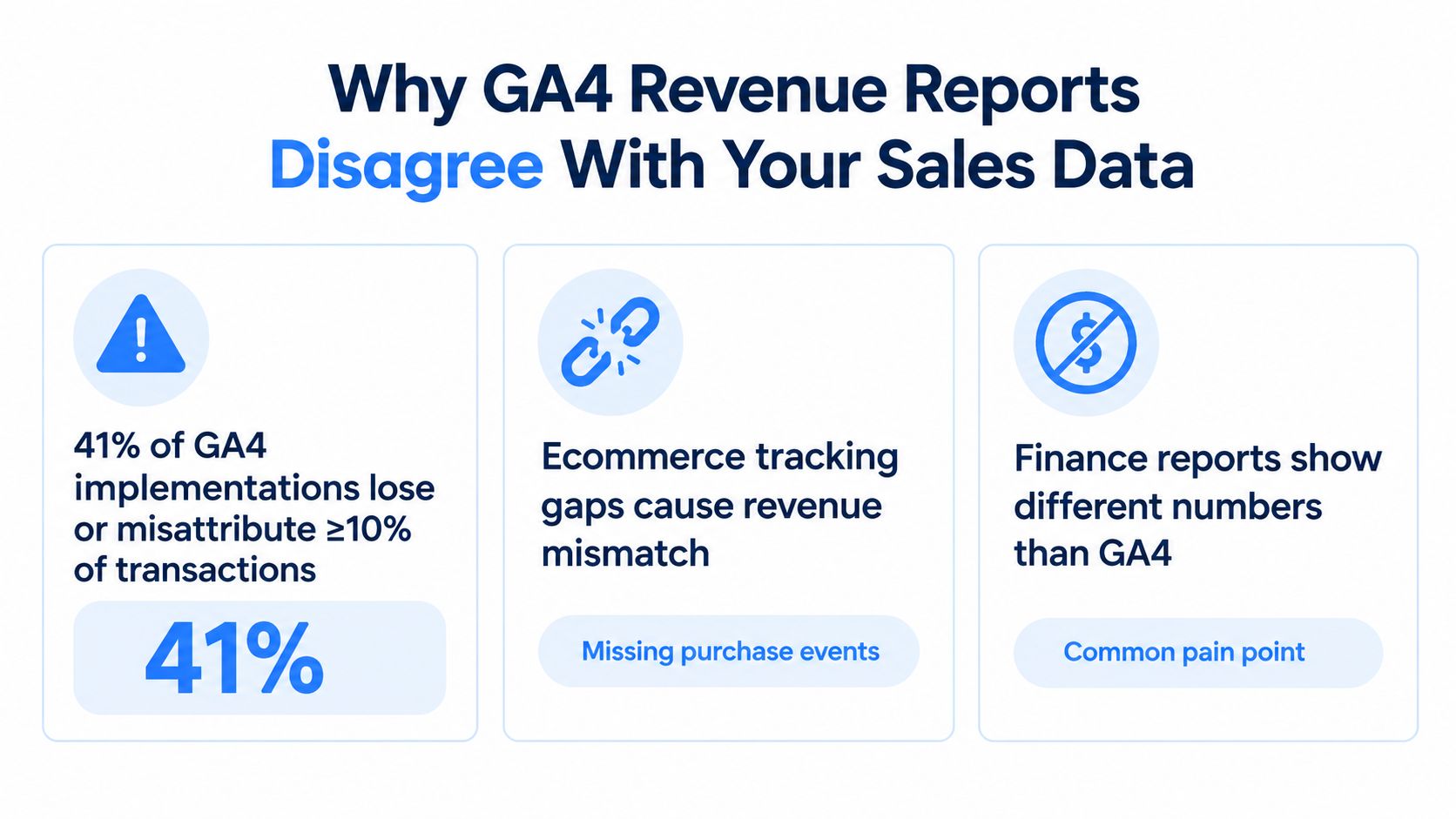
The uncomfortable part of GA4 revenue tracking is that the number in Analytics often looks official while still being wrong in ways finance can spot immediately. In independent 2026 audits, only 41% of brands said their GA4 setup was fully accurate, and 63% were still missing key conversion events more than two years after migration, which is why a revenue report can look live and still disagree with the ledger Visionary Marketing's 2026 GA4 adoption analysis. The problem is usually not one missing tag. It's the combination of event-based collection, redirect-heavy checkout flows, and revenue fields that don't line up with accounting truth.
Table of Contents
- Why GA4 Revenue Reports Disagree With Your Sales Data
- The Events and Parameters That Actually Drive GA4 Revenue
- Implementing Purchase Events With Google Tag Manager
- Connecting VirtualTourEasy Bookings to GA4 Revenue
- Refunds, Discounts, Tax, and Currency the Right Way
- Validating GA4 Revenue Against Your Backend
- Your GA4 Revenue Tracking Rollout and Common Questions
Why GA4 Revenue Reports Disagree With Your Sales Data
GA4 does not behave like Universal Analytics. Google made revenue measurement event-based, tied to ecommerce events such as purchase, add_to_cart, and checkout steps, and it also confirmed the end of Universal Analytics data processing and historical access, which pushed revenue reporting into GA4 by default Google Analytics ecommerce measurement documentation. That shift sounds simple until finance asks why the GA4 number is off from the order export.
The three places the mismatch starts
First, client-side tracking breaks easily when the buyer leaves the site for a payment gateway and comes back later. The dataLayer can disappear, the tag can fire on the wrong page, or the checkout return can lose source information before the purchase event fires. Second, duplicate purchase events are common on thank-you pages that reload or get revisited, and that inflates revenue without warning. Third, the default purchase payload rarely models the full commercial reality, so refunds, discounts, tax, and shipping drift away from what finance recognizes.
Practical rule: if the checkout path includes a redirect, treat attribution as fragile until the confirmation event is tested end to end.
That is why the trust gap shows up so fast. Teams often assume GA4 revenue is a direct mirror of orders, then discover that transaction IDs are missing, currency codes were coerced, or the same purchase was recorded twice after a refresh. In booked services and tour funnels, the problem gets worse because the sale may complete outside the original session, which is exactly where attribution starts to slip.
The fix is not a prettier dashboard. It is an engineered chain where the dataLayer, event schema, and reconciliation process all agree on the same order.
See the related implementation note on GA4 UTM tracking for virtual tours.
The Events and Parameters That Actually Drive GA4 Revenue
GA4 only treats a small set of events as commercially meaningful. The core revenue event is purchase, and it is the one that populates revenue reports when the parameters are correct. refund removes revenue, while add_to_cart, begin_checkout, add_payment_info, and view_item help explain where revenue was earned or lost. For lead-gen sites, generate_lead is the closest equivalent to a monetization signal, but it still needs clear value modeling if downstream teams want to use it.
What each event needs to carry
The essential fields are straightforward. transaction_id must be stable and unique, value must reflect the amount you want revenue reports to use, currency must be valid ISO 4217, and the items array must exist when product-level reporting matters. If those fields are missing or inconsistent, GA4 can still record the event, but the revenue view downstream will be unreliable.
If an event doesn't have value, currency, and a unique transaction_id, don't expect it to reconcile cleanly in GA4 explorations or any Looker Studio dashboard built on top of them.
Some events look revenue-adjacent but don't drive revenue reporting the way teams expect. view_item_list, select_item, view_promotion, and select_promotion can be useful for behavior analysis, but they're not purchase signals. They help explain browse behavior, not recognized revenue.
| Event | Key Event by Default | Required Parameters | Revenue Role |
|---|---|---|---|
| purchase | No | transaction_id, value, currency, items | Records ecommerce revenue |
| refund | No | transaction_id, value, currency, items | Removes returned revenue |
| add_to_cart | No | items, value, currency | Shows product intent |
| begin_checkout | No | items, value, currency | Marks checkout entry |
| add_payment_info | No | items, value, currency | Shows payment-step progress |
| view_item | No | items, value, currency | Tracks product engagement |
| generate_lead | No | value, currency, transaction_id or lead ID | Models non-ecommerce conversion |
Only some events become key events after a marketer promotes them in Admin > Key events. That promotion matters for conversions, but not every key event turns into revenue. The clean rule is simple, if the event is supposed to appear as money, it needs a stable ID, a currency code, and a value that means the same thing everywhere in the stack.
Implementing Purchase Events With Google Tag Manager
GTM works well for GA4 revenue tracking when the purchase payload is pushed once, on the confirmation state, and not on user intent. The common mistake is to fire a purchase on the click to pay, which records intention rather than completed revenue. The cleaner pattern is a dataLayer.push() on the thank-you or booking confirmation page, then a GA4 Event tag that reads those fields through GTM.
A simple purchase payload
A purchase event should carry the order identity, the monetary amount, the currency, and the item array. The order ID should be the actual backend order number or a stable equivalent, not a timestamp that changes every time the page loads.
dataLayer.push({
  event: 'purchase',
  ecommerce: {
    transaction_id: 'ORD-10482',
    value: 249.00,
    currency: 'EUR',
    items: [{
      item_id: 'TOUR-DELUXE',
      item_name: 'Deluxe Tour Package',
      quantity: 1,
      price: 249.00
    }]
  }
});
For a generate_lead event, the structure should mirror the same discipline, even if the value is only estimated:
dataLayer.push({
  event: 'generate_lead',
  lead_source: 'organic_search',
  campaign: 'spring_showcase',
  value: 35.00,
  currency: 'EUR',
  transaction_id: 'LEAD-88341'
});
Two GTM failures show up repeatedly. One is a trigger that listens to the wrong event name, so the tag never fires. The other is a redirect that wipes the dataLayer before the tag can read it. A sequence-based trigger or a temporary local-storage handoff usually solves the second problem.
For setup, the GA4 Configuration tag should carry the Measurement ID, ecommerce settings should be enabled in the event tag, and the event name should be set to purchase exactly. Then test with GTM Preview and GA4 DebugView until the transaction ID and value match the backend order export. The implementation guide at GA4 conversion tracking setup for virtual tours is a useful reference point when mapping form and booking events through GTM.
Connecting VirtualTourEasy Bookings to GA4 Revenue
VirtualTourEasy fits well into a GA4 revenue model because its events are already structured around tour engagement and conversion. The practical mapping is simple. tour_view stays an engagement event, lead_submit becomes a lead conversion, and booking_confirmed becomes the revenue event that should land in GA4 as a purchase-equivalent transaction.
Booking confirmation needs to fire late, not early
The cleanest trigger is the confirmation page or confirmed webhook state, not the button click. A click can fail, get abandoned, or be duplicated by impatient users, while a confirmed booking reflects a completed order. For revenue, that distinction matters more than it does for vanilla engagement reporting.
A booking payload should carry tour_id, package_name, num_guests, currency, value, and transaction_id. The transaction ID should be stable, and a combined key such as booking ID plus timestamp can help prevent duplicate page loads from inflating revenue if the underlying booking ID alone is reused in retries. For lead capture, lead_submit can carry a predicted_value so downstream reporting can separate pipeline value from actual cash collected.
Use the booking system as the source of truth for completion, then send GA4 the same order identity the finance team can reconcile later.
That is especially useful for tour businesses that close in stages. A lead can move into a booking later, and GA4 should not pretend both events are the same thing. For teams that route traffic across domain hops or embedded booking flows, GA4 cross-domain tracking guidance for VirtualTourEasy helps keep the original source intact through the handoff.
VirtualTourEasy also includes analytics, lead capture, and integrations with GA4 and GTM, which makes it easier to keep the booking event aligned with the customer's payment. The key is to test the webhook payload against the confirmation record and verify that any add-ons are included in the final value, not just the base package.
Refunds, Discounts, Tax, and Currency the Right Way
Most revenue drift comes from teams sending the wrong number, not from GA4 miscounting on its own. A purchase can be technically valid and still be commercially wrong if the value field represents pre-tax gross, if discounts are ignored, or if refunds never fire. That is how a dashboard can look clean while finance keeps rejecting the figure.
Four errors that break the money line
The first error is sending gross sales when the business wants net cash collected. The second is ignoring the coupon or discount logic, which makes the reported value higher than what was paid. The third is never sending a refund event, so cancelled bookings stay in revenue forever. The fourth is hardcoding the wrong currency, which turns a multi-currency catalog into a single reporting assumption.
| Parameter | What Most Teams Send | What GA4 Revenue Should Receive |
|---|---|---|
| value | Pre-tax gross or list price | Final amount paid after discount and tax, if that is the finance standard |
| currency | Hardcoded USD or symbol only | ISO 4217 code from the payment gateway |
| coupon | Omitted | Applied discount code when one exists |
| refund | No refund event | Separate refund event with negative value or refund payload |
| shipping | Omitted or mixed into value | Sent consistently with the finance definition |
| tax | Dropped entirely | Included or excluded consistently with the finance definition |
The right move is consistency, not improvisation. If finance tracks local-currency cash collected, GA4 should receive the local-currency amount that the gateway processed, then let reporting handle conversion at the analysis layer. If the business sells across borders, a converted figure sent too early can create mismatches that are hard to unwind later.
The hard truth is that a GA4 setup can be “working” while still being strategically wrong. That usually appears when ecommerce, subscriptions, and bookings all use different definitions of revenue in the same property. Once the definition changes, every downstream dashboard inherits the error.
Validating GA4 Revenue Against Your Backend
Reconciliation should be boring, repeatable, and slightly ruthless. The cleanest workflow compares the same completed calendar month across the backend order export, GA4 purchase revenue, and finance-recognized revenue, then checks order by order until the differences are explainable. The goal is not to prove GA4 right. It is to prove the implementation consistent.
A practical audit sequence
Start with a GA4 export from Explorations, filtered to purchase events for the month under review. Join that file to the backend on transaction_id, then sort the mismatches into four buckets, missing events, duplicate transaction IDs, value mismatches, and currency mismatches. Once the outliers are grouped, the fix path becomes obvious.
A variance under 5% is commonly treated as healthy in implementation reviews, while anything above that should trigger a deeper audit of transaction IDs, session stitching, and consent-gated loss Analytico Digital's revenue accuracy guidance. For teams that want a tighter operating rule, under 2% is usually noise, 2-5% deserves investigation, and above that is a broken implementation.
| transaction_id | Backend Revenue | GA4 Value | Variance | Issue |
|---|---|---|---|---|
| ORD-2001 | 120 | 120 | 0 | Clean match |
| ORD-2002 | 85 | 85 | 0 | Clean match |
| ORD-2003 | 240 | 240 | 0 | Clean match |
| ORD-2004 | 160 | 180 | 20 | Hardcoded value bug |
| ORD-2005 | 95 | 95 | 0 | Clean match |
| ORD-2006 | 310 | 310 | 0 | Clean match |
| ORD-2007 | 140 | 140 | 0 | Clean match |
| ORD-2008 | 220 | 220 | 0 | Clean match |
| ORD-2009 | 75 | 75 | 0 | Clean match |
| ORD-2010 | 190 | 190 | 0 | Clean match |
The pattern to watch is the outlier that sits just above the rest, especially when a missing coupon or a hardcoded value produces a consistent overstatement. A weekly checklist keeps that from drifting: DebugView check, transaction_id uniqueness query, refund event firing rate, and currency code audit.
Your GA4 Revenue Tracking Rollout and Common Questions
A rollout that survives contact with finance usually follows a staged plan, not a rushed launch. The first month should focus on the data layer, the next month on validation, and the final month on the edges that make revenue disagree with accounting. That order saves a lot of rework.
A workable 30-60-90 sequence
In the first 30 days, instrument purchase, begin_checkout, add_to_cart, and generate_lead through GTM, then confirm transaction_id, value, and currency are passed correctly. Days 31 to 60 should be spent in DebugView, Tag Assistant, and backend reconciliation, with a weekly variance review against the order system. Days 61 to 90 are for refunds, tax and shipping parameters, offline conversions, and closing the loop on bookings that complete after a sales call or follow-up.
| Phase | Days | Focus | Key Deliverables |
|---|---|---|---|
| 1 | 1-30 | Data layer and event schema | Purchase, checkout, lead events, correct value and currency |
| 2 | 31-60 | Validation and reconciliation | DebugView checks, backend matching, variance review |
| 3 | 61-90 | Edge cases and offline conversions | Refunds, tax, shipping, delayed bookings, closed-deal tracking |
Three questions come up every time a team launches. First, whether GA4 revenue will perfectly match finance. It won't, and it shouldn't be expected to, because the systems answer different questions. Second, whether data-driven attribution should be trusted immediately. It should be read carefully, because attribution is only as good as the event integrity feeding it. Third, whether the same transaction_id appearing in multiple reports is a bug. Usually it isn't, because one order can rightfully appear in acquisition, monetization, and exploration views at the same time.
When the site starts completing sales outside the browser session, server-side measurement becomes worth discussing. That is the point where Measurement Protocol or another server-side handoff stops being optional and starts being the only reliable way to preserve the money trail.
Virtual Tour Easy gives teams a way to create tours, capture leads, and pass booking activity into GA4 and GTM without stitching together a pile of separate tools. If a tour, venue, or property team wants cleaner revenue attribution from first view to confirmed booking, Virtual Tour Easy is worth reviewing as part of the stack.