A vacant listing can feel invisible by its second week. The first open-house rush has passed, weekend traffic is weak, and every additional showing requires coordination among the seller, the buyer, the agent, and the property itself. A well-built virtual tour keeps the home available after the lockbox stops turning, while also showing which online visitors are serious enough to deserve a call.
That distinction matters. Virtual tours for real estate agents aren't just digital decoration. They can give relocating buyers a way to inspect room relationships, help sellers avoid unnecessary disruptions, and give agents behavioral signals before committing time to another drive. The practical question isn't whether every listing needs the most expensive capture setup. It's which format creates enough clarity and buyer intent for that particular property.
Table of Contents
- Why Virtual Tours Are Now a Default Listing Tool
- What the Research Actually Says About Results
- Choosing the Right Capture Method for Each Property
- Building the Tour in a Drag-and-Drop Editor
- Using Tours to Capture Leads and Read Buyer Intent
- Embedding, Sharing, and Promoting Across Channels
- Matching Tour Production to Price Point and a Quick Checklist
Why Virtual Tours Are Now a Default Listing Tool
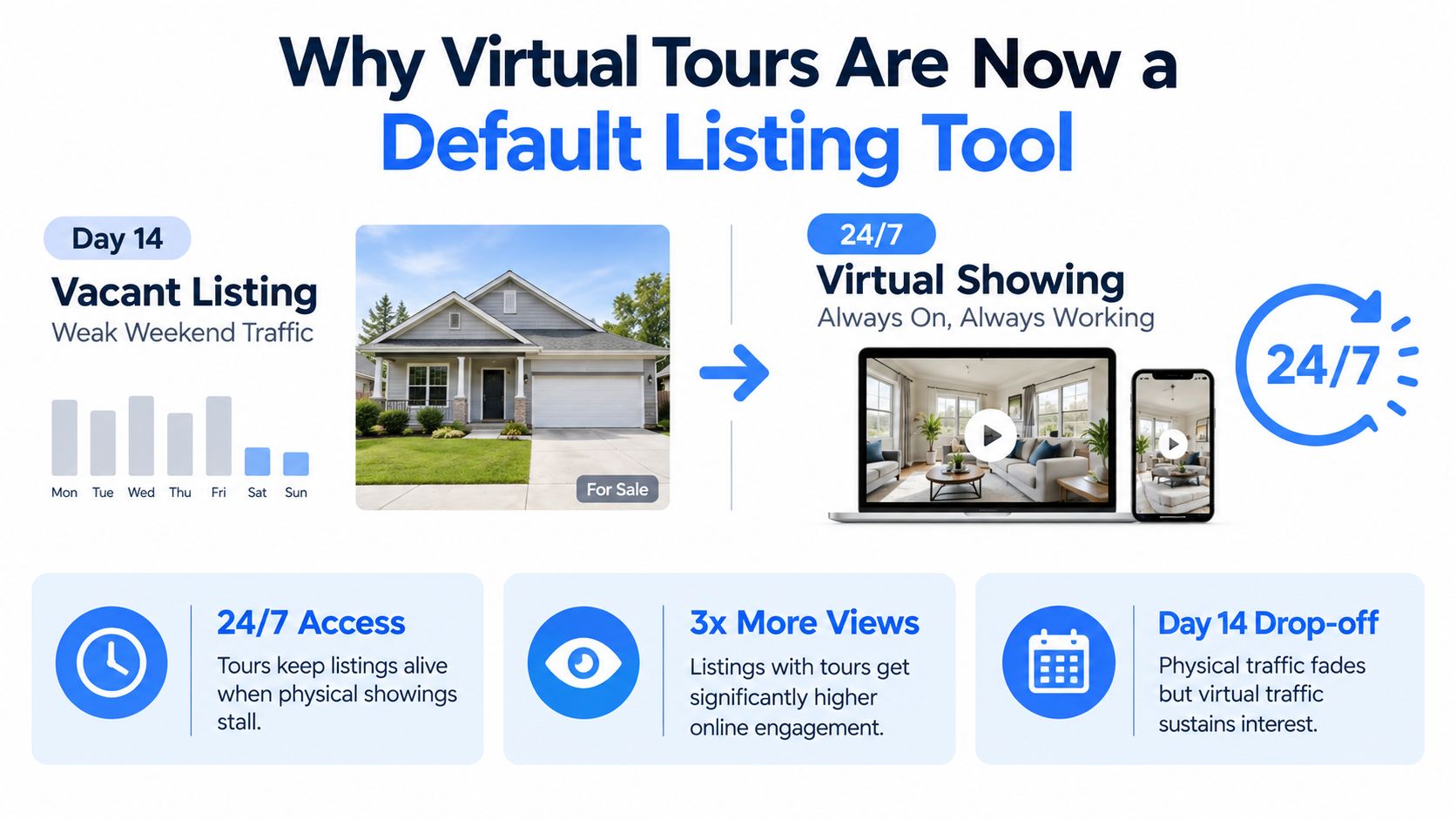
A listing that sits idle on day 14 has a visibility problem, but it may also have a scheduling problem. Buyers who work irregular hours, live outside the area, travel frequently, or don't want to bring children and pets to an early showing can still evaluate a home online. A virtual tour gives them a guided, always-available showing instead of forcing every interested person into the same narrow appointment window.
The shift became impossible to ignore during the COVID-19 era. Zillow Group's reported surge in virtual-tour activity reached 750% in the month after U.S. stay-at-home orders were issued, and activity remained about twice as high as the previous year through late November. That period moved tours from an optional enhancement to a mainstream listing expectation, particularly in markets where in-person access was restricted or difficult.
The tour works before the appointment
A strong tour answers basic questions before an agent schedules a visit:
- Does the layout work? Buyers can understand how the entry connects to the living areas, kitchen, bedrooms, and outdoor space.
- Does the condition fit? Visible finishes, storage, room proportions, and awkward transitions become easier to assess.
- Is the location worth pursuing? Relocating buyers can make an informed first pass without traveling.
- Is an in-person visit justified? Agents spend less time showing a property to people who reject the floor plan as soon as they see it.
The tour also reduces friction for occupied homes. Sellers don't need to reset the property for every casual showing, while buyers can return to a room or feature without asking for another appointment. Agents still need photographs, accurate measurements, and clear disclosure, but the tour adds continuity between listing exposure and physical inspection.
Practical rule: Treat the tour as a pre-showing filter. Its job is to help the right buyers arrive better informed, not to replace photographs, accurate listing details, or professional judgment.
Presentation begins outside. If a tour sends more qualified attention toward a property, the entry sequence and exterior still need to support the promise. A practical curb appeal guide for Arizona can help agents and sellers address landscaping and arrival details before capture day.
The cost should therefore be viewed as a one-time listing asset, not a recurring burden attached to every inquiry. The right production level depends on the property's positioning, seller expectations, and the value of reducing wasted appointments.
What the Research Actually Says About Results
Virtual tours deserve neither dismissal nor inflated promises. The strongest evidence says adoption is meaningful, while direct price effects are smaller and less consistent than early marketing language suggested.
The COVID-era surge established demand for remote evaluation, but a sudden change in behavior shouldn't be treated as a permanent return on every production dollar. A Harvard Business School summary of research covering 75,000 home sales reports that, after controlling for better photographs and captions, virtual tours had an insignificant effect on final sale prices. The same summary contrasts that result with an earlier estimated lift of roughly 1.1% when those controls weren't applied, and with prior estimates of a 2% to 3% premium. Harvard Business School's review of the findings is a useful warning against crediting the tour for results created by stronger overall listing quality.
A separate National Bureau of Economic Research working paper reports an average sale-price increase of 1% and finds that virtual tours appeared in roughly 22% of listings in its analysis. The research supports a measured position: tours may improve access, engagement, and qualification more reliably than they raise the final price.
Research findings translated into decisions
| Study / Source | Key Finding | What It Means for Agents |
|---|---|---|
| Zillow Group reporting, summarized by Snappr | Virtual-tour activity surged 750% after stay-at-home orders and remained about twice the prior-year level through late November. | Remote evaluation became normal quickly, so buyers may now notice missing immersive media before contacting an agent. |
| Harvard Business School summary | In a study covering 75,000 home sales, the controlled price effect was insignificant. | Don't promise a price premium from the tour alone. Improve the complete listing package. |
| NBER working paper | Virtual tours were used in roughly 22% of listings, with an average sale-price effect of 1%. | Adoption is substantial, but the financial return varies by property and execution. |
The evidence also changes how an agent should forecast impact. Start with the likely business outcome, not a headline percentage. Estimate whether the tour can expand the pool of viable buyers, reduce unsuitable showings, support a remote offer, or strengthen the seller presentation. Then compare that expected value with capture, editing, hosting, and management costs.
A tour doesn't need to raise the sale price to pay for itself. Avoiding one unproductive appointment or helping one relocating buyer reach a confident next step can be the more realistic break-even path.
Claims about engagement should be treated cautiously unless the platform, audience, listing quality, and measurement method are clear. The repeatable result is not a guaranteed premium. It's a better information layer that can help the agent understand and manage buyer behavior.
Choosing the Right Capture Method for Each Property
Production decisions should follow the listing, not the equipment catalog. Three capture paths cover most practical needs, from a fast inventory update to a measured luxury presentation.
Path one uses existing photographs
AI panorama tools can transform regular listing photographs or DSLR images into navigable scenes. This route suits budget-sensitive listings, rental turnovers, and properties where a quick online experience matters more than a highly measured model. It can also help an agent test the qualification concept before investing in specialist capture.
The limitation is spatial accuracy. A generated or stitched panorama may look convincing while still requiring careful review for distorted edges, missing transitions, or misleading room relationships. The agent should label the experience clearly and avoid presenting an AI-generated scene as a measured scan.
Path two adds a 360 camera
A Ricoh Theta or Insta360 can produce a more coherent walkthrough with hotspots and room-to-room navigation. Matterport's camera ecosystem can add a more structured presentation, while a lighter 360 setup can work well for mid-market single-family homes that need clarity without a full dollhouse model.
The workflow is faster and more repeatable than a fully measured shoot, but it still depends on preparation. Straighten furniture, open the right doors, control mirrors and windows, and decide where the viewer should pause. A technically complete tour can still fail if every scene looks dark, cluttered, or disconnected.
Path three uses professional scanning
Matterport or Leica BLK360 capture is appropriate when measured floor plans, complex layouts, commercial space, new construction, or luxury positioning justify the additional production. Buyers and professional partners may need reliable spatial information, not just a sequence of attractive views.
| Capture Method | Approx. Cost | Best For | Limitations |
|---|---|---|---|
| AI-generated panoramas | Qualitatively lower-cost workflow | Fast inventory, rentals, budget-conscious listings | Can lack measured accuracy and may require careful quality control |
| 360-camera capture | Moderate equipment and time commitment | Mid-range homes and repeatable agent workflows | Needs thoughtful staging, lighting, and scene placement |
| Professional Matterport or Leica BLK360 shoot | Higher production investment | Luxury, commercial, new construction, and complex layouts | Greater cost, scheduling needs, and vendor dependence |
Agents comparing workflows can review this guide to 360-degree cameras for real estate before choosing between ownership and outsourcing. Renting makes sense when shoots are occasional. Buying can work for a consistent listing pipeline, but only if someone will manage capture, stitching, uploads, corrections, and delivery. Hiring a local Matterport Pro often wins when the agent's time is more valuable than the equipment savings.
If the property cannot reasonably absorb a professional shoot, an AI or lightweight 360 workflow may be the responsible choice. For higher-value or technically complex listings, the premium should buy something specific, such as measured navigation, stronger seller confidence, or a more persuasive remote-evaluation experience. Agents who also need broader production context can consult Carlos Alba Media's newsroom expertise for video when evaluating how a tour fits into a larger visual campaign.
Building the Tour in a Drag-and-Drop Editor
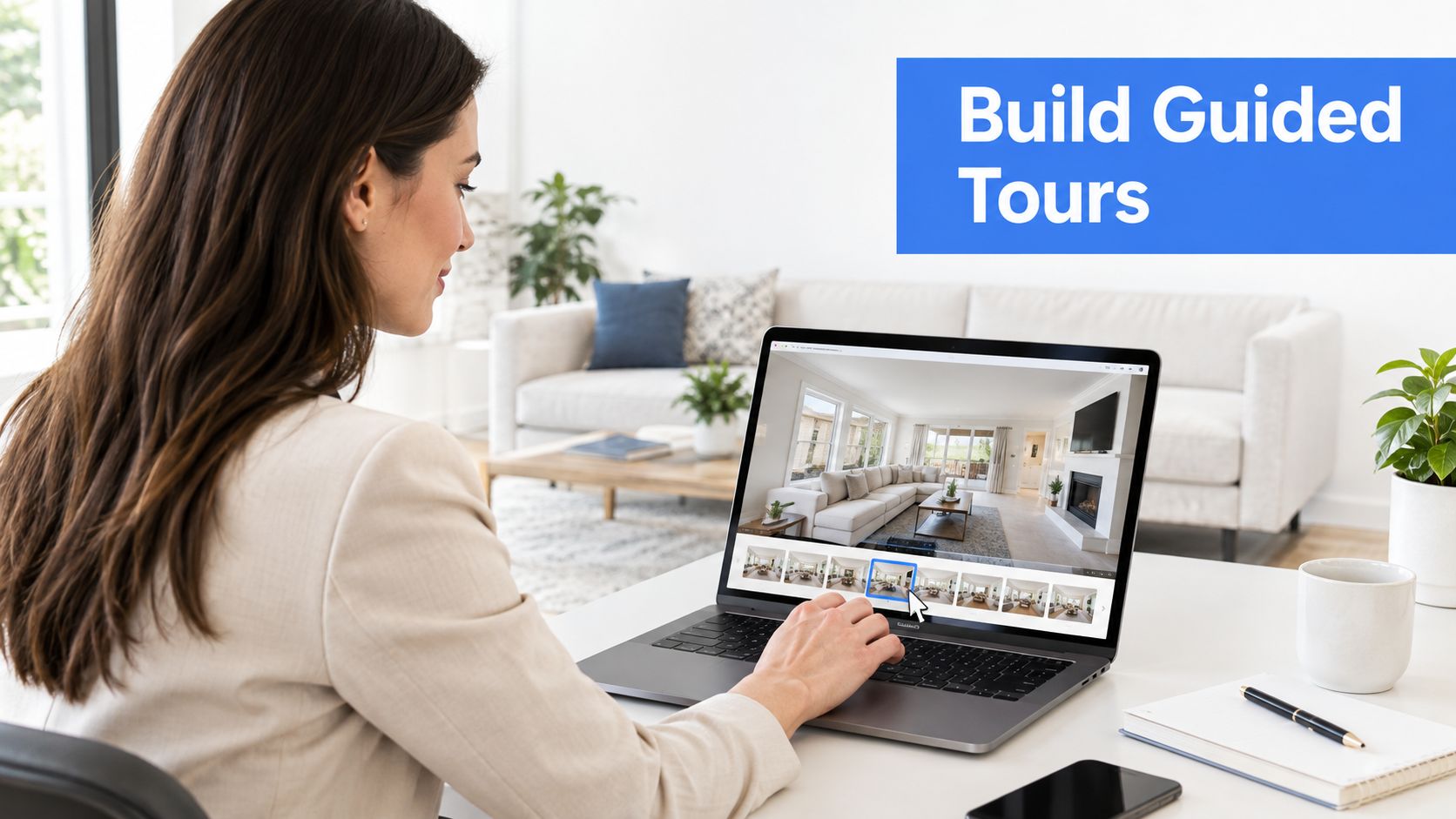
Raw panoramas don't create a showing. The editor has to impose a sensible route so the viewer understands the property without hunting through disconnected scenes.
Start with the sequence a person would follow in real life:
- Entry or front approach.
- Living room and main circulation path.
- Kitchen and dining area.
- Bedrooms and primary suite.
- Bathrooms and utility spaces.
- Patio, yard, balcony, or other outdoor areas.
This order gives the viewer orientation before details compete for attention. A floor-plan view or dollhouse map should remain easy to find because it answers the question photographs can't, which spaces connect and how the home functions as a whole.
Design for decisions, not decoration
Hotspots should earn their place. Room labels, a measured floor-plan link, and concise notes about materials or improvements usually help more than a cluster of animated icons. Put explanatory panels where buyer questions naturally arise, especially around the kitchen, primary suite, storage, mechanical upgrades, and outdoor living.
Ambient audio can support atmosphere, but it shouldn't compete with spoken guidance, accessibility, or page speed. A short branded opening card can identify the property and agent, while the main experience should get to the home quickly. The seller's logo and contact details belong in the interface, not across every visual surface.
A custom starting view has disproportionate importance. Select the strongest angle, often the main living area facing a feature wall, large window, fireplace, or backyard connection. Don't start on a blank wall, a narrow hallway, or a utility room just because that scene was uploaded first.
Editing test: A buyer should know where they are, why the room matters, and where to go next without reading a manual.
A visual builder such as Virtual Tour Easy's virtual-tour creator guide can support this kind of scene assembly with drag-and-drop elements. Regardless of platform, the quality check should happen on a phone as well as a desktop. If labels overlap, hotspots are hard to tap, or the starting view loads slowly, the tour is unfinished.
Using Tours to Capture Leads and Read Buyer Intent
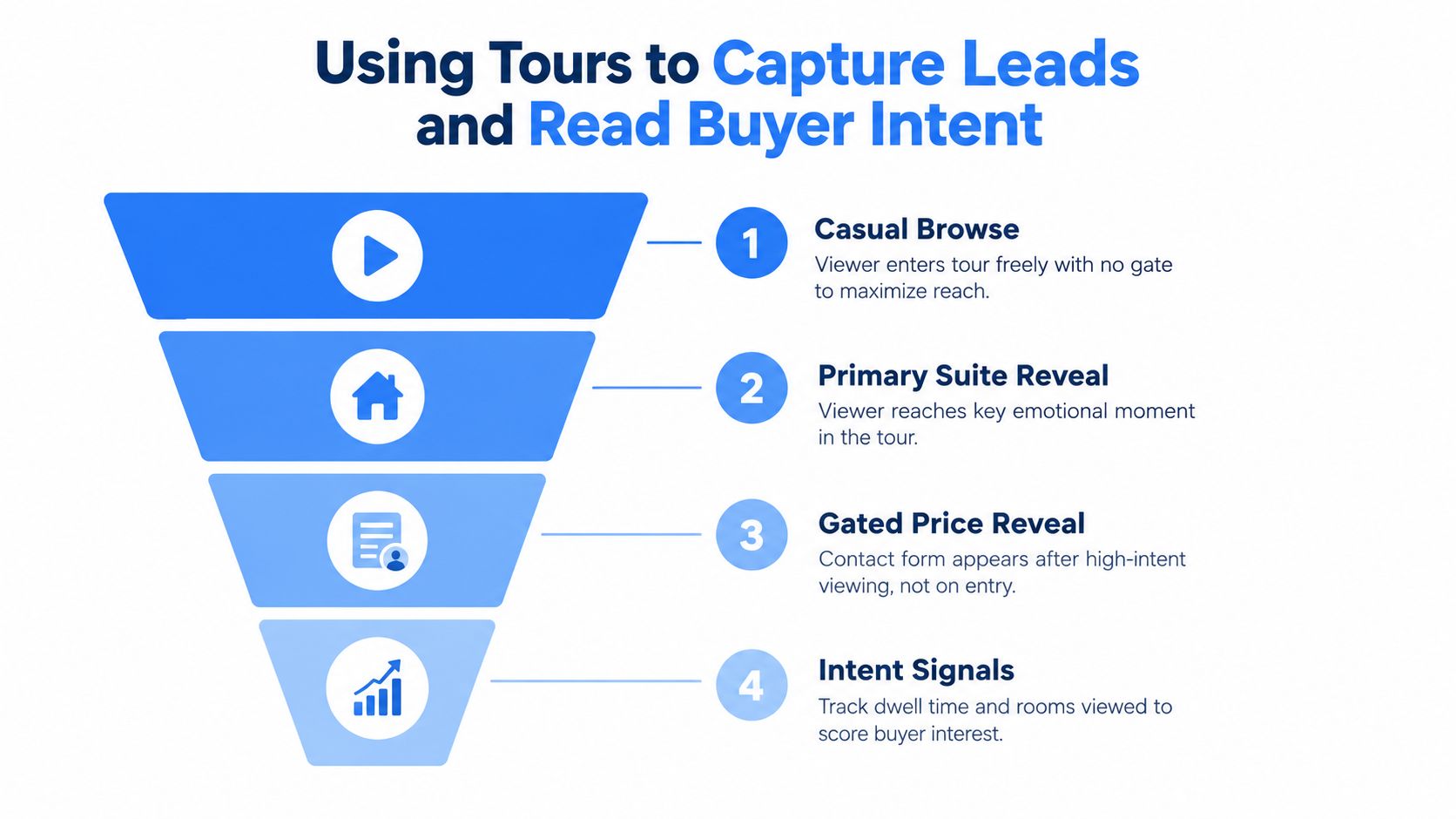
The tour becomes commercially useful when it records behavior that helps an agent decide who deserves immediate attention. A contact form placed at the entrance usually interrupts the exact casual browsing that creates reach. A better gate appears after the viewer has seen enough to care, such as after the primary suite or before a detailed price and availability reveal.
The form should request only information the agent can use:
- Identity: Name and email provide a reliable record.
- Contact route: Phone is useful when the viewer actively requests a conversation.
- Readiness: Pre-approval status separates research from immediate buying intent.
- Timing: A purchase window helps prioritize follow-up.
- Permission: Clear consent supports appropriate communication.
The platform's event data matters more than a raw view count. Useful signals include completion behavior, time spent in decision-heavy rooms, repeat visits, direct floor-plan interaction, and clicks on specific information panels. A viewer who returns to the same property and studies the kitchen or primary suite is giving the agent a more useful signal than someone who opens the tour and leaves immediately.
Turn events into follow-up
Connect tour events to the CRM through native integrations or automation tools such as Zapier. The goal isn't to create a complicated dashboard. It's to attach useful context to the inquiry, for example, “returned viewer, kitchen panel opened, floor plan selected,” rather than sending the agent a name without a reason to call.
A lead score can combine:
- Depth: How far the viewer progressed.
- Attention: Which rooms held interest.
- Recurrence: Whether the property was revisited.
- Action: Whether the viewer opened the floor plan, submitted a form, or requested contact.
- Fit: Whether the stated timeline and financing position match the listing.
The data-collection strategies for virtual tours can help teams design this measurement layer. Retargeting can then focus on viewers who showed meaningful interest, using listing ads or follow-up content on platforms such as Facebook and Google. Agents should still respect consent, platform policies, and local privacy requirements.
The key is interpretation. Analytics don't identify a buyer with certainty, but they can rank conversations by evidence. That makes the tour a qualification instrument, not just another media link.
Embedding, Sharing, and Promoting Across Channels
A tour buried behind a small button produces limited value. It should sit where a buyer already evaluates the listing, with the property page, MLS media area, social posts, and direct follow-up all pointing to the same current version.
Start with the listing itself. Use the platform's MLS-compatible media field where permitted, or place a hosted embed on the property page. The website version should be easy to find near the primary photos and key property details. An unbranded or MLS-friendly link can support channels with stricter presentation rules, while a branded version can carry the agent's contact information on owned pages.
Social promotion works best when it creates a clear reason to enter the full experience. Export a short walkthrough clip, publish panorama stills with room-specific captions, and use a carousel to show how the spaces connect. A video teaser can earn attention, but the tour should handle the deeper evaluation rather than forcing the entire walkthrough into a short social format.
Build a distribution sequence
- Before launch: Send a preview to the seller, team, selected past clients, and local contacts who can provide useful feedback.
- At launch: Publish the tour with the listing, add it to the website, and connect it to the social announcement.
- During promotion: Reuse room-specific clips and direct viewers to the live tour instead of creating disconnected campaigns.
- During follow-up: Add the tour to email signatures, buyer replies, and relocation conversations when the property fits.
- After changes: Update the live version when staging, availability, price, or material details change.
Google Street View can add another discovery surface when the agent or a trusted agency publishes verified stills appropriately for the property. The address, listing page, and tour should remain consistent so a viewer doesn't encounter outdated information.
Algorithmic reach isn't a substitute for relevance. Early sharing can create useful engagement, but the agent should avoid sending the tour to broad audiences who will never buy. The best channel is the one that brings viewers whose location, timing, budget, and property needs match the listing.
Matching Tour Production to Price Point and a Quick Checklist
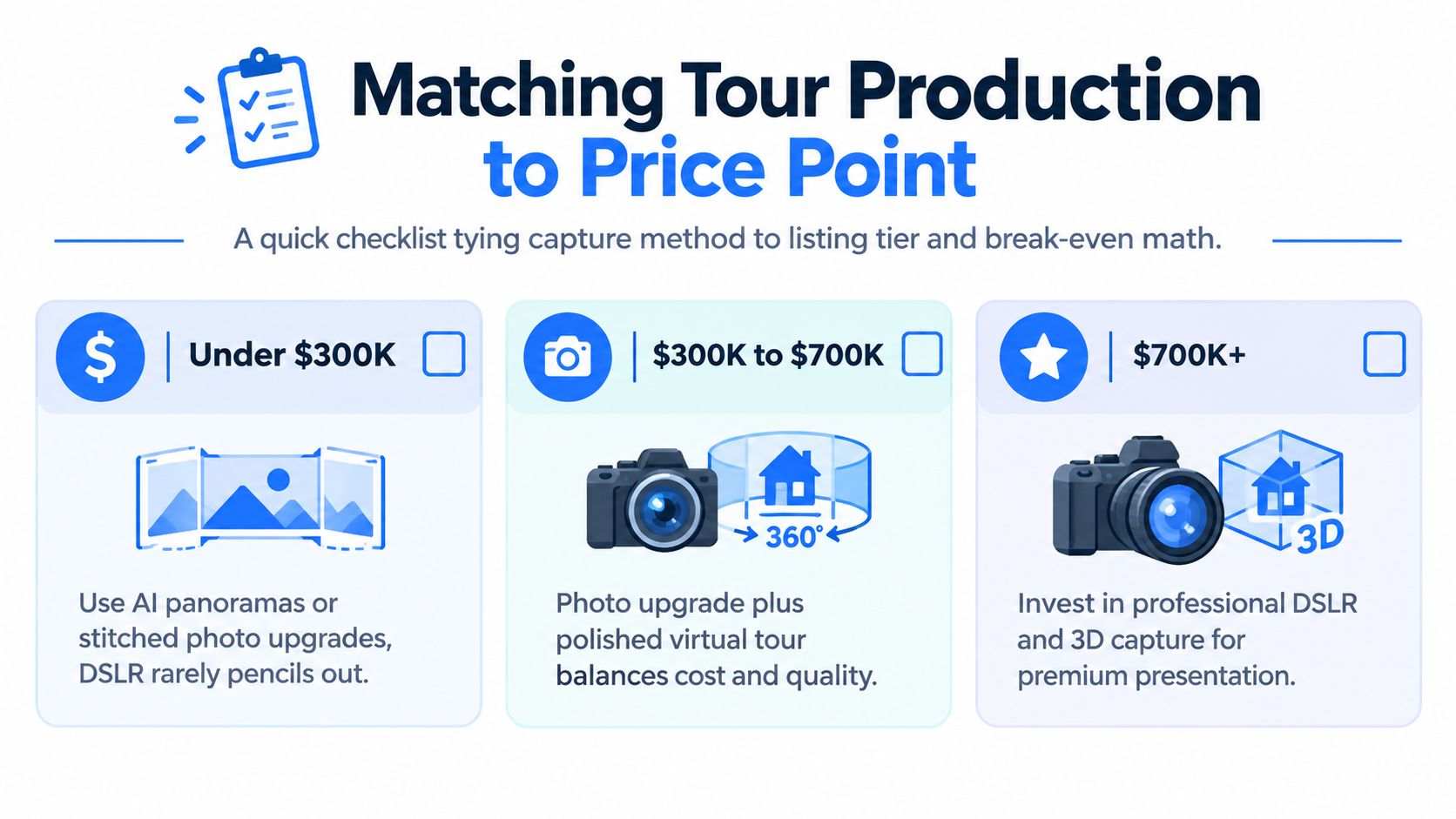
Break-even thinking keeps production rational. A low-priced listing may not support a premium capture package, while a luxury or commercial property can justify measured scanning because presentation quality, complex layout, and remote evaluation carry greater weight.
The proposed tiers should be treated as operating guidelines, not universal rules. A rural property with difficult access may benefit from richer remote screening at a lower price point, while a fast-moving urban listing may need only a clean, navigable tour. Seller expectations and local competition also affect the decision.
Use the cheapest format that solves the problem
- Under $300K: AI panoramas or stitched photo upgrades are usually the sensible starting point when a DSLR-heavy production doesn't pencil out.
- From $300K to $700K: A stronger photo set plus light hotspot work can balance polish, clarity, and production control.
- Above $700K: Professional 360 capture, editing, a floor plan, drone coverage where appropriate, and a branded landing page become easier to defend as part of the presentation.
The test is simple. Identify the result the seller is paying for, then ask whether the proposed method can create it. If the goal is only to make the listing explorable, don't buy a specialist package. If the goal is to support remote buyers, explain a complex layout, or present a premium property, use a format that can deliver those functions reliably.
A pre-capture checklist prevents expensive omissions:
- Capture method chosen: Confirm the workflow and who owns quality control.
- Floor plan matched: Verify that navigation and measurements align with the listing.
- Decision hotspots placed: Include the kitchen island, primary bath, backyard, and storage where relevant.
- Lead form live: Test fields, consent language, and the confirmation message.
- CRM tag firing: Confirm that tour events reach the correct contact record.
- MLS embed tested: Check the link on desktop and mobile before publishing.
- Google Street View draft submitted: Review the correct property and imagery.
- Social cutdowns exported: Prepare short clips and stills before launch day.
The physical presentation still affects the digital one. Before the camera arrives, agents may need realtor cleaning for open houses so floors, glass, kitchens, and bathrooms support the tour rather than expose preventable distractions.
Next action: Pick the next listing, assign its production tier, choose the cheapest viable capture method, and book the capture window before photography day.
Virtual Tour Easy lets agents create 360° tours from regular listing photos, text prompts, or existing 360 images, then assemble scenes with hotspots, info panels, audio, custom starting views, lead forms, and analytics. Explore Virtual Tour Easy to build the next listing tour around qualification and measurable buyer intent, not gear for its own sake.